Setting up a desktop windows 11 computer to record and playback Plex recordings from external antenna. I only have the option to use an external tuner. What is my best options. Thanks
I would say that an external tuner is indeed a better solution than an internal one.
Not only is there no need to fight with driver software and USB incompatibilities, but you can position it closer to the antenna and thus, reduce potential signal loss on a long antenna cable.
If you can, try to get it with an ability to test for a while and refund, if not satisfactory.
The sad truth is that some regions don’t get access to non-encrypted stations which have the “non-copy” bit not engaged. But Plex can only handle truly free over the air staions.
Looks like your recommending either the HomeRun Flex Duo or 4K. Is that correct? Looking at the unit I would then connect the tuner via ethernet to my pc for recording via Plex. One aspect I didn’t mention is I want to be able to playback recorded events remotely (out of town). My pc only has one ethernet port so I assume I would need to add a ethernet switch to bring the signal into the pc and also to connect the pc to the router to stream back remotely. My pc has 4tb of storage so plenty for what I want to record and playback. I’m not building a giant library just want to watch a football game for example while on the road…If also looked at usb tuner which would eliminate the need for a switch. Don’t know if usb tuners are as good a solution as the HomeRun? Thanks
Correct.
Not in my opinion, no.
If these are what’s available in your area, yes. Unfortunately I cannot advise on either, as these specific models are not available over here. Pick one according to the features which appeal to you.
Be advised though, that Plex is still not able to decode the AC4 audio which is used in 4K ATSC 3 broadcasts in the U.S., AFAIK.
As for watching your recordings: yes. As far as you can enable remote access of your Plex server, you can access all your media remotely (which is unfortunately not possible on all types of internet connections).
Better test remote access before buying the tuner, if that will be your main use case.
You might require a server machine which is powerful enough to transcode your recordings on-demand, in real-time. Because remote access very often requires you to reduce the bandwidth of your media files to stream them without interruptions over a remote connection.
The highest OTA broadcast in my area is 1080i. That said I’m assuming it’s best to both record and playback all my future OTA recordings in their original format (480,720,1080i). Then I assume there will be no trancoding and streaming up to 1080i requires at most 6Mbps. Since I’m fine with watching/streaming in the original format how does one setup both recording and playing back in original format? Thanks
You mention wanting to get the tuner close to the tuner. My antenna cable runs into a crawl space below our family room. The cable is 20 feet. Unfortunately my router is located in the center of the house. What I would like to do is setup the tuner in the family room by either adding a 10 foot run to the current cable or replace the current cable with a 30’ cable (will a new longerrun makea difference). Then I would need to run about a 40’ ethernet cable to either my PC or my router. Not sure which one gets connected to the tuner. Any advice? Thanks
It’s not that easy I’m afraid. The typical “Streaming Players” are not exactly well-tested with interlaced content. Simply because the main streaming services don’t have that kind of content.
Which then leads to the situation that Plex will often apply transcoding with interlaced content, just to avoid bugs with interlaced material in those devices. Which then leads to what I wrote above: expect your server to transcode when playing such recordings.
I found a diagram that shows the following setup: Antenna to tuner to network switch to Plex media server. Since I’m using a computer it’s network switch to PC. The magic part that I’m trying to understand is how that works if it can for example I’m on a tv (with plex app) on my network. I think once everything is setup and linked if I see my library on either my tv or my pc. Also I can stream live OTA or recorded content from either my tv or pc monitor. Also if I want to do this remotely I can my logging into my pc. Do I have this correct? Thanks
Hi,
I use a HDHomeRun and record Live TV which I save to a self created Library called Recordings
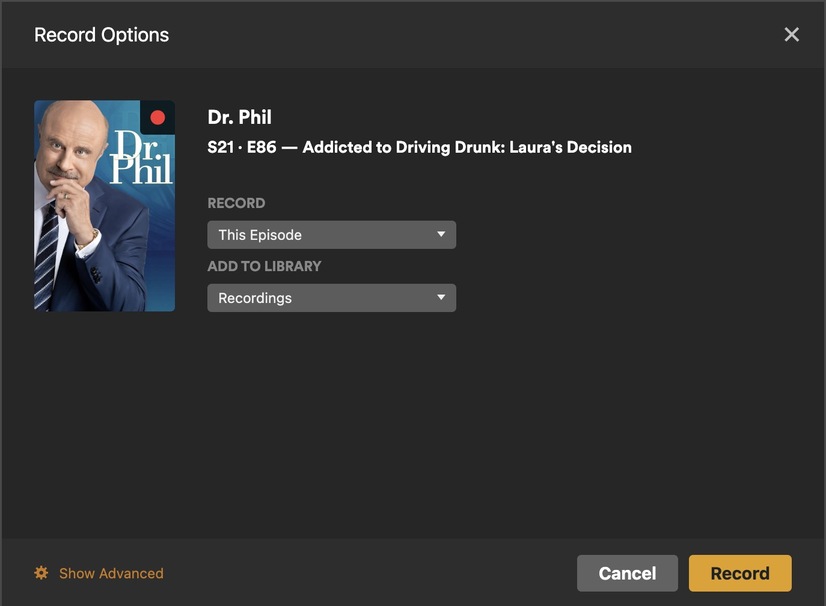
Please note: If your have trouble with any Plex client using a recording file type (Example : ts), that you are already aware of issues, you can remux using MKVToolNix (Freeware) to a mkv container. Adding this newly created file to a library directory of your choice.
As for terrestrial TV channels via Plex, I use this on my Apple TV 4K and on my Android Phones, Desktop and iPad. I believe with the Tv apps the record function is absent. Yet you can watch Tv and recordings via the self created Library. But you can create recording via a Smart phone or Tablet.
To add, there is a Recent section for Terrestrial channels in Home and in Live TV recording and viewing capabilities. Examples :
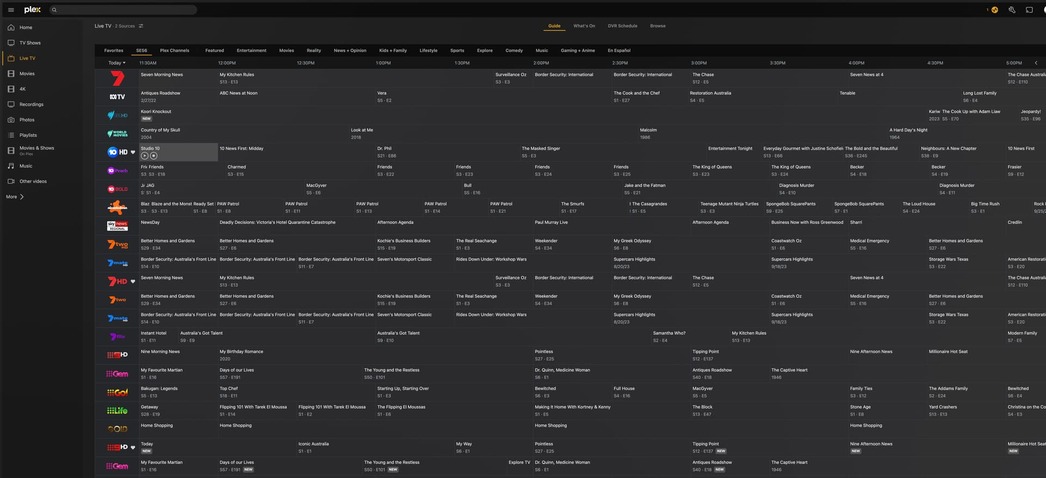
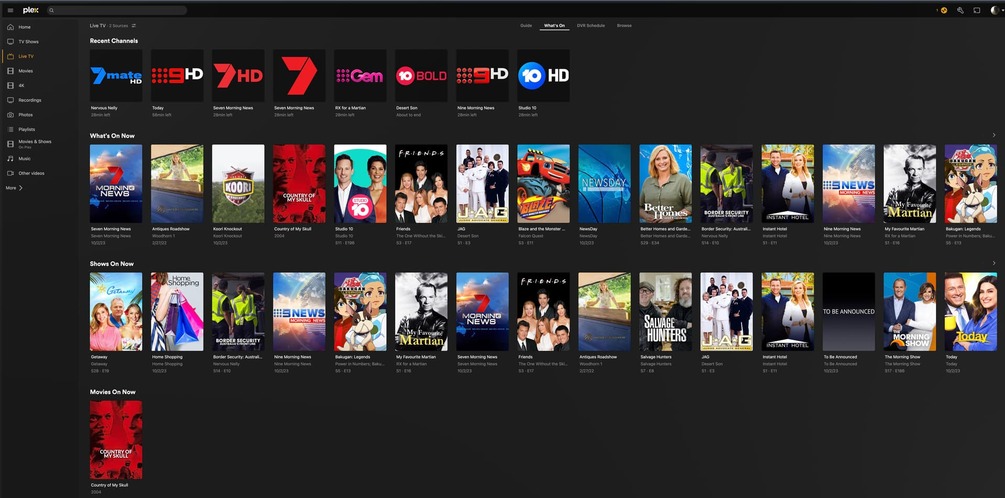
There is also a HDHomeRun app for Apple and Android and Desktop that you could use. It is also free. Not as pretty as Plex but functional.
The magic part is the “Plex Media Server”.
This is the central component which makes all of that possible. Which means if you want to watch anything, no matter on which device, the server has to be ready and running.
All the components are connected by network. That is always a two-way connection.
In the case of watching live TV, over Plex, using your big screen TV it goes like this:
- You open the Plex client on your TV
- The client is talking to your Plex server and is given a list of TV stations from which you can select one, using your TV remote control
- the Plex client is telling the server which TV station has been picked
- the server is asking the tuner over the network connection to tune into that station
- the tuner is doing this, and is delivering the picture and audio data from that station to the Plex server
- the Plex server is delivering the data to your client device (i.e. the TV), where you can watch and listen to it
- if the client is outside of your home, it still has to communicate with your server inside your home, so the server device has to be switched on, with the server software running and ready.
- under some circumstances, the server might have to transcode the data to a lower data volume, so it can “fit” through the connection between server and client. This always causing the video quality to get reduced. How much and whether that is actually noticable, depends mainly on the available capacity of the network connection between server and client.
For OTA recording (up to 1080i) what would be the best settings for recording that would reduce trancoding during streaming? Thanks
There is no magic bullet here in the settings.
All you can do is to move the time of the transcoding.
You can choose to transcode the video right during the recording. Which means that your server will be under a heavier load whenever a recording is scheduled.

Or you can use Plex’s “Optimize” feature. Either manually, only on selected videos or by applying it to a whole library (or other broadly defined scope). These automatic optimizations are usually performed during or after the server maintenance period.
https://support.plex.tv/articles/categories/features/media-optimizer/
Thanks for helping me on the path to Plex enlightenment. It’s a long road for me. I like the suggestion to perform the transcoding during recording. I wondering how this works for 1080i for example. It’s my understanding that I want it in 1080p or 720p. Can one trancode from 1080i to 1080p or is it better/required to trancode 1080i down to 720p. Thanks
The result of the transcoding will be progressive, but I don’t know what kind of deinterlacing filter will get used.
Probably not a very computing-intensive one.
Enabling this transcoding makes IMHO only sense if the video codec OTA in your area is still MPEG2.
I tried to research what is the best format format for streaming Plex, which I would assume would be what a recording should be transcoded and stored at. I found a few similar recommendations. Essentially it is:
Container: MP4
Video codec: H.264
Resolution: 720p/1080p @8Mbps
Audio track: Stereo AAC @128Kbps
Aspect ratio: 16:9
Would this be a good recommendation for recording/transcoding OTA?
Thanks
You don’t have a choice anyway. If you enable transcoding in plex, you’ll wind up with something very similar to the above.
