I always have problems when I watch movies / tv-shows with subtitles on my Samsung TV. Every few minutes it loads (buffering) or the app crashes.
When I google for this problem or look at the other posts, I see that this is a known issue. I have a workaround with external SRT subtitles, but I’m getting tired always to convert the subtitles.
An Android TV device such as a Nvidia Shield Pro or Amazon FireStick 4K/4K Max.
The Plex Android / Android TV app direct plays PGS & SRT subtitles, even if the video or audio is transcoding (I don’t have any SSA/ASS subs, cannot say how they behave).
I have a Nvidia Shield Pro and several remote users have Amazon FireStick 4Ks. The Shield direct plays everything I throw at it. Remote users sometimes transcode due to bandwidth limitations, but enabling subtitles is never a problem.
Others can weigh in with their experience with other clients.
Do you use the Nvidia Shield Pro only as a client or also as a server?
If I want to use the Nvidia Shield Pro as a server, but all my movies, shows, pictures etc. are stored on a Synology NAS. Can I access these files from the Nvidia Shield Pro via LAN?
I run Plex Media Server on a PC running Ubuntu, with my media stored on a Synology DS918+.
I also run PMS on the DS918+ as a test server to experiment with new features, etc.
Which Synology NAS do you have? Is that where you currently run Plex Media Server?
You can run Plex Media Server on the Shield.
The Shield can mount Synology directories via SMB (just like a Windows PC). You do this in the Shield settings. You then enable PMS and add the appropriate directories from the Synology to the appropriate PMS libraries.
You should definitely read the Plex docs regarding running PMS on the Shield. Among other things, you’ll need an external USB drive to hold the Plex Data Folder.
I have the same NAS. No, my plex Server is installed on a windows 10 (virtual machine) with 8GB RAM. And the virtual machine runs on a HPE ProLiant MicroServer Gen10 Plus.
In my case, the Plex server does not have to be installed on the Nvida Shield. For me, is more important that I can watch my Plex content (movies, series, etc.) on my Samsung TV without interference (if I use subtitles). It’s also important to me, that the client supports my formats and codecs (MKV, H.264 and H.265) for direct play and the server must no always transcoding the movies and shows.
What do you think, can I use the nvida shield as a client?
It’s not perfect, but better than all the smart tv platforms.
If you are after good surround sound support, you will need a sound bar/AVR with HDMI input and output, so the signal chain is
Shield → AVR → TV
In other words: do not rely on HDMI ARC.
Can you tell me what exactly you don’t find perfect? Any known problems?
Many thanks for the tip. Sound is not so important for us at the moment. We don’t even have any soundbar or AVR. For us, it’s really important that we can watch movies and series with subtitles without any problems and without the Plex TV app always crashing.
It sometimes gets hickups, where it won’t update the start page (or just with large delay).
Sometimes you’ll have to clear the app cache of the Shield.
If you keep it under power all the time, you’ll have to manually reboot it every few days, or it may start behaving erratically.
Use either your current server or run Plex Media Server on the DS918+. Either will outperform running PMS on the Shield.
The Shield is an excellent Plex client. It is heads and shoulders above any Plex Smart TV app.
I rarely have any issues with my Shield. It direct plays everything I throw at it. It has no problems with PGS, VOBSUB, or SRT subtitles. I have the 2015 model and it is still going strong and receiving software updates from Nvidia.
Since your are using TV speakers, you may also want to look at the Amazon FireStick 4K/4K Max.
It runs the same Plex Android TV client as the Shield and has the same support for subtitles.
It is an Amazon device, so the device home screen does push Amazon’s streaming service. However, once you launch the Plex app, it looks exactly the same as the Plex app on the Shield.
The advantage of the Amazon device is the cost. The 4K Max is $60 USD and frequently on sale for less. The Shield Pro is $200 USD and almost never on sale.
Initial tests with the shield looks really good. So far I had no more problems with subtitles or buffering.
But I feel, when I watch a DVD, the quality looks more poor now. I don’t know if it’s because of the upscaling function, that the shield tries to display a DVD in a better quality / higher resolution? Or am I just imagining it. But 4k and BD looks great.
Whether the Shield is actually employing its internal upscaling depends on two settings:
one in the Plex client. “automatic resolution switching”. This needs to be disabled, if you want the Shield to perform the upscaling.
the upscaling of the Shield needs to be activated. And then you can also tune it to your liking. Take a look into the user manual of the Shield and experiment with different source material and settings.
Personally, I think it works quite well and beats the scaling of most TVs.
You want to disable most of the postprocessing in your TV (or at least tune it to lower amounts). Otherwise it may interact negatively with the Shield’s processing.
Activate “Refresh Rate switching” in the Plex client settings.
Depending on the TV, this may take an additional moment on playback start. But it should generally improve fluidity of the video.
To be honest, I have never used the Shield on a 4K screen, so I have no experience. There might be some bugs hidden in there, or it is a matter of finding the right combination of settings which do work.
Maybe someone else with direct experience could chime in here?
The idea is to turn “automatic resolution switching” in Plex OFF, anyway.
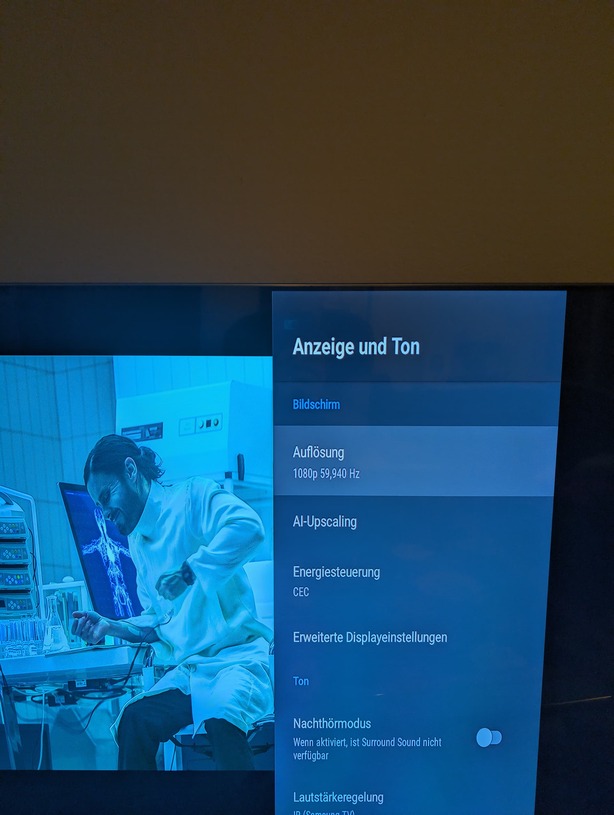
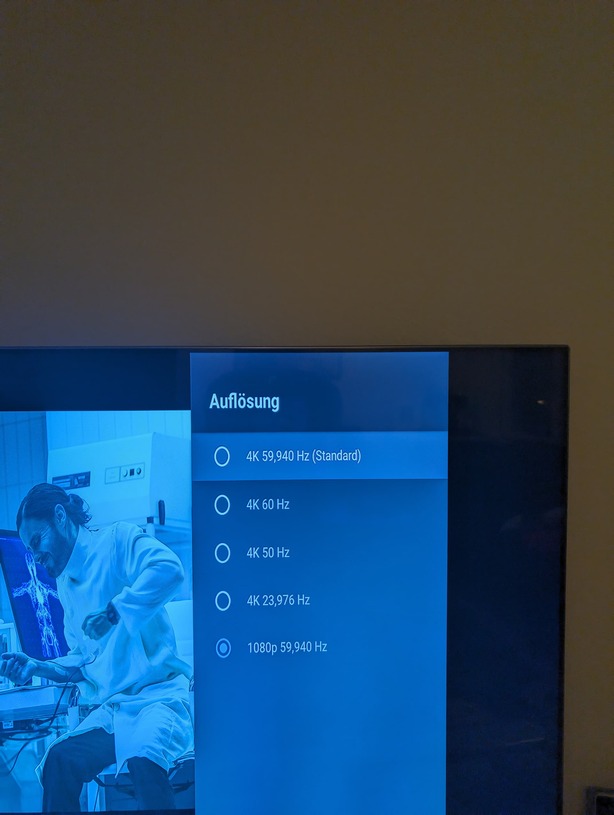
Leave the screen setting of the Shield permanently at 4K.
That way the AI upscaler of the Shield can do its magic.
So, “Refresh Rate Switching” ON (German “Bildwiederholrate”)
but “Resolution Switching” OFF (German “Auflösung”)
Keep the HDMI cable between Shield and TV short and use only a cable which is rated for 4K/UHD.