This will be more beneficial for remote playing and also makes the whole process fairly idiot proof for the non tech minded
Instead of the current system where you have to click more then play version, how about that when you press play on a film that has multiple versions you get the pop up before the movie starts asking what version you want to play, that way you can choose what quality version you want to watch with minimal button clicks.
1 Like
This has been suggested before in another thread. I suggest you comment/vote in that thread in order to avoid distracting/dispersing votes.
I’ll therefore close this thread as a duplicate.
Please use the search before posting duplicate suggestions.
[mod-edit: merged to consolidate votes]
It would be helpful to see an icon on the movie screen if there are multiple versions available to play, and then show the versions when I click the Play button. The option is hidden in the “More” button, and there is no indication that more than one version is available until you click on “More”.
1 Like
11 posts were split to a new topic: Handling of editions vs. Versions
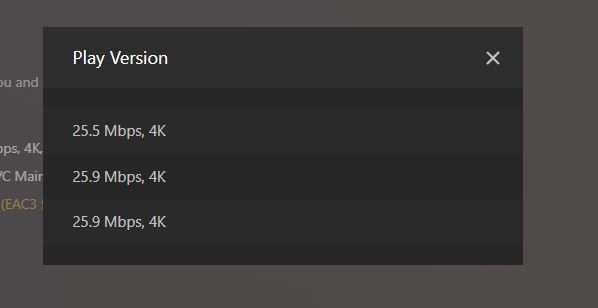
Right now, from the Play version screen, I can only see Resolution and Bitrate. Would like for it to show more info, such as If it has HDR, If it is DV, and if DV, which profile it is. Right now I have a movie with 3 versions, a 4K, a 4K DV profile 5, and a 4K DV profile 8. When I go to pick a version, I can not tell which one it is.
I also would very much like to have this feature, especially in the mobile (Android) app!!
-
If there are multiple versions of a movie/tv shows, then make it a bit more obvious that there’s options hidden inside the more options dropdown.
-
Or once you press play, if available, prompt which version to play.
