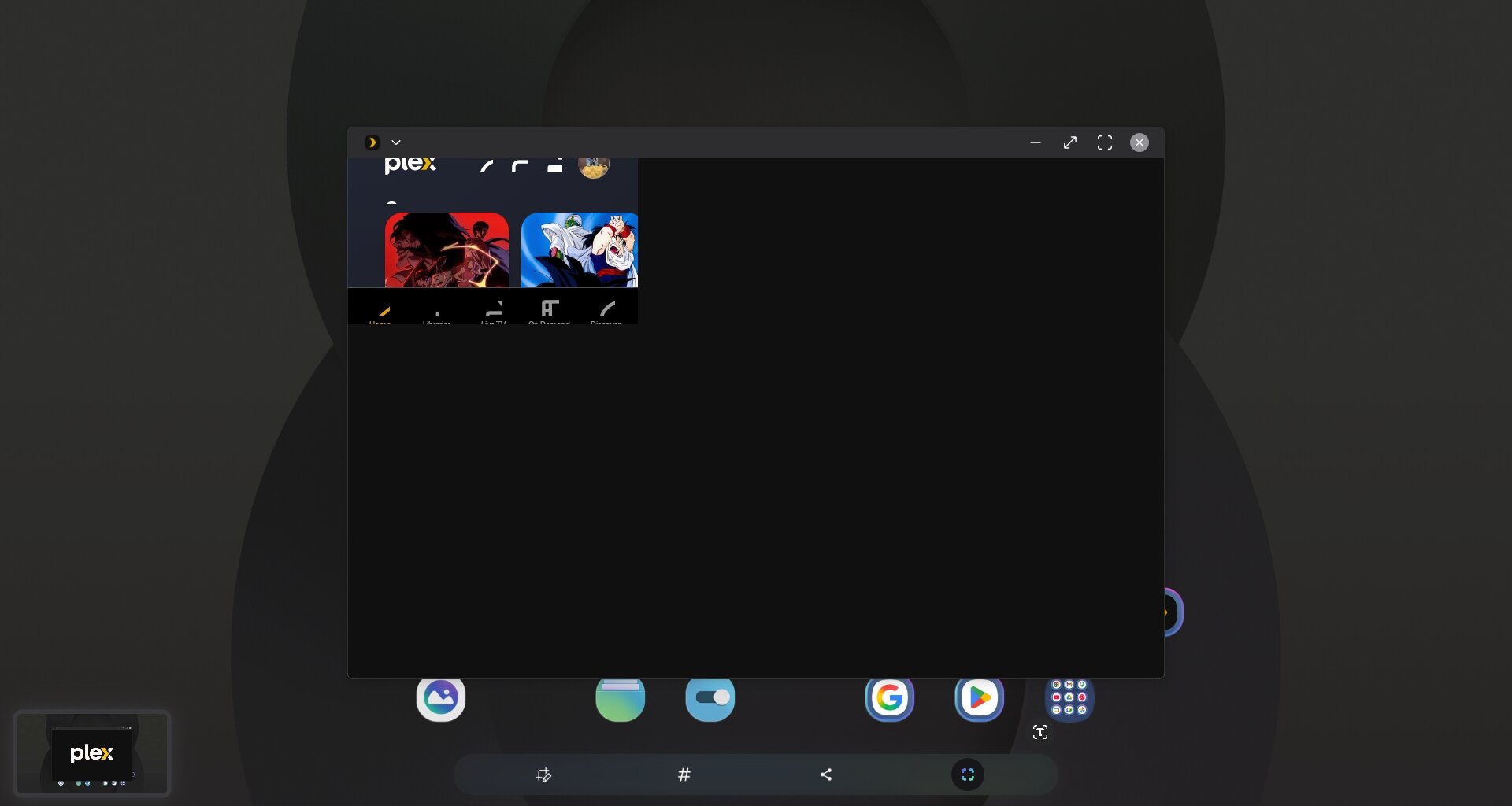
One more thing to add. Not sure if anyone else has this problem. When i use my phone as touch pad in Dex mode, the single click on the touchpad to bring up the control bar doesn’t work. Sometime it can bring up the control bar But I still don’t know how did it work.
I just installed the older apk (before New experience) and surprisely found out that the touchpad control is flawless on that one.
This happens on almost every Android 16 device when using Plex on a secondary display, either through Dex or the less mature native desktop mode - doesn’t matter if the connection is by cable or wireless casting.
This isn’t about casting or DRM restrictions like Netflix. Samsung DeX is a native desktop environment on the device itself, and Plex has supported it perfectly before.
The fact that it broke specifically in v2026.1.0 points to a UI rendering regression, not a policy change. If they wanted to block it, they’d show a DRM error, not a glitchy, half-rendered UI. This is just a broken build that needs a fix.
Dex is the same thing as the desktop mode on most other android mobile devices, just a more mature version. Dex and desktop mode will not activate unless you are connected to a secondary display either by wireless casting or by wired USB connection.
This is a general issue with Android devices, not a Samsung specific issue.
The level of incompetence from Plex is baffling. They broke this month’s ago and are perfectly OK with ignoring it. Get it fixed and in the meantime acknowledge its an issue that’s being looked into. If you dont have a Dex compatible device to test, I have a solution. www.samsung.com. Go buy one, hope that helps.
really guys? How many updates have gone out with bug fixes and this still exists? You planning on hiring any real coders or just going to vibe code this until it unravels?
Version 2026.5.0 - issue still persists. Makes using them in DEX in something like the popular RayNeo glasses impossible. Sad to see this is a lingering issue from months ago and not yet resolved. PLEASE fix this.