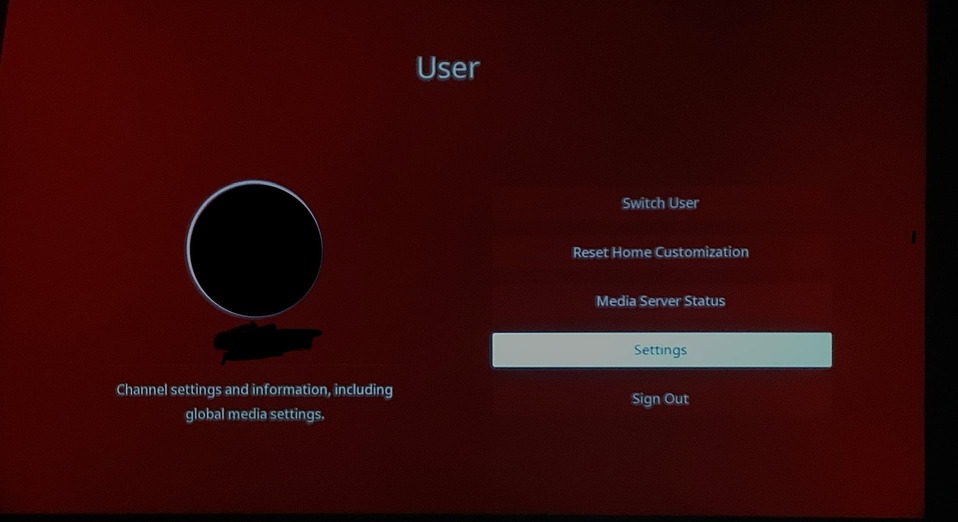
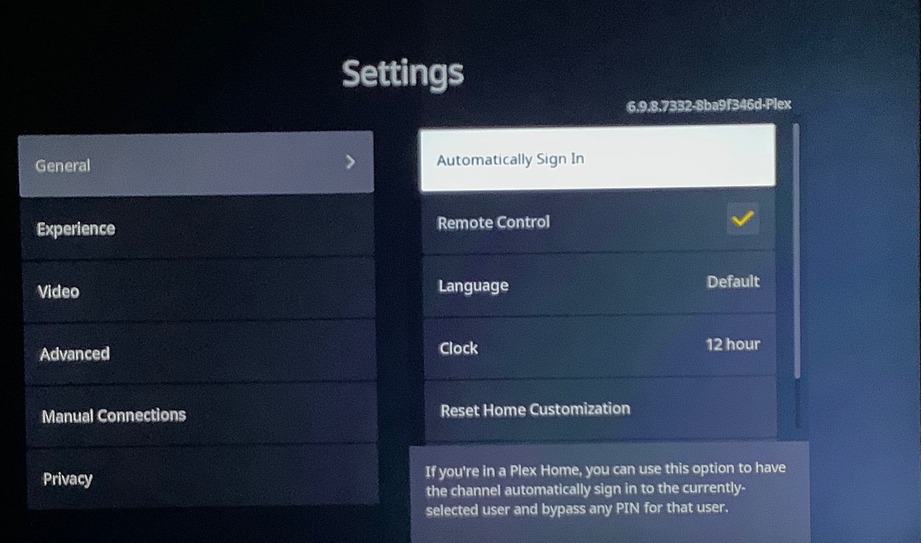
Latest version of the Roku app/channel defaults to user selection screen, where previously it was set up to automatically login a particular user (last used I guess.)
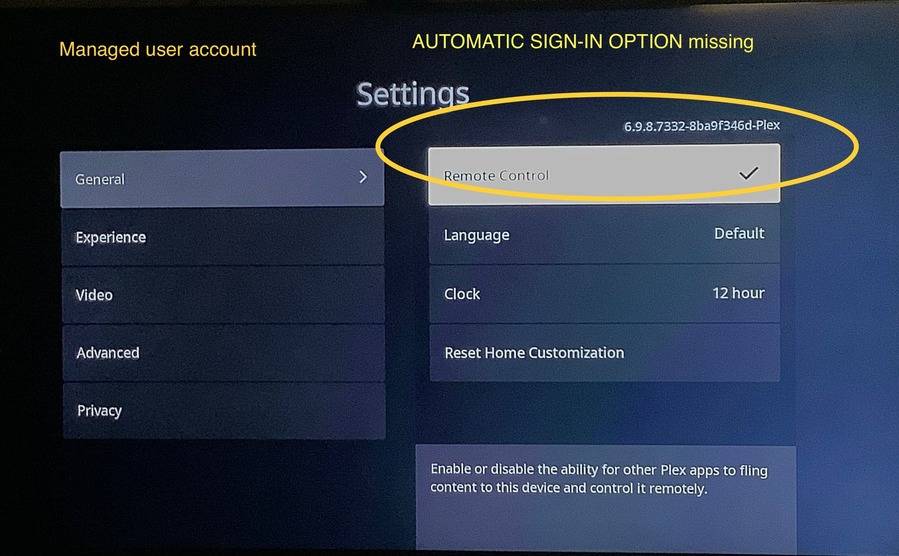
There seem to be many older threads about this, but this was a recent change. Unclear where to set this at this point, because I do not see that option.
Yeah, you are correct in that this behavior wasn’t like this before. There actually isn’t a way for an admin to setup the managed user account to open automatically like it had before. I had a Guest user account with no pin and saw that the login screen is now the default and just like you pointed out, there now is no way to set that account to login automatically from the settings menu.
In addition, I tried applying a pin to the Guest account to see if the automatic sign on option would appear in the settings after and that had no results as well.
This definitely seems like a bug or unintended behavior.
usually only the admin user can enable ‘automatically log in’
as an aside, don’t forget that any user profiles without a pin, can be switched to by any other home user.
so all adult profiles should be pin protected.
kid profiles may also need protected, to keep your kids from ‘accidently’ switching to another kids profile (who may or may not have different permissions, or just to annoy).
I have an admin user with a PIN. I then have a “general” user without a PIN (aka the managed user I noted above) that is or normal daily use by the household.
Prior to a few days ago, this managed user was set to “automatic login” and when Plex started on the Roku deivce it was at this user HOME and not the user select screen. Something changed in a recent update and I can no longer set this. In fact, it remains the first item on the Settings for Roku page.
I understand what you’re saying–I’ve been a Plex user for a long time.
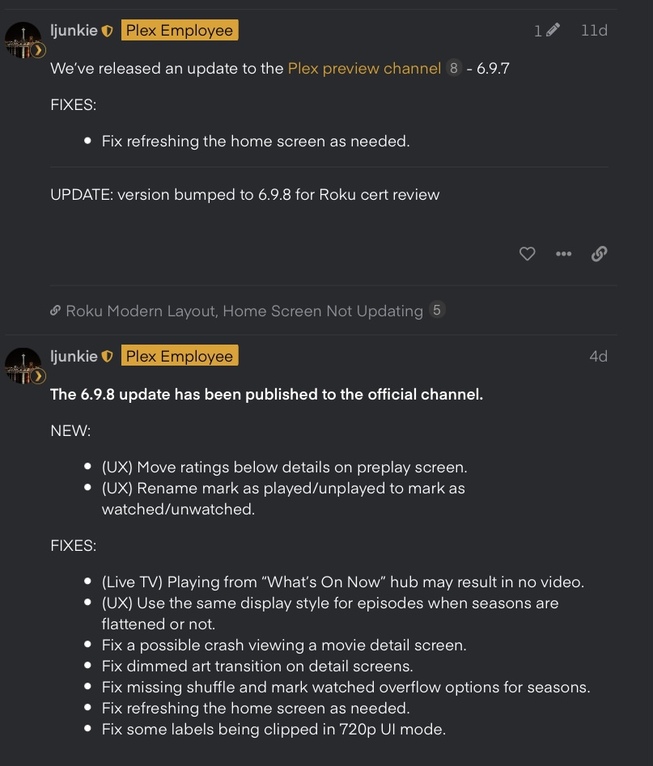
I’d also like to know if what you’re saying is true and if there was a menu change as a possible “improvement” of the pin mechanism and Automatic Sign-On is no longer a menu item for Managed Users, then why wasn’t this behavior not included in the Plex Preview and Official channel release notes? That’s all I’d like to know because I’m also a Roku user who noticed this new change. This wasn’t the normal behavior before. Add this to the release notes, thank you.
There was no intentional change in the latest version. I’ll explain a few things though, that will hopefully clarify a few scenarios.
Automatic Sign-In is a global setting for the Plex app, per device.
Managed users are not allowed to change this setting. The admin account (or any full user account) may change the setting, and this affects all users, including managed users.
If you go to the switch users screen, then exit the channel, we will show the user selection screen when relaunched.
TL;DR this should still work for managed users, and you can verify this by following these steps.
Switch to the admin account (or any full user, non-managed account).
Verify automatic sign-in is enabled
Switch back to the managed account
Exit the channel
Reopen the channel (it should not show the users selection screen)
note: in preview version 6.8.0 released back in June, we fixed hiding a few preferences managed users should not have access too. This version was released to everyone in version 6.8.3 in July.
I don’t know if there might have been a cache issue with my Roku Stick model 3810X and those features were not working correctly but with the update to Plex for Roku version 6.9.8, it seems to be pushed and rolled out properly with what you pointed out above. This isn’t the first time where new features or fixed issues weren’t entirely fixed with an app update. I have had similar issues with other apps like Hulu and Netflix that required a full deletion of the app and then re-download and fortunately, I didn’t actually have to touch Plex. However, with the roll out to 6.9.8, the app was overwritten correctly. Yay? And also unfortunately I’m still waiting for the Roku OS 10.5 update to see if other issues I have been rectified. And thank you @ljunkie for the explanation. For @holocron, you might have to do the same thing as I have and if there’s a discrepancy between these Release Notes and what your app is doing, then an uninstall and re-add of the app would fix the problem, but note, you’d have to redo each of the Home customizations for every managed user and your own admin account. This is why unlike, the Netflix and Hulu accounts, I dread having to uninstall the Plex app for Roku. PITA.
I have a suspicion that this is exactly what happened.
I further suspect that this was the ultimate cause for the recent confusion on my part. I’d previously set the auto sign-in a while back and likely did it through he managed user rather than the admin user. IDK, it was a while ago, as I noted.
It might be appropriate to add a clarification about all this to the Settings: Plex for Roku page(s).