Server Version#:1.17.0.1709
Player Version#:4.8.1
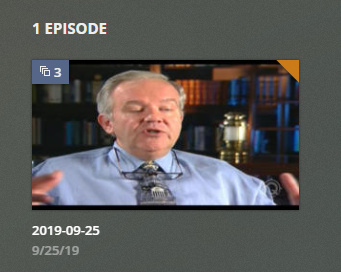
I recorded 3 back to back episodes of a show and the thumbnail for the recording has this little multi-box icon with a 3 by it in the upper left corner but if I mouse over it it turns into a circle. I cannot figure out how to access any but the first of the 3 recordings.
 !
!
The EPG did not provide enough clues for Plex so it can recognise that it is 3 distinct episodes. Instead, it thinks it is 3 versions of the same episode.
Most Plex clients should have a command “Play Version” menu item, which allows you to select one particular version to play.
Thanks for the reply. In this case, the duration of the recording is only as long as one episode, so there must not be any other “versions” to play.
No. Of course it only shows the duration as one episode, because Plex thinks it has only 1 epiosde, but in 3 versions.
Is there a way to extract those 3 versions? I couldn’t find a button for “Play Version”.
Which client type are you using?
Web client.


You are on the wrong screen. There, you are playing the Season, not the Episode.
But you want to play a version of the episode. Therefore you need to dive down top the preplay screen of the episode, by clicking on the title text of the episode thumbnail.
Got it! I can see all 3 episodes now.
Thank you so much for your help!
1 Like
This topic was automatically closed 90 days after the last reply. New replies are no longer allowed.
