Hi all. I’m a bit frustrated, Plex has never really worked well for me despite a fairly good setup. I’ve tried transcoding on/off, and looked through various threads. I’ve ended up either transferring the media to an M.2 drive, or getting the 1080p version of the media. These solutions work, but its frustrating with a 4k / Atmos setup. Its a full gigabit network end to end, so that shouldn’t be an issue. Recently, whenever the screen goes into screen-saver mode on my PC, the film starts buffering very 20 seconds or so. I’ll put my logs in the thread somewhere… All suggestions gratefully received - hopefully I can get this working. (The logs are from last night, are they ok? Or do I need to capture the problem then immediately download the logs then?)
My previous post (I have solved Audio issues with a new Denon receiver now):
Hi. I know this is a well-trodden path with many threads here and on google so apologies for that. They are all old now, and not really relevant to my particular config. I have tried many of the things mentioned there. I finally tried to get rid of the buffering through buying a premium plex-pass, but it didnt work, and I still get buffering on a fully wired network. My high-end gaming PC is the server, and I’m playing via a 3rd gen Firecube. This doesn’t work either by transcoding on the PC (With a 3080ti specified, and ‘auto’), or any other setting. The only thing that works is turning down the streaming setting to 1080p, or sometimes putting the source file on a SDD works. I sometimes have to jig around with the audio, as I don’t have audio over HDMI yet, so it comes out the TV via optical pass-through, then into an AVR. The central switch is gigabit, off that there is a cable for all the AV gear that comes out of a separate secondary hub ‘under the tv’. The disk the media is stored on is a fairly new 10TB disk - Although it does make a difference to put the media on an SSD, I’m at a loss why or how that works?! (And only some titles need it, less than 5%)…
Hi…
A few things to try…
On the basis that you say the buffering happens when your Plex server goes into screen saver mode, to rule out whether that is the problem or not, please turn off your screen saver entirely, then set your power settings to turn OFF the monitor…
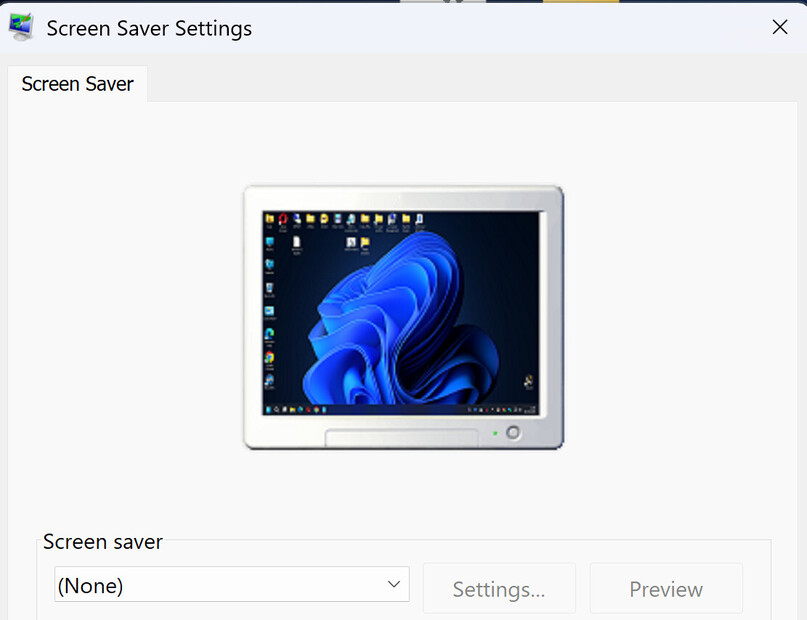

With this combination, you can still protect the monitor but not have the server waste resources in trying to display a screen saver.
Next, you need to determine if you are transcoding content or direct playing it.
If you are transcoding some content, it would be worthwhile moving your transcode location away from the default and onto a RAM drive, so long as you have lots of RAM.
However if you are direct playing the content, I really wouldn’t expect you to have these kind of problems.
Anyway, to start out, sort out the screen saver and see where you are after that.
