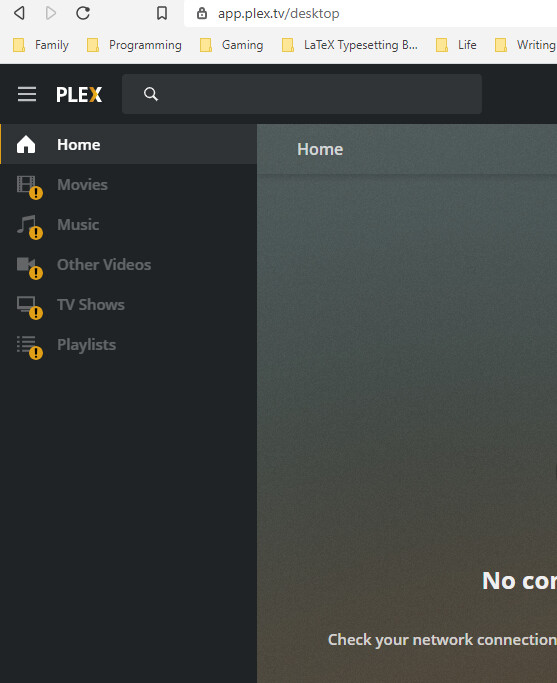
Server Version#: Version 1.21.1.3842
Player Version#: Version 4.47.3
Hey there.
When logging in via plex.tv, I can’t see my content. When going directly to the machine (on both the local network and when connecting from off-site) it works just fine.
Any ideas about how I can fix this? I’d prefer to log into plex.tv rather than remember my hope IP address all the time, if I can.
I have my plex server behind a reverse proxy nginx (ssl front-end). I have a dedicated hostname for plex, but not ip adress (it is fixed). I use vhost hostname based.
I have multiple wan link with load-balancing (3 differents static ip addresses).
If Nextdns is enabled on IOS and i am not at home (not on my LAN), and Plex app not already signed-in (or just killed and restarted), my plex server content is unreachable (no library displayed). I manage to sign-in, but no content.
If i use Safari on any web browser to reach my plex server from its https URL, no issue, i can connect and see content.
If Nextdns is disabled on IOS (or I am at home on my LAN), i have no issue to see my Plex server content in Plex IOS app.
On IOS app logs, i get the error :
PMKConnectionTestOperation.m:69 | Error during test of <PMKPlexServerConnection: 0x280c95d60>[ my_ip1:443 - plex,published,direct,verifiable ] (remaining attempts 0): Error Domain=NSURLErrorDomain Code=-999 “cancelled”
The issue seems coming from Nextdns app on IOS, but i do not understand, why i only have issue with IOS Plex app, and not on web browser.
Thanks, i checked Nextdns config (portal), but not found any denied request or something else.
I suspect Nextdns app on IOS, do something like tunneling or low level network which cause issue with Plex. Other streaming apps do not have any issue on the same IOS phone, only Plex.
I will inform Nextdns…
However, in my context, i think there is an issue with the callback plex url, it choose one of my IP addresses which not match with my dns resolution. I have configured my external url to be resolved from only one of my IP address (best speed link) and it do not match with Plex outbound request.
For example, i have 2 XDSL link and 1 LTE. Outbound request from Plex come from XDSL1 link and my external Plex URL resolve to my LTE IP address. I think it is an issue in my context with Nextdns association.
I found this thread when I noticed the same thing. If NextDNS is enabled on my iPhone while I’m on cellular, my Plex content doesn’t want to load on the iOS app. If I disable NextDNS via the app (or if I’m connected via WiFi), I don’t seem to have the issue. Have you figured out any solution yet?
Finally found a solution that work for me after many month frustration with the app NextDNS. Delete the app then reinstall, when ask to access local network, denial it. Only work on first install, the toggle in the setting does not work. I’m always on mobile data so this work around might only work for me.