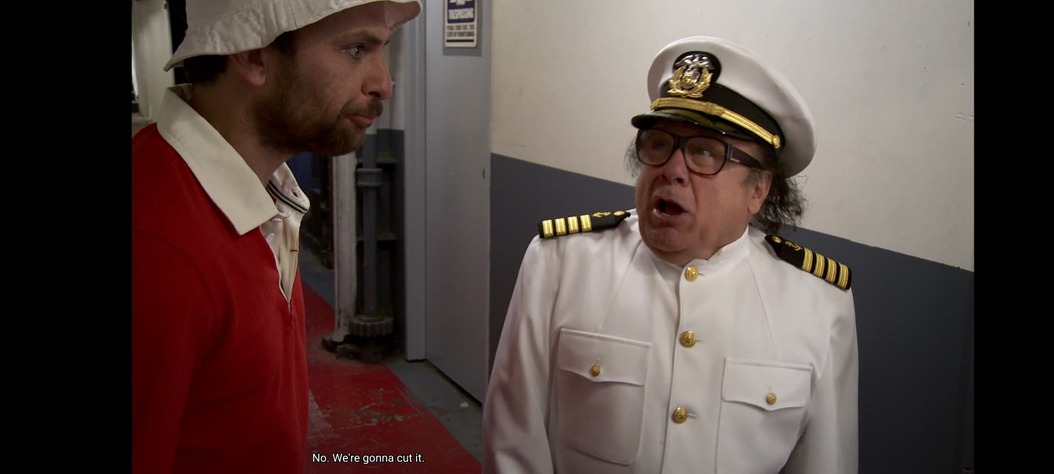
Wait are you saying
Have you tried changing the subtitle size in settings / advanced / subtitles / subtitle size on the mobile client ?
I’m trying to test it but now I can’t get it to transcode. If I do anything other than play original quality it just won’t play
What type are these subtitles?
If they’re ASS or SRT, please extract them, zip them up and attach them here.
It’s definitely not just this file. But when I’ve asked in the past I’ve been told “it just does that when it transcodes” but it only does it on Android. iOS and Chromecast will use your subtitle appearance preferences without complaint
its.always.sunny.in.philadelphia.s11e09.1080p.web.x264-convoy.eng.zip (15.8 KB)
There are no “text size” formatting instructions in this subtitle file. (which I suspected were there)
You can force burning in of subs by saying so in the app’s preferences.
I wonder if it’s to do with the screen’s aspect ratio.
Which subtitle size setting have you selected currently (also in the app settings).

Yes, burn in requires transcoding.
But that is just for testing. We need to establish whether the look of the subtitles is different if they’re played directly vs. burned-in.
Please verify the playback mode using the Dashboard in the web app.
Do your files also contains other subtitle formats?
I’m asking because there is currently still a bug in the Android app, where it doesn’t show the selected subtitle but a different one (or none at all).
Which means that you actually might be looking at the PGS subtitle instead of the SRT version, if you have both subtitle formats available.


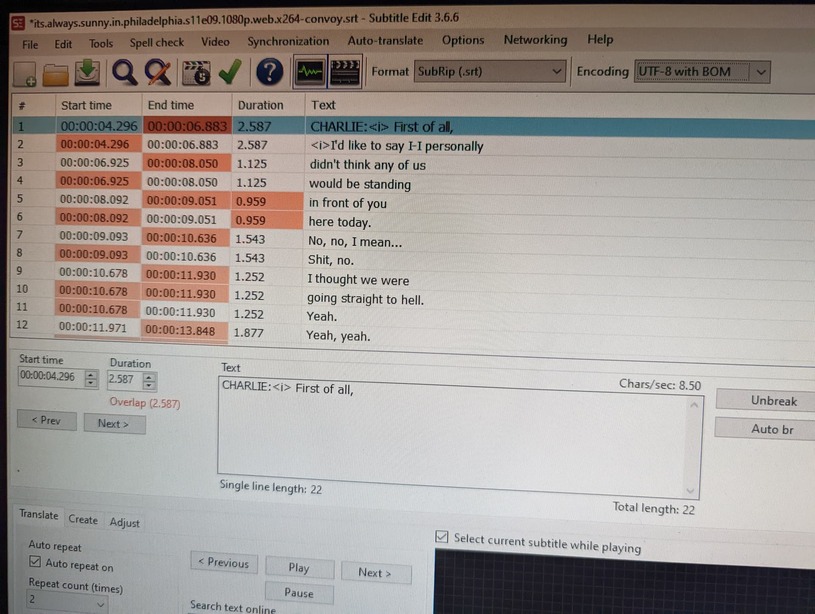
Thank you for all the screen shots.
These are very useful for illustrating the issue and communicating to the developers.
Could you please:
set the subtitle burning preference back to automatic.
Then
- activate debug logging (not ‘verbose’!) on the server
- quit Plex Server
- wait 1 minute
- start Plex Server
- wait 2 minutes
- enable debug logging in your phone as well https://support.plex.tv/articles/201573117-android-android-tv-fire-tv-logs/
- play back the affected video for ~ 2minutes
- wait 1 minute
-
fetch log server log files and logs from the Plex client as well and attach them both here (please zip before uploading)
(it is crucial that the logs are fetched at the same time, so the developers can see what both server and clients did at a time)
Logs sent

so what’s the plan here
I know there is still an issue we are looking into with the colors. I noticed in your screenshot you have “override included subtitle styling” disabled. Can you enable it and see if it helps with the size/position
It changes nothing. Could you please check your DMs and get back to me about the multiple threads?
This is your always sunny subtitle when transcoding for me ( my own video) . I did’t see anything obvious in the logs you sent @OttoKerner.
Is it possible to get a sample file of the video you embedded the subtitle in that reproduces error so i can try with actual file.

To clarify, it’s not embedded, this is an external SRT file. But I will upload the video to Google drive in a minute
