Server Version#: 3.75.3
PlayeServer Version#:
I go to Plex.tv and Launch and it comes up with Dashboard empty, can’t figure out what to do next. Window server, first time this has happened
Did you recently add or remove a big number of media items?
Or was the server off for a few weeks?
Are you using a different web browser - or did install a new browser add-on?
This usually happens if the plex server doesn’t deliver data within 15 seconds of the web app asking for them. And that in turn usually happens if the server is busy doing other things.
Let it sit for a few minutes, then retry to load the front page again.
If there is still no change, check for database damage:
- activate debug logging (not ‘verbose’!)
- quit Plex Server
- wait 1 minute
- start Plex Server
- wait 5 minutes
- fetch log files and attach them here
Or inspect them yourself. Take a look at the Plex Media Server.log file and seek for messages about database corrupt or malformed.
If you find these, you may have to repair your database.
https://support.plex.tv/articles/201100678-repair-a-corrupt-database/
No on both accounts it worked one day the next it was like that
And when I try to go in and start another one I can’t get the language to come up therefor the next never lights up
What do you mean by that?
Starting another web browser window, with the the web app in it?
Use the tray icon to close the server.
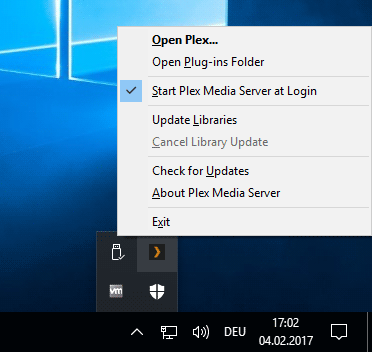
Then fetch the Plex Media Server.log file ‘manually’.
https://support.plex.tv/articles/200250417-plex-media-server-log-files/
(scroll down to ’ Manually Finding Log Files’)
zip up the log file and attach it to a message in this forum (don’t use your email client, email attachments don’t arrive in the forum)
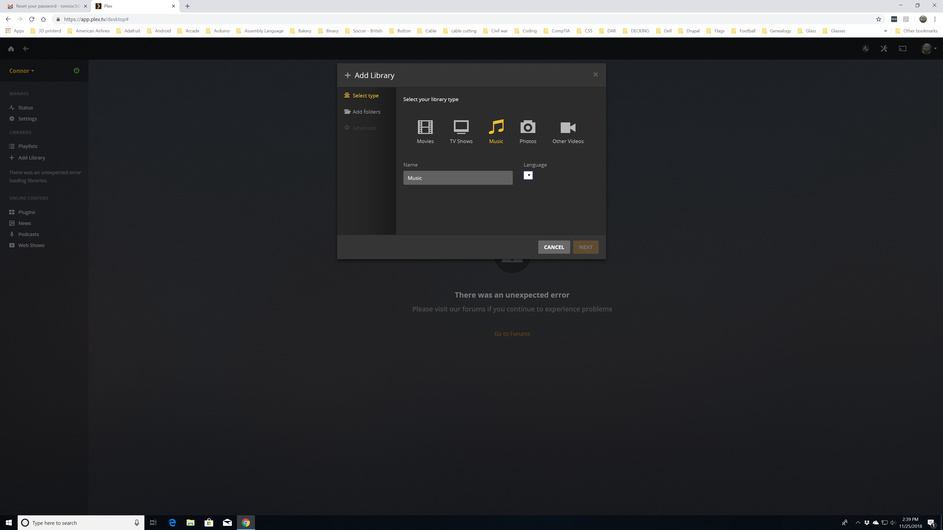
While this screenshot illustrates the problem, it doesn’t provide much clue where the issue might originate.
This clue can only be provided by server log files.
This topic was automatically closed 90 days after the last reply. New replies are no longer allowed.
