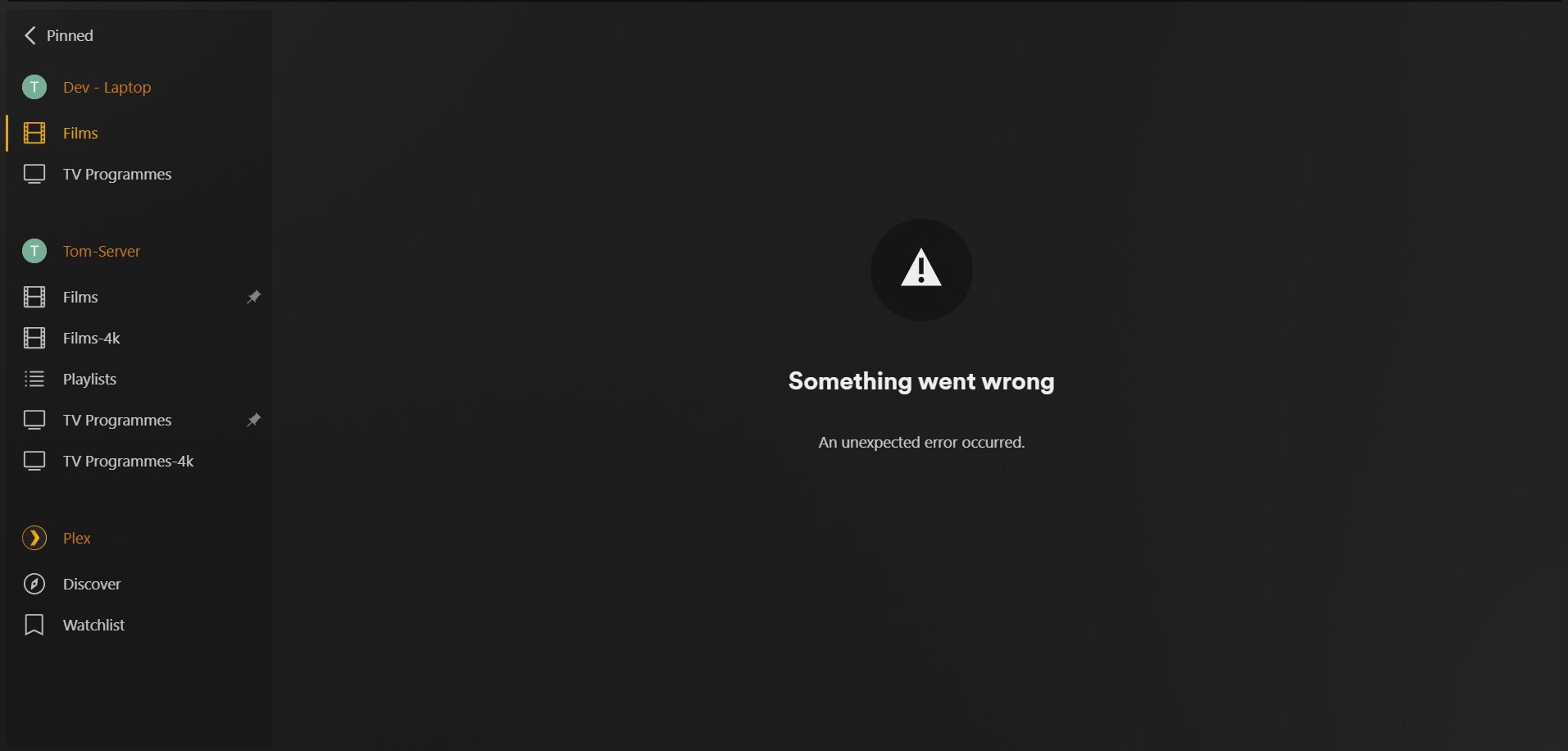
Understood, @TomcatNever .
I composed a small debug script for your Smart Collection use case.
It does not try to do backend database repair things, but uses the Plex API calls to find your server, connect to the library and get a list of collections. If you point the script to the collection in question it will try to “read” it including certain graphics. It also tries to “reach” and download those things to your hard drive (as part of the test). It also offers some basic “reset” options for different types of graphics. Last but not least, it offers to delete that collection if nothing else is working. You are in the driver’s seat, so nothing is automatic… please read the user guide and please use it with care.
I tried my best compose this thoroughly, but you are using it at your own risk. I have no idea on what’s going on on your Plex Media server, so make sure to run it without the fix part first, then read its output.
Here’s the user guide:
Plex Master Debug & Fix Tool – User Guide
1. What this Script Does
This Python script is a robust diagnostic and repair tool designed to troubleshoot specific, broken, or buggy Collections within a Plex Media Server.

Auto-Discovery: It connects to your Plex account using a Token and automatically finds all available servers (local, remote, or relayed).

Deep Diagnosis: It retrieves technical metadata (IDs, GUIDs), checks if a collection is "Smart" or "Manual," and lists all contained items (movies/shows) to verify the database integrity.

Asset Verification: It extracts URLs for Posters, Backgrounds, Banners, and Theme Music. It then attempts to download these assets to a local folder to prove that the server can physically serve the files.

Fixing (Reset): It offers an option to "Unlock" and "Refresh" metadata fields. This forces Plex to discard custom/corrupted artwork links and fetch fresh data.

Deletion: It offers a secure option to completely delete the broken collection from the server.

Safety First: The script is "crash-proof." It catches network errors and timeouts, ensuring you always get a result report instead of a program crash.

2. Installation Guide (From Scratch)
A. Windows
Install Python:

Download Python from python.org.

IMPORTANT: During installation, check the box "Add Python to PATH" at the bottom of the installer window.

Install Modules:

Open the "Command Prompt" (press Win+R, type cmd, press Enter).

Type the following command and press Enter:

DOS

pip install plexapi requests
Setup Script:

Save the code as plex_master_fix.py in a folder (e.g., C:\PlexDebug).

B. Linux (Ubuntu/Debian)
Install Python & Pip:

Open your Terminal.

Run: sudo apt update && sudo apt install python3 python3-pip

Install Modules:

Run: pip3 install plexapi requests

Setup Script:

Save the code as plex_master_fix.py.

C. iOS (iPhone/iPad)
Get an App: Install a Python environment app like Pythonista 3, Pyto, or a-Shell from the App Store.

Install Modules:

Open the app's console/terminal.

Type: pip install plexapi requests and hit Enter.

Setup Script:

Create a new script file, paste the code, and save it.

3. Usage & Workflow
To run the script:

Windows: Open CMD in the folder and type: python plex_master_fix.py

Linux: Type: python3 plex_master_fix.py

iOS: Open the file and press the "Play" button.

The Program Flow:
Authentication: You enter your Plex Token. (Input is hidden for security).

Server Select: The script lists all servers associated with your account. You choose one.

Library Select: You choose the specific library (e.g., "Movies").

Collection Search: You can search by name (recommended for speed) or list all collections.

Diagnosis: The script lists the collection items and technical details.

Asset Check: You press [ENTER] to step through every image (Poster, Banner, etc.). The script tries to download them.

Summary: A final report lists what worked and what failed.

Action Menu:

Fix? Asks if you want to reset artwork.

Delete? Asks if you want to delete the collection (requires Token re-entry).

⚠️ WARNING: Data Modification
Please be aware of the final two steps of this script:

FIX OPTION: If you answer 'Y' to the fix prompt, the script will send commands to your Plex Server to modify the database. It will unlock fields and trigger a metadata refresh. This alters your data.

DELETE OPTION: If you choose to delete, the Collection is permanently removed. This cannot be undone. To prevent accidents, you will be asked to re-enter your Token.
Here’s a sample output of the script:
### PLEX MASTER DEBUG & FIX TOOL ###
Diagnosis -> Report -> Fix Options -> Delete Options

Please enter your Plex Token:
(Input is hidden/secure. Press Enter after typing.)

Scanning for servers...
 [0] MyHomeServer (1.32.5.7328)
 [1] FriendServer (1.40.1.1234)

Select Server (Number): 0
Connecting... (30s timeout)
CONNECTED: http://192.168.1.5:32400

 [0] Movies (Type: movie)
 [1] TV Shows (Type: show)

Select Library (Number): 0
Library: Movies
 [1] Search by Name (Safe)
 [2] List ALL (Slow)
Method: 1
Search Term: Marvel

Found 1 entries:
 [0] Marvel Cinematic Universe

Select Collection to DEBUG (Number): 0

### DIAGNOSIS: Marvel Cinematic Universe ###
--- CONTENT OF COLLECTION: 'Marvel Cinematic Universe' ---
Total Items: 2
----------------------------------------
1. Iron Man (2008)
2. The Incredible Hulk (2008)
----------------------------------------

Proceed to URL Check? (y/n): y

----------------------------------------------------------------------
### ASSET VERIFICATION ###
Checking POSTER...
-> URL: http://192.168.1.5:32400/library/metadata/1234/thumb/...?X-Plex-Token=...
   [ENTER] to test download...
   Result: Downloaded OK (debug_downloads\1234_thumb.ext)
------------------------------
Checking BANNER...
-> Not set.

----------------------------------------------------------------------
### FINAL DIAGNOSTIC REPORT ###
 * Target: Marvel Cinematic Universe
 * Item Count: 2
 * Smart Collection: False
 * POSTER: Found. Download: OK
 * BACKGROUND: Not set.
 * BANNER: Not set.

======================================================================

OPTION 1: FIX / RESET ARTWORK
This will attempt to 'UNLOCK' metadata fields for Poster, Art, Banner.
Do you want to RESET artwork for this collection? (y/n): n
Skipping Artwork Fix.

----------------------------------------------------------------------

OPTION 2: DELETE ENTIRE COLLECTION
!!! DANGER: This cannot be undone. !!!
You are about to delete: 'Marvel Cinematic Universe'
Do you really want to DELETE this collection? (y/n): n
Deletion aborted by user.

Script finished.
And this is the python script (save it as plex_master_fix_v7.py):
import sys
import time
import os
import getpass
import warnings

# --- Imports & Safety Checks ---
try:
    import requests
    from plexapi.myplex import MyPlexAccount
    from plexapi.exceptions import Unauthorized, NotFound, BadRequest
    from requests.exceptions import ReadTimeout, ConnectTimeout, RequestException
except ImportError as e:
    print("CRITICAL ERROR: Missing required modules.")
    print(f"Details: {e}")
    print("Please run: pip install plexapi requests")
    sys.exit(1)

# Suppress DeprecationWarnings from plexapi to keep output clean
warnings.filterwarnings("ignore", category=DeprecationWarning)

# --- Helper Functions ---

def print_separator():
    print("\n" + "-"*70 + "\n")

def get_safe_input(prompt, data_type=str):
    """Robust input handling."""
    while True:
        try:
            user_input = input(prompt).strip()
            if not user_input:
                print(" -> Input cannot be empty.")
                continue
            if data_type == int:
                return int(user_input)
            return user_input
        except ValueError:
            print(f" -> Invalid input (expected {data_type.__name__}).")

def get_token_securely(confirm_mode=False):
    """Asks for the token securely."""
    if confirm_mode:
        prompt_txt = "SECURITY CHECK: Re-enter Token to confirm DELETION: "
    else:
        prompt_txt = "Please enter your Plex Token: "

    print("(Input is hidden/secure. Press Enter after typing.)")
    try:
        token = getpass.getpass(prompt=prompt_txt).strip()
        if not token:
            return get_safe_input("Token (visible fallback): ")
        return token
    except Exception:
        return get_safe_input("Token (visible fallback): ")

def safe_get_attribute(obj, attr_name):
    """Safely retrieves an attribute. Returns None if missing."""
    try:
        val = getattr(obj, attr_name, None)
        return val
    except Exception:
        return None

def attempt_download(url, filename, token):
    """Tries to download file. Returns: (Success(bool), Message(str))"""
    try:
        download_dir = "debug_downloads"
        if not os.path.exists(download_dir):
            os.makedirs(download_dir)

        filepath = os.path.join(download_dir, filename)
        headers = {'X-Plex-Token': token}

        # Use clean URL logic
        response = requests.get(url, headers=headers, stream=True, timeout=(5, 10))

        if response.status_code == 200:
            with open(filepath, 'wb') as f:
                for chunk in response.iter_content(chunk_size=8192):
                    f.write(chunk)
            return True, f"Downloaded OK ({filepath})"
        else:
            return False, f"HTTP Error {response.status_code}"
    except Exception as e:
        return False, f"Download Exception: {str(e)}"

# --- Main Logic ---

def main():
    print("### PLEX MASTER DEBUG & FIX TOOL (v7 - Deep Fix) ###")
    print("Diagnosis -> Report -> Fix Options (Smart Reset) -> Delete Options\n")

    # 1. Auth
    account = None
    original_token = ""
    while not account:
        original_token = get_token_securely()
        print("\n... Contacting Plex Cloud ...")
        try:
            account = MyPlexAccount(token=original_token)
            print(f"SUCCESS: Logged in as User: '{account.username}'")
        except Exception as e:
            print(f"ERROR: Login failed: {e}")
            sys.exit(1)

    print_separator()

    # 2. Server Selection
    print("Scanning for servers...")
    try:
        resources = [r for r in account.resources() if r.product == 'Plex Media Server']
    except Exception:
        print("Error listing resources.")
        sys.exit(1)

    if not resources:
        print("No servers found.")
        sys.exit()

    for idx, res in enumerate(resources):
        print(f" [{idx}] {res.name} ({res.platformVersion})")

    plex = None
    while not plex:
        print("")
        choice = get_safe_input("Select Server (Number): ", int)
        if 0 <= choice < len(resources):
            print("Connecting... (30s timeout)")
            try:
                plex = resources[choice].connect(timeout=30)
                print(f"CONNECTED: {plex._baseurl}")
            except Exception as e:
                print(f"Connection failed: {e}")
                if input("Retry? (y/n): ").lower() != 'y': sys.exit()
        else:
            print("Invalid number.")

    print_separator()

    # 3. Library
    try:
        sections = plex.library.sections()
    except Exception as e:
        print(f"Library error: {e}")
        sys.exit(1)

    for idx, sec in enumerate(sections):
        print(f" [{idx}] {sec.title} (Type: {sec.type})")

    lib = None
    while not lib:
        choice = get_safe_input("\nSelect Library (Number): ", int)
        if 0 <= choice < len(sections):
            lib = sections[choice]
        else:
            print("Invalid number.")

    print_separator()

    # 4. Find Collection
    print(f"Library: {lib.title}")
    print(" [1] Search by Name (Safe)")
    print(" [2] List ALL (Slow)")
    method = get_safe_input("Method: ", int)

    target_collection = None
    collections_found = []

    try:
        if method == 1:
            q = get_safe_input("Search Term: ")
            print("Searching...")
            collections_found = lib.search(title=q, libtype='collection')
        else:
            print("Downloading list...")
            collections_found = lib.collections()
    except Exception as e:
        print(f"Search Error: {e}")
        sys.exit(1)

    if not collections_found:
        print("No collections found.")
        sys.exit()

    print(f"\nFound {len(collections_found)} entries:")
    for idx, col in enumerate(collections_found):
        print(f" [{idx}] {col.title}")

    while not target_collection:
        c_idx = get_safe_input("\nSelect Collection to DEBUG (Number): ", int)
        if 0 <= c_idx < len(collections_found):
            target_collection = collections_found[c_idx]
        else:
            print("Invalid number.")

    print_separator()

    # --- 5. DIAGNOSIS PHASE ---
    summary_report = []

    print(f"### DIAGNOSIS: {target_collection.title} ###\n")
    summary_report.append(f"Target: {target_collection.title}")

    # A. Content Check
    try:
        print(f"--- CONTENT OF COLLECTION ---")
        target_collection.reload()
        items = target_collection.items()
        count = len(items)
        summary_report.append(f"Item Count: {count}")
        summary_report.append(f"Smart Collection: {target_collection.smart}")

        print(f"Total Items: {count}")
        if count > 0:
            print("-" * 40)
            for i, item in enumerate(items, 1):
                year = f"({item.year})" if safe_get_attribute(item, 'year') else ""
                print(f"{i}. {item.title} {year}")
            print("-" * 40)
        else:
            print("[EMPTY COLLECTION]")
            summary_report.append("WARNING: Collection is empty.")

    except Exception as e:
        err = f"Content Listing Error: {e}"
        print(err)
        summary_report.append(err)

    print("\n" + "="*40)
    if input("Proceed to URL Check? (y/n): ").lower() != 'y': sys.exit()

    # B. Asset Check
    print_separator()
    print("### ASSET VERIFICATION ###")

    def get_urls(partial):
        if not partial: return None, None
        base = plex._baseurl.rstrip('/')
        path = partial if partial.startswith('/') else '/' + partial
        real = f"{base}{path}?X-Plex-Token={original_token}"
        masked = f"{base}{path}?X-Plex-Token=********"
        return masked, real

    assets = [
        ("POSTER", "thumb"),
        ("BACKGROUND", "art"),
        ("BANNER", "banner"),
        ("THEME", "theme")
    ]

    for label, attr in assets:
        print(f"Checking {label}...")
        val = safe_get_attribute(target_collection, attr)

        if val:
            masked_url, real_url = get_urls(val)
            print(f"-> URL: {masked_url}")
            input("   [ENTER] to test download...")

            fname = f"{target_collection.ratingKey}_{attr}.ext"
            ok, msg = attempt_download(real_url, fname, original_token)

            res_str = f"{label}: Found. Download: {'OK' if ok else 'FAIL'}"
            summary_report.append(res_str)
            if not ok: summary_report.append(f"  -> Error: {msg}")

            print(f"   Result: {msg}")
            print("-" * 30)
        else:
            print("-> Not set.\n")
            summary_report.append(f"{label}: Not set.")
            time.sleep(0.1)

    print_separator()

    # --- 6. SUMMARY REPORT ---
    print("### FINAL DIAGNOSTIC REPORT ###")
    for line in summary_report:
        print(f" * {line}")
    print("\n" + "="*70 + "\n")

    # --- 7. FIX PHASE (DEEP RESET) ---
    print("OPTION 1: FIX / RESET ARTWORK")
    print("1. Unlock metadata fields (thumb, art, banner).")
    print("2. Scan for available posters.")
    print("3. Attempt to FORCE select a non-uploaded poster (Default/Collage).")

    do_fix = input("Do you want to RESET artwork for this collection? (y/n): ").lower()

    if do_fix == 'y':
        print("\nSTARTING FIX...")
        try:
            # Step 1: Unlock
            print(" -> [1/3] Unlocking fields...")
            changes = {'thumb.locked': 0, 'art.locked': 0, 'banner.locked': 0}
            target_collection.edit(**changes)
            print("    Unlocked.")

            # Step 2: Poster Logic
            print(" -> [2/3] Analyzing available posters...")
            all_posters = target_collection.posters()
            print(f"    Found {len(all_posters)} posters.")

            if not all_posters:
                print("    WARNING: No posters found to switch to.")
            else:
                # Logik: Wir suchen ein Poster, das NICHT selected ist, um einen Wechsel zu erzwingen.
                # Bevorzugt eines, das kein 'upload' im Provider string hat (falls erkennbar),
                # oder einfach das erste verfügbare alternative Poster.
                current_poster = next((p for p in all_posters if p.selected), None)
                alternative_poster = next((p for p in all_posters if not p.selected), None)

                if alternative_poster:
                    print(f"    Current Poster Provider: {getattr(current_poster, 'provider', 'Unknown')}")
                    print(f"    Switching to Alternative: {getattr(alternative_poster, 'provider', 'Unknown')}")

                    target_collection.setPoster(alternative_poster)
                    print("    SetPoster command sent.")
                else:
                    print("    Info: Only one poster exists (the current one). Cannot switch.")
                    print("    If this is a Smart Collection, a Refresh might regenerate the collage.")

            # Step 3: Refresh
            print(" -> [3/3] Triggering Metadata Refresh...")
            target_collection.refresh()
            print("    Refresh command sent.")

            print("\nSUCCESS: Fix sequence completed.")
            print("NOTE: It may take 10-20 seconds for Plex to regenerate the collage.")

        except Exception as e:
            print(f"ERROR during Fix: {e}")
            print("The script will continue.")
    else:
        print("Skipping Artwork Fix.")

    print_separator()

    # --- 8. DELETE PHASE ---
    print("OPTION 2: DELETE ENTIRE COLLECTION")
    print("!!! DANGER: This cannot be undone. !!!")
    print(f"You are about to delete: '{target_collection.title}'")

    do_delete = input("Do you really want to DELETE this collection? (y/n): ").lower()

    if do_delete == 'y':
        confirm_token = get_token_securely(confirm_mode=True)

        if confirm_token == original_token:
            print("\nDeleting...")
            try:
                target_collection.delete()
                print("SUCCESS: Collection deleted.")
                sys.exit(0)
            except Exception as e:
                print(f"ERROR: Could not delete collection. Reason: {e}")
        else:
            print("\nSECURITY FAIL: Token did not match. Deletion aborted.")
    else:
        print("Deletion aborted by user.")

    print("\nScript finished.")

if __name__ == "__main__":
    try:
        main()
    except KeyboardInterrupt:
        print("\nAborted.")
    except Exception as e:
        print(f"\nCRITICAL UNHANDLED ERROR: {e}")
If you don’t know how to get your Plex Token:
HOW TO: Find Your Plex Token
To use the Python script, you need your unique X-Plex-Token. This acts like a password for your server's API.

Note: Perform these steps on a desktop computer using a web browser (Chrome, Firefox, Safari, Edge).

Step 1: Open Plex Web
Go to https://app.plex.tv and sign in.

Step 2: Select an Item
Navigate to any Library (e.g., Movies) and click on any single Movie or TV Episode to open its detail view (pre-play screen).

Step 3: Open the "Get Info" Menu
Look for the three dots icon (⋮) (usually near the top right of the poster or artwork).

Click it and select Get Info from the menu.

Step 4: View XML
In the window that pops up, look at the bottom-left corner. Click the link that says View XML.

Step 5: Copy Token from URL
A new browser tab will open displaying a wall of text (XML code). Ignore the text. Look at the Address Bar (URL) of your browser.

Scroll to the very end of the URL.

Find the text that looks like: &X-Plex-Token=abcXYZ123...

Copy everything after the = sign.

Example: If the URL ends in: .../children?X-Plex-Token=R7x9-ABc3D_efGh12345 Your Token is: R7x9-ABc3D_efGh12345

⚠️ SECURITY WARNING: Your Token grants full access to your Plex Server. Treat it like a password. Do not post screenshots of it online or share it with others.
I created a tested the read part on normal as well as smart collections on a large library of mine. I also created a test library, created a smart collection and tested the “fix” part of it and can confirm that it works on my own PMS. I was able to analyze collections, was able to reset graphics and was also able to delete a test smart collection of mine without causing further harm. The script does not show your token in the output, so you should be safe to post output here, but please check before you do.
Again, not sure if API call access will help, but if not, it’s time to ask one of the database wizards of the Plex team…