How do we test this? What PMS Version/feature do we need to enable? What clients currently support it. This whole thread is all over the place with info. Yes I’m not sure how defaulting the client to max quality turned in to AI optimizing the latency/thruput from server 1 to server N as the moons are in retrograde and what other magic is involved. I think we just want to see how it works and how to test it, but I havent seen that basic info, I see talk about a feature, but Im not sure if thats a PMS or Client feature and if we have to enable it.
Hi @sixxnet thanks so much for your script. I’ve adopted it and it’s working great, I have a question about this $http_x_plex_device_name
Is there a place that lists all the variables available?
I would like to do some conditions based on username but I don’t know what the variable would be called.
I have tried running plex in a browser and looking at the headers of the requests and I don’t see anything for user other than gibberish tokens.
I’ve also tried guessing $http_x_plex_user $http_x_plex_username $http_x_plex_user_name and other random things.
there is nothing anyone can or to do currently, it is being rolled out to android tv clients only (yes it is assumed it will go to all supported when fully released). I don’t know who or how the specific clients are chosen to be part of the test.
I can only assume that clients that are enrolled in the android tv beta client are even considered (I doubt they would be testing on release clients), so your chances are likely to be higher if you enable the beta app (see the android tv beta release page for more info on joining).
Last time I looked, I don’t have the experimental feature enabled, so I can’t say if or what the settings will look like (if they are any different), nor how well it works.
I would assume that once they are comfortable with the limited testing experience, then they will roll it out wider and eventually/possibly a public experimental trial (like the credits detection trial). Or maybe it will just roll out to the beta release.
In any case, there is no other info other than it is in testing, no you can’t currently opt in or force it on.
Like always, it will be rolled when they are ready to roll it out.
So again, what version do I need, what feature do I need to enable, you literally replied with non sense that doesnt help, you could of not replied and we would have the same info…
I may be wrong on checking the username in the headers as I can’t seem to find the variable either!
No, he replied literally telling you that you cannot opt in and there is nothing you can do to opt in. Nobody, outside of Plex, knows how the users that are part of testing are being chosen. You cannot enable this feature on your own. Plex would need to decide to enable the feature on your account and then it would get pushed out to any eligible clients that you are using. He speculated that maybe it is linked to the Android beta program, but that is just a WAG on his part.
As Plex will not release this information, you will not be getting this information.
-Shark2k
To break your streak of arrogance, there is no such thing as “could of”. It’s could HAVE! Sorry, can’t help it, one of my pet peeves.
That makes me feel less inept, lol.
Too bad. Although it’s great that we have a workaround for now.
I’m not using the beta client (not sure how I’d even do this on fire stick), but I do have experimental features enabled in my account, maybe enabling that will help get you included.
This is an experimental feature and is only available to certain users, If you don’t see it, you weren’t chosen. It is not possible to add you, either. You’ll have to wait for this to either be opened to more users or for it to become public.
Hi, thanks for the updates. I don’t have this problem to a greater extent. Most of my users don’t have 4K devices or fast enough internet to stream in 4K so I have always kept 2 versions. For every 4K video I have, I transcode in Plex to get a 720p at 2Mb/s. The trouble is that Plex’s transcoded version ends up at 2.1 or more and if the client has the default 720p at 2Mb/s it transcodes even that to some SD version.
I tend to walk my users into how to increase the quality but this setting seems to only sync on the same platform. For instance, I set it on my Web Player. Then noticed my TV not getting a high quality stream when streaming from an external library so I set it there. Then I set it again for my Xbox because it still had the default and finally set it for my desktop player. So I tend to do this a few times. I don’t mind the transcoding when I have to, I only have 1 copy of anything that’s in 1080p or 720p. I’d just like to either be able to truly get an actual 2Mb/s transcode or up the default to 3 (this also includes the default relay transfer speeds - another story. Me ISP occasionally fiddles with my account in such a way I can’t use Port forwarding until I call them about it)
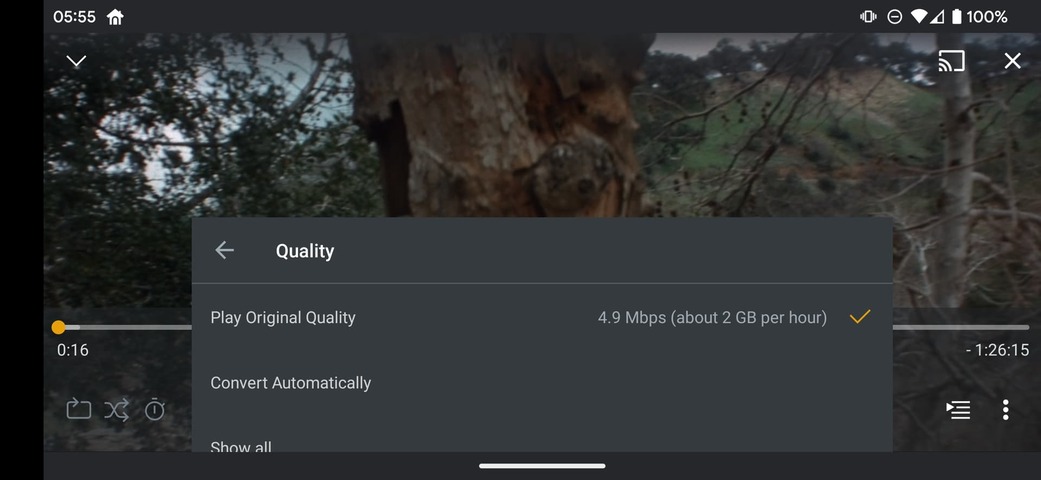
I encountered this new option to switch quality on the weekend on a GoogleTV, but I’m actually wondering why it even appeared since video transcoding is disabled on my server. Is this by design? Obviously nothing happened pressing the button…

I think that just shows how much bandwidth it would take to play at original quality, and has been there for a while.
It’s only on TV apps, that’s just showing the bitrate
The client doesn’t know that the server has that disabled until it requests a transcode.
My shield just asked if I wanted to upgrade my streaming quality even though the machine is local and it was set to maximum already.
This shouldn’t be offered for local servers at all, only remote ones. If you could provide the Android Logs, I’d love to have a look at them

Sorry, poor wording. It’s the detected connection speed. But we’re not offering the upgrade/downgrade on mobile devices. Only TV.
