How did you delete that from ‘Home’? I’ve tried every way I could think of and can’t find a way to do it… I’d like to remove both Recently Added Movies and Recently Added TV from ‘Home’.
So if you navigate to an item from within one of those sections you want to remove, then press the * on your Roku remote, you’ll get a list of actions. Near the bottom will be “Remove Recently Added X From Home.”
Thanks, but that menu item doesn’t appear for me. I’ve got the Version 6.6 - Build 0 app on a Roku Ultra, I wonder how that compares to yours.
The feature has been there - a long time.
My Roku Ultra - same Version on both The Preview and The Public:
Here’s Public 6.6.0:
(Pardon my cell phone image - be glad it’s not Vertical)
Highlight any item in On Deck:
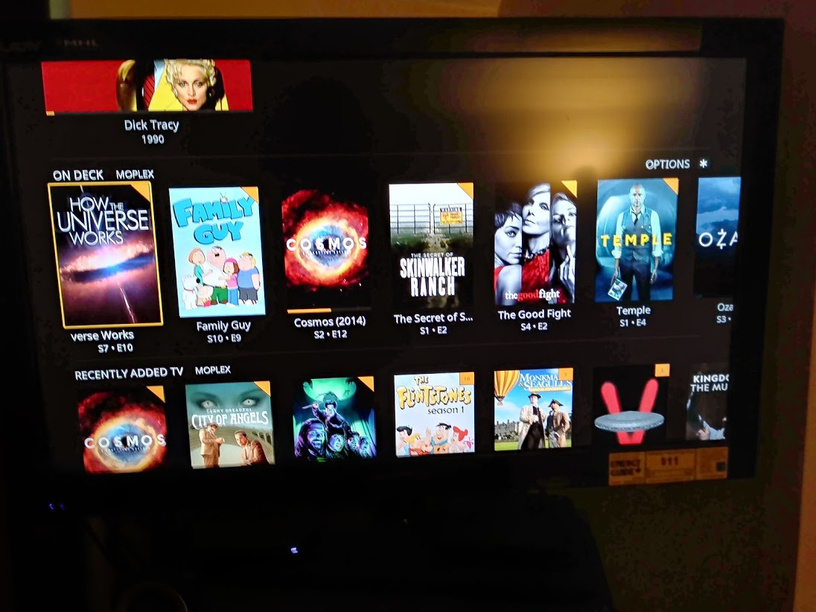
Then - if you don’t have anything in progress - like I did just now (when something’s playing Roku has it’s fist up the * button’s backside):
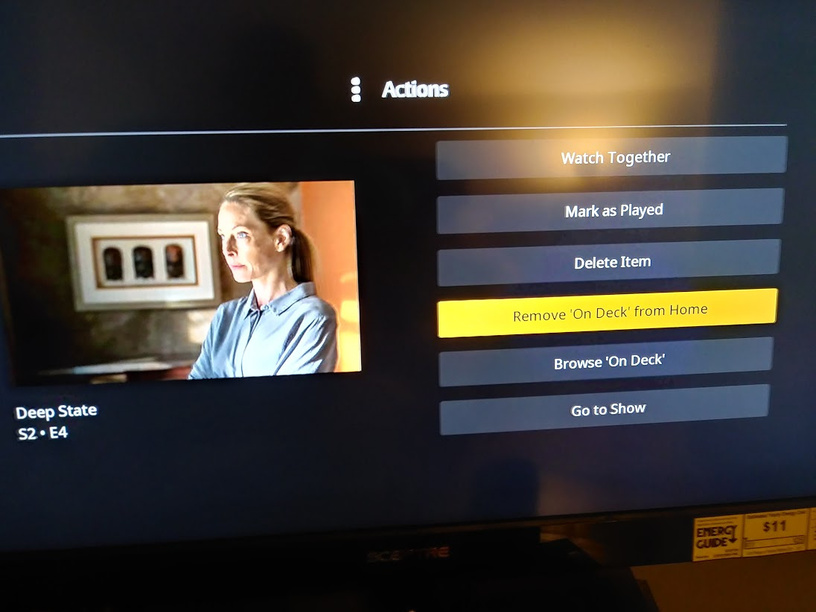
Also note how Dick Tracy is in Continue Watching, but Cosmos isn’t… oh yea… love my Roku UNO.
How bizarre… I even reset home screen customization to start over, and none of the items in Home offer that menu option (even sections like Recently Added Photos which can’t have anything ‘in progress’).
Well - you have a problem - have no idea what:
I’ll call the biggest gun I know:
and he or @BigWheel can wisk your post away to it’s own thread and the problem can be subdued there - as this thread is solved.
(shot in dark - signed in everywhere? - shot over)
1 Like
So what does it offer you?
Here’s some new info:
I traveled to my Friend’s to set up his new Roku Ultra.
(and eat cake)
I had no option to Delete a Hub.
I could browse a Hub, but not Delete it.
That’s a bug.
It appears the Admin - at home - is the only guy that can do that and that is both troubling and unfortunate. That’s a bug.
I was going to fix his Continue Watching to ONLY show Movies - I could not.
That’s a bug.
(yumm… cake)
I am the admin user, and am ‘at home’ (the Roku Ultra is on the same LAN as the Plex server).
If I navigate to Home->Recently Added TV, with the highlight on the first show listed, and press Options, this is what I see:

(that’s for a listing with multiple episodes available)
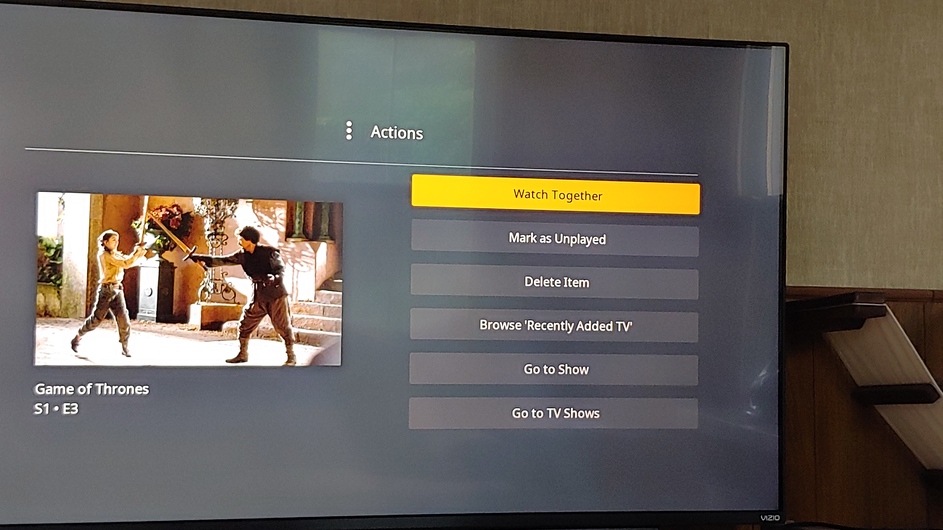
(that’s for a listing of a single episode)
Go the HOME item in the list on left then keep going left so the three dots are selected. Click the dots then in the window that opens Disable auto managment
Bingo! Thanks.
I am the Admin - at home - only one network and I’m on it - wired - and get this:

I didn’t get any option to remove a hub 87 miles from here at ‘The Cake House’ (Yellow/Choc Frosting - mMMMmmmmm…)
Figures - never did press that one.
Never saw it.
I’ll be back…
(for more cake - at some point)
This topic was automatically closed 90 days after the last reply. New replies are no longer allowed.
