I have multiple libraries defined as “Movie” libraries, with different versions of movies. When i then search for a particular movie, it only shows 1 of the matches and it’s most likely the wrong version. How do i disable this search mode, so it only searches in a particular library?
When Plex redesigned the Search feature, they inexplicably removed the ability to search within individual libraries. This has been reported as a bug to the developers.
I’m surprised, though, at the results you are seeing. If your movie versions are named the same, and you’re searching by the movie name, I would expect the Search to give you all of them. How are your movies named, and how are you searching?
beckfield, I have some picture you can see, but basically, the files are sortet in 2 different folders, 1 for 3D and 1 for normal. The files are named somewhat the same, except for “- 1080p” or “- 3D” at the end as explained in the file naming guide:
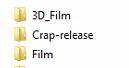
I have the 3D library and the “Normal” library:

When i search of a move, only one is shown:

If i then go into it it goes to the one in the 3D folder:

But there is also one in the regular folder, that i manually have to find:

It’s wied, because the files isn’t shown as merged, note the merged symbol isn’t showing:

And they are in completley different folders:

I agree, that’s weird. Hopefully one of the Ninjas will pick this up and report it to the devs.
This behaviour has already been reported as a bug.
