Excessive buffering rendering remote viewing non-existent

Server Version#: 1.40.0.7775
Player Version#: 7.15 build 5

For over a month now I’ve been experiencing remote viewing buffering to the point of complete unusability. The whole point of Plex server for me has been to be able to access my content wherever I am. No more. I am not sure if this is the last two server upgrades but somewhere along the way, something went horribly wrong in your Plex development.

I NEVER had buffering issue before. My Plex server has plenty of power (12 CPUs, 32Gb) so no, it’s not a hardware issue. Also, it is not the internet connection issue. My upload speed is between 25-40Mb/s and latency is between 25m- 40ms. Yes, I am using Starlink.

So, developers at Plex, what has changed? Modifications to the settings on the server side nor clients side do not make any difference.

I have seen a few topics already posted to this forum before but all of them went without any reply from the Plex folks. I am a lifetime paying customer so how about you will honor that and give me a curtesy of replying?
This is what I thought. None of the “Plex” support folks are willing to step up and start answering some serious questions as to what has happened to their Plex Media Server (PMS acronym does not sound well in English but in this case, I would give it a pass).

If you go through the boards and search “buffering”, there are many people experiencing this problem and yet Plex just closes its ears and chooses to ignore the concerns. I am a life PlexPass subscriber and it is time to abandon this platform.

It is said but necessary. Plex is looking out after its own corporate business to “monetize” on its base so it’s time for the users to look after theirs.

I switched to JellyFin and guess what? No buffering issues. Everything works as expected. I do not miss Plex’s “bells and whistles” which were always unnecessary to the only thing I wanted: to manage my own home library. As a bonus, I don’t have to be connected to the Internet in order to watch my own content, something that Plex used to be in the past.

So, arrivederci Plex. Good luck with your monetization efforts while I will be enjoying just having my media managed by JellyFin.

I am also experiencing this issue since the latest update. Can someone please assist? Is there a fix coming out for this or is there something else we should do to correct?

I was running on a Mac Pro with 12 cores and 64Gb of ram, under Bootcamp using Windows 10 LTSC edition.

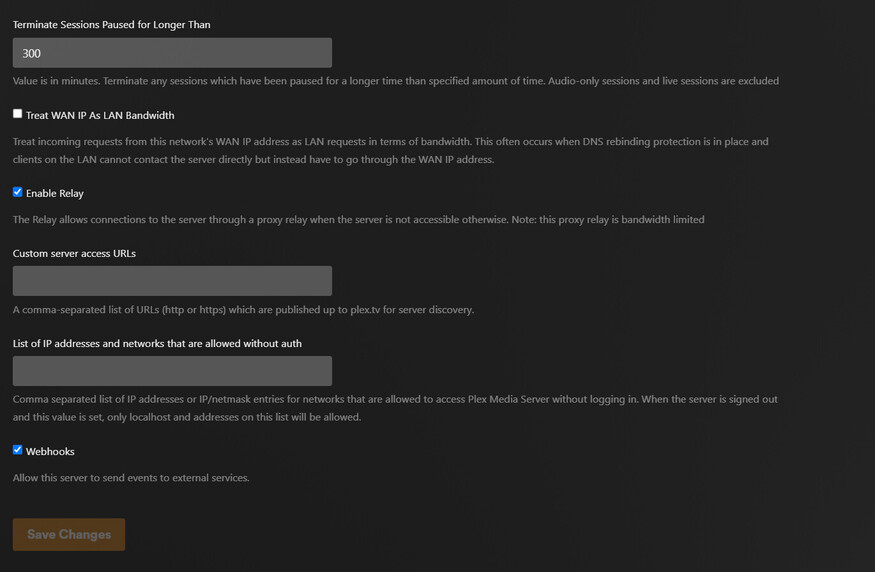
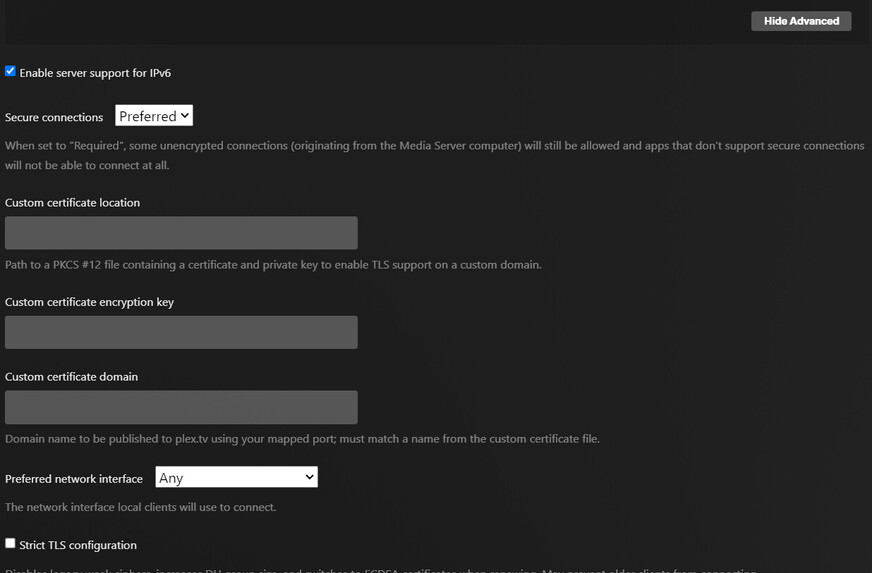
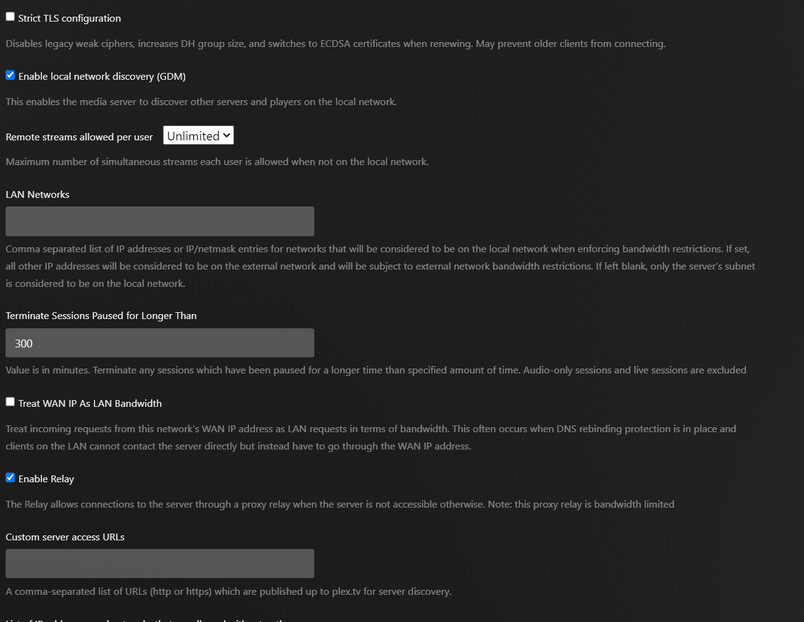
I was having the same issues, especially with remote viewing, I ended up with these network settings, and have not had much trouble since. Don’t check " Treat WAN IP As LAN Bandwidth", and try the Relay, that was when I stopped having a lot of buffering issues, I was in the hospital overnight, using my iPhone T-Globule Hotspot, connected directly to the laptop using BT. I kept getting buffering, so I logged into my server from 25 miles away and turned on that Relay feature, among other things I changed. It’s just something I tried that seemed to help me.

It also depends on your Starlink connection, I use Cox Cable and sometimes the connection is pretty spotty. I reboot the “Panoramic Modem” when it starts acting up. It takes a minute to come back up.

But there are times when the service goes DOWN for an extended period, and I’d wager that Starlink is not immune to that type of thing, Most of the times when I had buffering issues, it was my Cox connection and a reboot helped.

You will want some sort of Visual Trace program you can use to trace your remote location to your server location, so you will need to know your Public Server IP address, ping your server from the remote device then run a traceroute to your server. I use an app called “Network Utilities and Analyzer” on my iPhone to trace the Public IP of my server from where I am, sometimes net congestion (which is still a thing that happens) can cause buffering,

Or, I had to wait until they were finished working on it… The Cable distribution box for my park is right in my driveway, so I KNOW when they are working on it, There is a transformer across the street as well, so if they are not in my driveway, they’ll be across the street.

When you have issues, the first thing to look at is the state of your network connection. The second thing to look at are your server network settings, DO NOT turn on “Treat WAN as LAN” unless you have unlimited BW…

Thanks for sharing and extensive write-up. However I’ve been there, done that… Plex development refuses any responsibility for what’s happening so be it. JellyFin has none of the issue experienced with Plex, This in itself is proof positive the problem was introduced by Plex. As I said earlier, it was not happening before (let’s define it as late last year).

Using “proxy” relaying will limit your streaming speed. JellyFin does not. It was good while it lasted. Now, let them focus on monetizing on those who use their platform.

1 Like

This topic was automatically closed 90 days after the last reply. New replies are no longer allowed.