Server Version#: 4.125.1
Player Version#: unable to find ver. Playback using windows chrome browser
External srt file is showing under movie title, but it does not work during a movie play. I have tried renaming the file, refreshing metadata, move movie and it’s srt files out of the scan folder and put back to rescan, delete the movie and rescan the movie.
With that said, the subtitle does work during mobile app playback just does not working when I watch movie on a pc brower.
Will need the server DEBUG logs zip file please.
Please observe it working here. You can see both the subs provided in the video stream as well as the SRT external subs.
root@glockner:/home/chuck# ll /vol/media/uhd/Lucy\ \(2014\)/
total 56309364
drwxr-xr-x   2 chuck chuck          88 Aug 28  2023  ./
drwxr-xr-x 394 chuck chuck       20480 May 24 16:43  ../
-rw-r--r--   1 chuck chuck        3674 May 23  2021 'Lucy (2014).eng.srt'
-rw-r--r--   1 chuck chuck 57660753586 May 23  2021 'Lucy (2014).mkv'
root@glockner:/home/chuck#
Hi. I have provided the zip file. The time frame is at May 26, 2024 06:07:00.032 during which time I have tried switching subtitle from none and back on several times.
Plex Media Server Logs_2024-05-26_06-11-35.zip (3.7 MB)
Your log is showing me that the subtitle file is being converted to SRT from ASS.
-codec:0 ass
-segment_format ass
servers/plex/Library/Application Support/Plex Media Server/Cache/Transcode/Sessions/plex-transcode-kyaabk25zqkqwxjnmv0yg9eq-ca4f2890-1c7a-4928-a9f9-ce5adbff48a4/temp-0.srt]
May 26, 2024 06:06:59.966 [140406603463480] DEBUG - [Req#c08/Transcode] TPU: hardware transcoding: final decoder: , final encoder:
May 26, 2024 06:06:59.966 [140406603463480] DEBUG - [Req#c08/Transcode/JobRunner] Job running: FFMPEG_EXTERNAL_LIBS='/mnt/str1/plex/servers/plex/Library/Application\ Support/Plex\ Media\ Server/Codecs/ad47460-4673-linux-x86_64/' X_PLEX_TOKEN=xxxxxxxxxxxxxxxxxxxxxxxxxxxxxxxxxxxxxxxxxx "/usr/lib/plexmediaserver/Plex Transcoder" -codec:0 h264 -codec:1 aac -ss 0 -noaccurate_seek -analyzeduration 20000000 -probesize 20000000 -i "/mnt/str1/plex/MOVIES/G/Godzilla/Godzilla Minus One (2023).mkv" -ss 0 -noaccurate_seek -analyzeduration 20000000 -probesize 20000000 -i "/mnt/str1/plex/servers/plex/Library/Application Support/Plex Media Server/Cache/Transcode/Sessions/plex-transcode-kyaabk25zqkqwxjnmv0yg9eq-ca4f2890-1c7a-4928-a9f9-ce5adbff48a4/temp-0.srt" -map 0:0 -metadata:s:0 language=eng -codec:0 copy -filter_complex "[0:1] aresample=async=1:ochl='stereo':rematrix_maxval=60.000000dB:osr=48000[0]" -map "[0]" -metadata:s:1 language=eng -codec:1 aac -b:1 256k -f dash -seg_duration 5 -dash_segment_type mp4 -init_seg_name 'init-stream$RepresentationID$.m4s' -media_seg_name 'chunk-stream$RepresentationID$-$Number%05d$.m4s' -window_size 5 -delete_removed false -skip_to_segment 1 -time_delta 0.0625 -manifest_name "http://127.0.0.1:32400/video/:/transcode/session/kyaabk25zqkqwxjnmv0yg9eq/ca4f2890-1c7a-4928-a9f9-ce5adbff48a4/manifest?X-Plex-Http-Pipeline=infinite" -avoid_negative_ts disabled -map_metadata -1 -map_chapters -1 dash -map 1:s:0 -metadata:s:0 language=eng -codec:0 ass -strict_ts:0 0 -f segment -segment_format ass -segment_time 1 -segment_header_filename sub-header -segment_start_number 0 -segment_list "http://127.0.0.1:32400/video/:/transcode/session/kyaabk25zqkqwxjnmv0yg9eq/ca4f2890-1c7a-4928-a9f9-ce5adbff48a4/manifest?stream=subtitles&X-Plex-Http-Pipeline=infinite" -segment_list_type csv -segment_list_size 5 -segment_list_separate_stream_times 1 -segment_format_options ignore_readorder=1 -segment_list_unfinished 1 -fflags +flush_packets "sub-chunk-%05d" -start_at_zero -copyts -vsync cfr -y -nostats -loglevel quiet -loglevel_plex error -progressurl http://127.0.0.1:32400/video/:/transcode/session/kyaabk25zqkqwxjnmv0yg9eq/ca4f2890-1c7a-4928-a9f9-ce5adbff48a4/progress
May 26, 2024 06:06:59.966 [140406603463480] DEBUG - [Req#c08/Transcode/JobRunner] In directory: "/mnt/str1/plex/servers/plex/Library/Application Support/Plex Media Server/Cache/Transcode/Sessions/plex-transcode-kyaabk25zqkqwxjnmv0yg9eq-ca4f2890-1c7a-4928-a9f9-ce5adbff48a4"
in conjunction with
May 26, 2024 06:06:59.965 [140406603463480] DEBUG - [Req#c08/Transcode] Downloaded stream from [http://127.0.0.1:32400/library/streams/85567?X-Plex-Token=xxxxxxxxxxxxxxxxxxxx] (codec: srt) to temporary file [/mnt/str1/plex/servers/plex/Library/Application Support/Plex Media Server/Cache/Transcode/Sessions/plex-transcode-kyaabk25zqkqwxjnmv0yg9eq-ca4f2890-1c7a-4928-a9f9-ce5adbff48a4/temp-0.srt]
are you 100% this is a SRT subtitle file? PMS is showing every indication of converting ASS → SRT (and having difficulty with it)
I can confirm SRT to the browser works without conversion.
I can’t say if it is truly a srt file other than the extension ends with .srt. I have tried all 3 of these files and none seems to work. Though it displays instantly if played on a mobile app with these same files.
subtitle.zip (86.4 KB)
The players have the ability to ingest ASS on the fly.
This is ineed ASS. They have formatting commands with the text.
1
00:00:02,000 --> 00:00:07,000
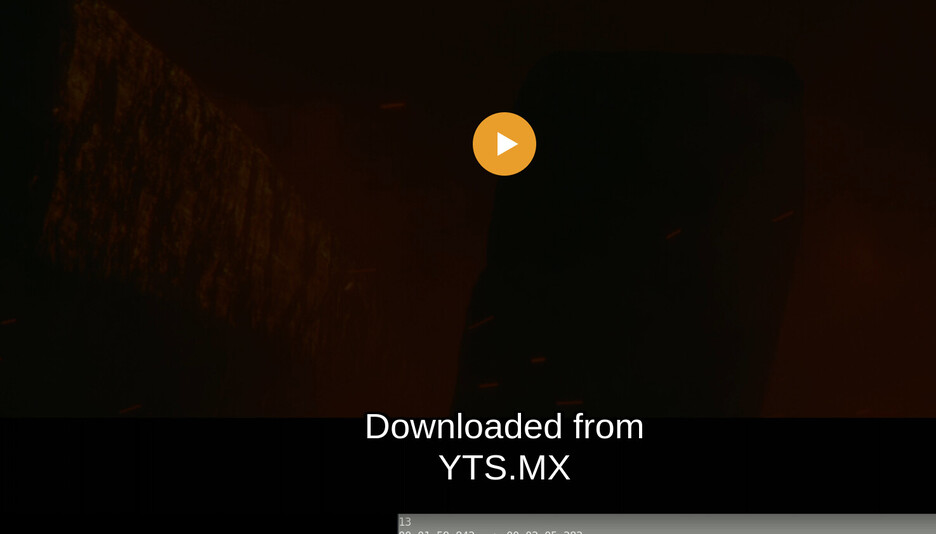
Downloaded from
YTS.MX

2
00:00:08,000 --> 00:00:13,000
Official YIFY movies site:
YTS.MX

3
00:01:13,066 --> 00:01:17,930
{\an8}1945, ODO ISLAND AIRFIELD,
FINAL DAYS OF WORLD WAR II

4
00:01:18,546 --> 00:01:21,541
{\an8}ODO ISLAND NAVY DETACHMENT

5
00:01:23,461 --> 00:01:25,734
- The engine is fine. - Roger.

6
00:01:25,759
The players have the ability to ingest ASS on the fly.
It seems the browsers on pc is the only issue. Have tried on windows chrome and edge. I have tried downloading another srt file.
Plays fine on apple tv plex and mobile app though.
I must amend my remarks of earlier.
I’ve done some digging.
The format of the files is SRT however, they have formatting in them.
Technically that invalidates them as SRT.
Since PMS sends SRT directly to the player (unless instructed to burn in) something is amuck here.
I suspect a combination of:
- The SRT isn’t entirely valid
- PMS / Plex/web not knowing what to do in that case.
This will take some more investigating.
Thank you for raising it.
For now, I’d like you to take the SRT files and hand-edit them.
Specifically, you want to remove any special formatting ( like the {\an8} in this subtitle )
00:01:13,066 --> 00:01:17,930
{\an8}1945, ODO ISLAND AIRFIELD,
FINAL DAYS OF WORLD WAR II
This tag is trying to move the subtitles to the top of the screen which SRT does not support.
{\an8} is not a valid SRT tag, it’s ASS/SSA format. SRT uses a different method for positioning.
This is where the confusion is coming from.
In a nutshell, you got a bad subtitle file which PMS is trying to convert from ASS → SRT and failing because it’s not a valid ASS subtitle file.
I have removed {\an8} from the file. There were 3 locations I’ve believe. Still subtitle does not display.
I took your subtitles, as given, and dropped it into a movie.
I selected the external sub on the preplay screen
I got subtitles.
The browser is Chrome (v125.0.6422.112-1)
I have no plugins.
I am running Linux.
There’s something with your environment / browser which isn’t playing well.
To confirm, you’re using windows and none of the browser options (edge, chrome, firefox) work?
Yes, I am using Windows 11 with up-to-date updates. My Choice of browser is Chrome(Ver.125.0.6422.77) and it does have a few extensions installed for Chrome. I don’t use Edge at all and do not have Firefox installed.
This is the edit file I used to test. Can you confirm if I did removed all ASS coding?
edit-subtitle.zip (28.6 KB)
The file looks good.
I copied the entire text, as is, and dropped it into the SRT file.
Immediately got the opening subtitle.
This is where my lack of Windows knowledge hurts me.
This has also been an issue on the desktop clients for a while with no resolution Windows client does not show subtitles - #19 by OttoKerner
Otto uses Windows where I use Linux.
Should this better be moved to the Windows thread given I cannot reproduce it on Linux?
The link provided where otto suggest to use local ip vs the custom domain url works. I log in using a local ip address and the subtitles shows instantly. What does this mean?? If I want to playback on a browser externally, I will not have subtitle.