Just adding my 2 cents in that my fire TV experience is horrid with cropped thumbnails… Everything looks great on my phone (verticle aspect ratio) but my thumbs are cropped widescreen on my tv… Just added my vote to have an option or a workaround
Just following up, it is only seen on fire TV in folders that contain videos and at least one other folder… If that helps…
Just checking in that it’s been another full 2 years and they still can’t be assed to spend the 20 minutes tops adding an aspect ratio toggle would take.
I’ve reached the point where I’ve literally begun developing my own platform with the goal of returning to what Plex used to be before it started crapping out features no one wanted at the expense of all of the reasons people came to plex in the first place.
I promise when I launch my alternative I won’t be telling my users “I have no intention of fixing this bug you’ve been reporting for years”.
Still looking for this feature. How can we escalate this?
1 Like
Still hoping for this feature.
1 Like
Here’s how it seems to work today:
“Movies” (Library Type) → Any agent except “Personal Media” → Thumbnails are portrait.
"Other Videos (Library Type) → “Personal Media” (Agent) → Thumbnails are landscape.
In fact, simply changing the agent will change the library type.
This makes perfect sense unless you want to use a custom agent for home movies.
Request:
- Allow the use of any agent for either “Movies” or “Other Videos”.
- Make library type “Movies” have landscape thumbnails.
- Make library type “Other Videos” have portrait thumbnails.
Thanks Guys!
I also had this idea…
For some libraries it would make sense to use wide posters instead of narrow. For some libraries, especially if it has items which are not found by standard metadata agents, it makes more sense that the thumbnail is the poster. There could be a setting that is at the library level to show as Narrow or Wide.
Additionally there could be a setting for individual items. Library Default, Narrow, or Wide.
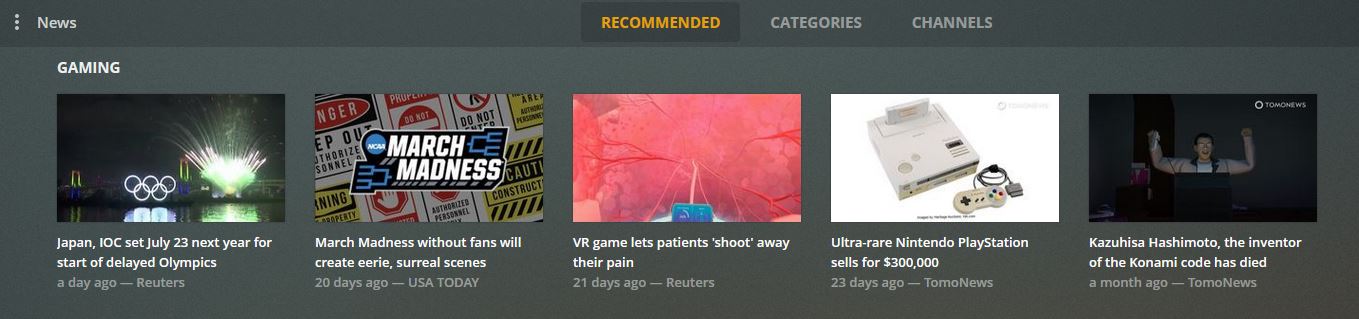
Wide thumbs are already shown for Web Shows and News so it seems like it wouldn’t be too difficult to add.
3 Likes
I just wanted to note that this BUG (again, not a feature request, this is a display bug) has yet to be addressed, and yet the Plex team has evidently been tinkering with poster displays, as today the “Continue Watching” on the home screen now displays the SEASON poster for what’s in your queue rather than the SHOW poster.
Evidently, that change that literally no one asked for (and I personally actively do not want) is a higher priority than an actual bug we’ve been reporting for years.
I’m interested in this functionality too, for a different reason. As Disney Animated Shorts enter the public domain, they make a great “TV Show”, but within that show, individual episodes show as Landscape posters, not portrait, but many of these shorts have (landscape) poster art, but it is not usable on TV show libraries. I would appreciate the option to display individual TV show episode artwork as portrait or landscape (if I was shooting for the moon I might suggest an “auto” option that reads the aspect ratio of any custom artwork and applies the right setting.) Thank you for considering this.
Still waiting for a fix. Such a simple thing to implement.
Gonna keep bumping this feature…
Any update?
qq this sucks
Bumping this thread every few days doesn’t give it more votes (and seemingly doesn’t add to the overall attention). You’re just drowning out other contributions from this thread.
1 Like
It moves it up in the feed and gets more potential eyes. Its the only thing I can do.
1 Like
Beep boop coming back for more.
Hello, it is I, Mr. I want this feature.
A post was merged into an existing topic: Other Videos artwork // mod: consistent poster aspect ratio in library / collections
Any progress on this? Really want this to happen too!
Just keeping this alive…updates anyone?
