I’ve been trying to use the new Watch Together function and find that the most frustrating part of the process is sending friend requests and then making sure those friend requests get approved so that I can share my media with others. Why is it that my friends don’t receive an email or iOS notification informing them of my friend request with a link that takes them directly where they need to go to approve it? Instead, I have to call/text them, let them know that I’ve sent the request and then walk them through how to approve the request which can ONLY be done on a computer and even then is tucked away in the Users & Sharing settings which are not easy to find. Please help make this process easier!
I recently got an email notification letting me know that someone had sent me a Plex friend request. This is great! Only problem is that the link included in the email didn’t actually work and instead of allowing me to easily accept the request just took me to the Plex homepage. Obviously I was still able to navigate to the “Users & Sharing” settings and approve the request, it’d be awesome if the link had taken me there directly. So close!
This happened to me as well…honestly, I have no clue what “friend requests” do.
Friend request allow you to share media with family and friends or vice versa. This year Plex added a Watch Together feature which is great, but you need to be friends and sharing media first.
You should be able to make and accept from the iOS and. Android apps. in the navigation drawer at the top the friends icon will turn orange if there is a pending request. I will bring up with the teams about making an actual notification that will take you to there in the app.

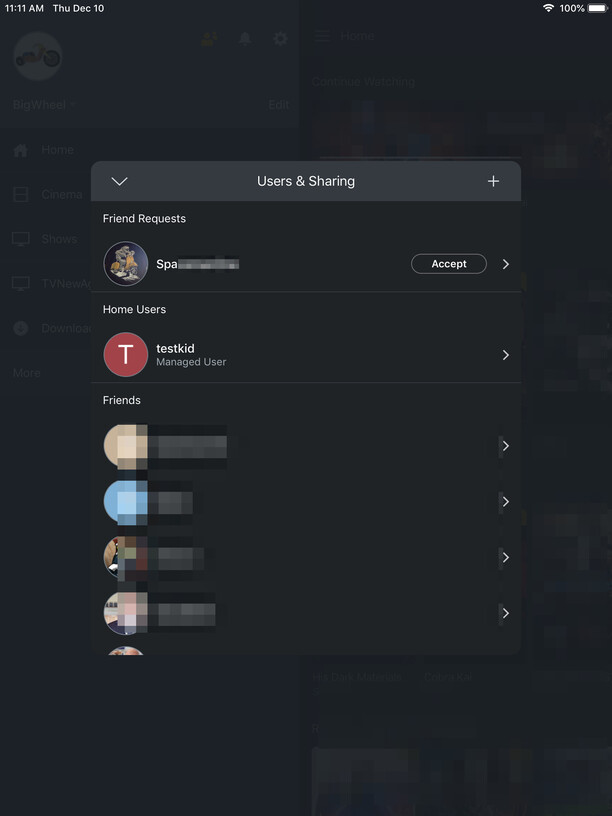
Early 2021 clean-up: implemented
