Sorry if I’m too dump to find a solution. I searched the internet last 2 hours. But I did not find a solution.
How can I get rid of dead “friend” server showing up like this:
I cannot find any option to delete this.
Any hint greatly appreciated.
Thanks a lot!
Jörg
Settings → Manage Library Access.
Select their Name. You’ll see their server name and the list of libraries shared with you.
Edit
Leave Server
If necessary, unpin libraries from your home screen.
Thanks a lot!
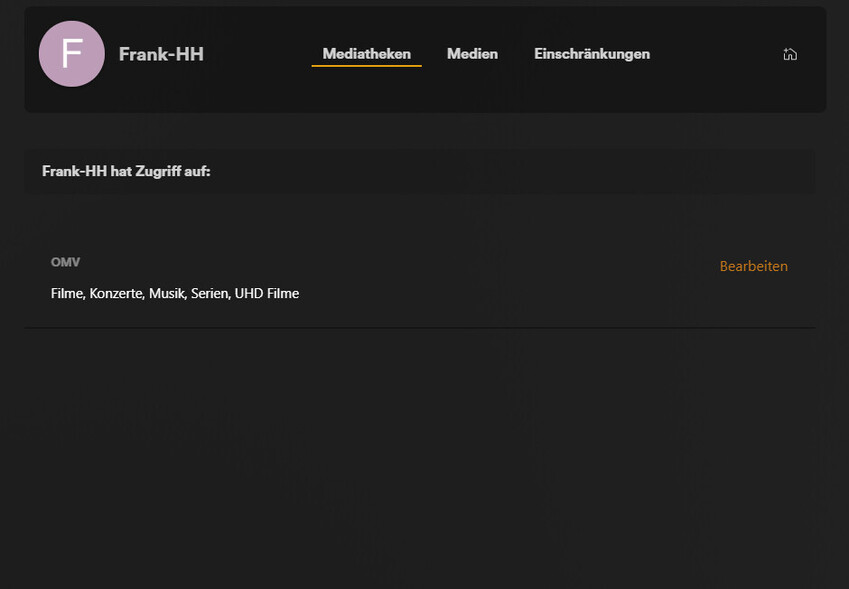
The problem is: Something may failed in the past because I cannot see this option. I have access to other friends . see here:
But the sever I would like to delete does not show any shared media libraries:
I cannot leave this because the “leave” option is missing;
Sorry for the german screenshots.
Any idea how to get rid of this?
Best regards
Jörg
Answer to myself: The “dead” server has been reinstalled by my friend and I got a new inivitation, Now I see the option “Leave”.
Does not affect me anymore: But it would still be interesting how to leave a dead server when the provider (friend) is not longer active/accessible.
Kind regards
Jörg