Added a friends server a few years ago. He has since let his server die. He no longer runs it.
However, every time I log in to a device, his old server still shows up in my list on the left hand side. I think I deleted it at one point in my console but it’s still there. Now I can’t find anywhere to delete it. How do I get rid of it?
Thanks
From the web app, go to Settings:

In the left menu pane, click on “Manage Library Access”
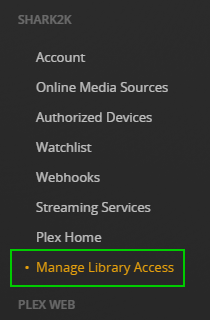
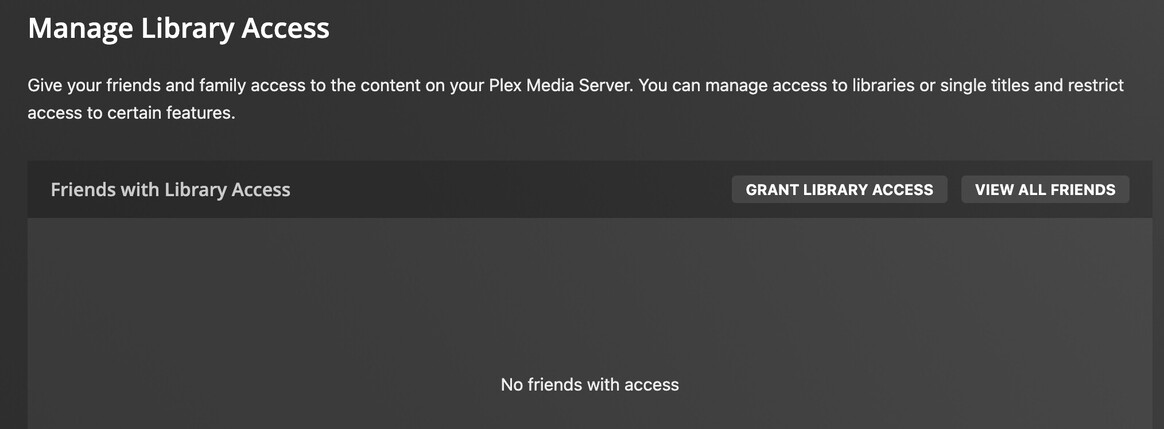
Click on the friend that is sharing their server with you to go to the edit page for that friend.

Under the “You have access to” section click on the “Edit” text.

Finally click the “Leave” button and then acknowledge any confirmation dialogs.

After you do that, you will no longer have access to your friends server and should no longer see it on any other device.
-Shark2k


I’ve seen this happen before and a Plex employee/admin needs to do this from their end.
Hopefully someone sees this and can help you
I’ve removed the server for you.
You might have to refresh your client(s) or log out and back in.
P.S. Please read (and act upon) this: Important notice of a potential data breach 24th of August 2022
Thank you so much.
mark
