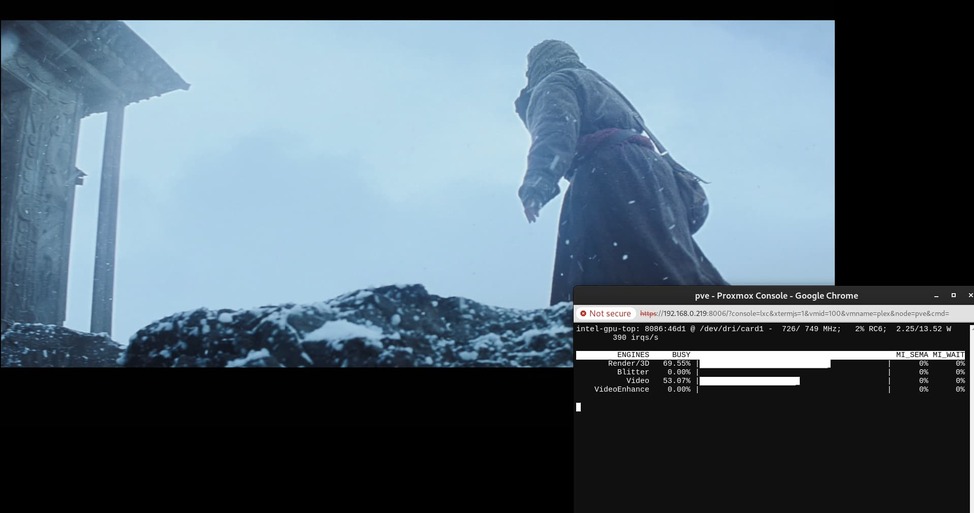
Server Version#: Version 1.41.0.8930
Player Version#: Plex Web Version 4.136.1, Plex for Mac Version 1.100.1.221-94aa83fb
Sample File: Sony Swordsmith 4K HDR Demo
System: ASRock NUC-Box – Intel Core Ultra 125H
OS: Proxmox 8.2, running Kernel 6.8.12-1-pve
Plex Context: Running in an LXC container based on Ubuntu 22.04.04 with iGPU passed through.
Transcode Settings:
- Enable HDR tone mapping: True
- Tonemapping algorithm: Mobius
- Use hardware acceleration when available: True
- Use hardware-accelerated video encoding: True
- Hardware transcoding device: Unknown (Intel)
Issues:
- Hardware transcoding works, hardware tonemapping gives ugly and weird results.
- The transcoding device shows “Unknown (Intel)” rather than its CPU generation.
- I can select a tonemapping algorithm but the tonemapping slider options don’t appear, even though my CPU is a newer generation than Tiger Lake.
- No matter which tonemapping algorithm I choose I can’t seem to get as good of results as software tonemapping.
Full Quality, No Transcoding:
1080p 20mbps Hardware Tonemapping using Mobius:
1080p 20mbps Hardware Tonemapping Disabled:
Log Procedure:
- Rebooted PMS
- Played the HDR sample file using Plex for Mac
- Switched to 1080p 20mbps transcoding
- Let playback continue for 15-20 seconds.
- Waited 2 minutes, then downloaded logs
Plex Media Server Logs_2024-08-29_14-19-23.zip (875.5 KB)
@jakemauer
I’ll make you a deal… 
Help me get Proxmox installed on the new N100 (alderlake) box
-AND-
I’ll be able to help you.
What I get is it starts creating LVs.. and hangs at 3%.
ISO 8.2-2.
Can’t explain it.
Do I need a different version ? From where please ?
EDIT: It fininished.. Now what? 
Hey @ChuckPa! Thanks for going on this sidequest with me.
So for my current setup I’ve used TTeck’s scripts to create the Plex LXC. It handles the LXC creation and passes through the iGPU. Proxmox VE Helper-Scripts. To install you run the command from that link in the proxmox console for the proxmox node itself, then follow the prompts.
I don’t think it would make a difference, but I’ve considered re-creating my LXC using this guide instead: How to Install Plex on Proxmox (+ Hardware Acceleration)
@jakemauer
Did this last night before bed.
Nice! Do you feel like tonemapping created visually pleasing results? What does the dropdown for transcoder engine show, Unknown (Intel)?
Also do you get the tonemapping fine tuning controls?
VERY pleasing.
It’s using Hable now versus oversaturated Mobius
(user selectable now too! )
This annoyed me.
I could not screen capture WITH a dropdown . STUPID GNOME / Javascript.
Hint: We’re considering going to full up BT.2390 tonemapping. This means you get the full HDR , as encoded, mapped into SDR as the spec defines it. (No more 3->2 axis interpolations)
Well that’s good. Any ideas why I’m seeing the results I’m seeing, and why my CPU is showing up as Unknown (Intel)?
Can we do a bake sale to get you a meteor lake box?
If you want to do a bake sale, that’ll be great.
Just wire the 

I almost bought a meteorlake
I was in the final evaluation phase and even gotten a quote for one.
I found the photos of the MeteorLake and RaptorLake where the die wires solder to the physical chip carrier substrate (the pins)
They were burned.
As I further discovered, this is a known problem with both Raptor and Meteor Lake CPU generations.
Intel’s current “fix” isn’t a fix at all. They’re simply going to send out microcode to everyone which reduces the maximum performance level (what most bought it for) down to a level which won’t burn.
For those whose CPUs are already damaged – too bad.
… And now you know why I have a 12th Gen with fewer problems 
PS: I have a RTX 2000 in my NUC12 as well.
It also comes up in Plex as Unknown.
I know what your “unknown” is and have submitted the issue to update the list of GPU IDs from Intel and Nvidia into PMS.