Server Version#: 1.22.3.4392
Player Version#: (PC:) 1.31.1.2262-74fdc6b7 (and latest on every other device)
I’m having a weird issue, where my hardware transcoding actually works when streaming over a Webbrowser on any kind of device, but when using any official Plex App it does not.
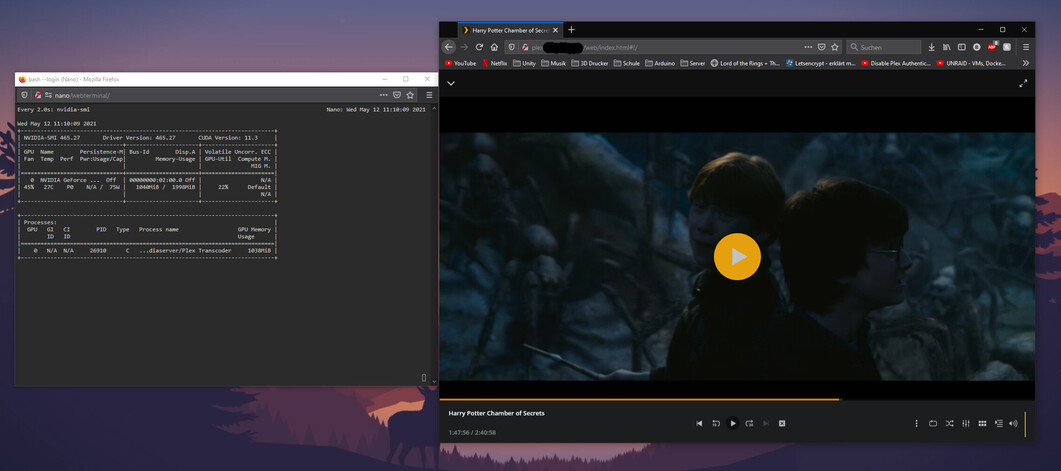
On unraid console I watch over the GPU status when I start to stream a video:
Streaming over webbrowser (PC or Mobile) I see that the GPU starts to transcode
My first thought was that there is a problem with a TCP/UDP Port that is beeing blocked, but for testing I opened every Port that Plex uses and nothing changed.
Does anyone also experience this or has an idea on this problem?
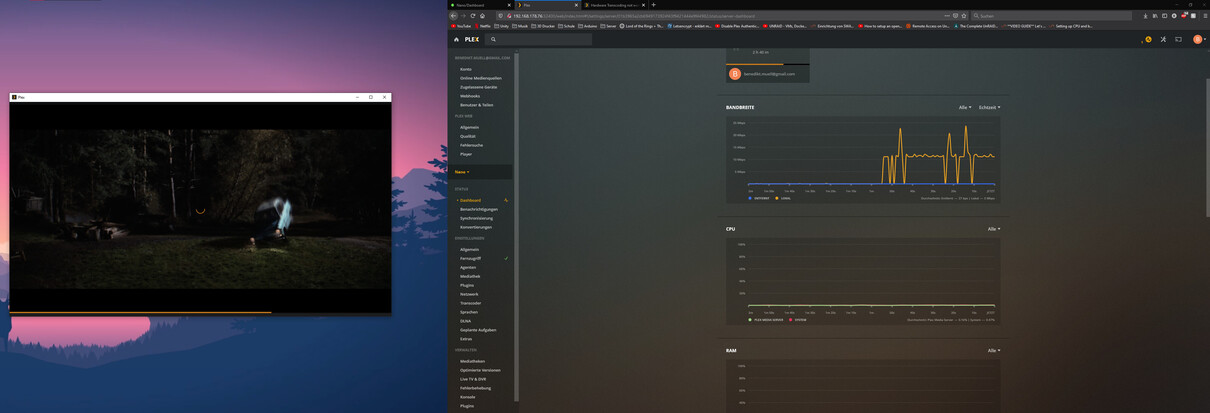
Are you sure it’s transcoding? The Plex for PC app supports most codecs and can decode locally so the server doesn’t need to transcode. It’s better if you check the Plex Dashboard to see what’s going on.
First, thanks for your response!
And you are right, the Plex App seems to handle everything, because neither GPU or CPU are really hit with a load.
But now my problem (that drew my attention to this behaviour in the first place) is, that all my Streams buffer using these Apps. On TV it’s unwatchable because it buffers every two seconds (the Movie files are .mkv and 4K HDR as a side info). Even on my PC it buffers and I would not say that my PC is bad/the problem.
On the Plex Dashboard not even the Network is fully used, even though there is no network limit set.
I cleared my logs, turned on verbose logging and restarted the docker. Opened my Plex App and played a 4K video and checked the logs afterwards but could not find anything that could give me a hint of what the problem could be.
Can you perhaps tell me what I need to look after in the logs? As of this post I could not find anything like this, probably because as you mentioned before the App handles transcoding.
(Server log needed to be cut, because of size restriction)
I also checked the Plex App for logs but could not find anything. Is there a way to enable it?
That should only be used if you are working with someone to identify a specific issue. Otherwise, it has way too much info to look for something generic. If you want, turn that off, retry the video and PM me the log zipped.
If you want to look yourself, a few things to check.
transcoder speed if it is transcoding
what is the average bitrate of your video, your screenshot shows PMS transmitting at ~5Mbps, if the file has a higher bitrate, there’s your bottleneck
Is the computer you are playing back on able to play the video outside of Plex? For example, if the video is HEVC, does the PC have the processing power to playback that HEVC content?
Have you tried lowering the playback quality to force a transcode to a lower bitrate? That will lower your network load and also change the video to h264 which may be easier for your computer to play if the above issue is involved.
what is the average bitrate of your video, your screenshot shows PMS transmitting at ~5Mbps, if the file has a higher bitrate, there’s your bottleneck
On the Plex App I used “original” (64 Mbps) as the quality setting on a 4K HDR .mkv file.
What does this exactly mean? What bottlenecks this?
Is the computer you are playing back on able to play the video outside of Plex? For example, if the video is HEVC, does the PC have the processing power to playback that HEVC content?
Playback on PC (i9-9900K/RTX 2080ti) with the file directly is no problem.
Have you tried lowering the playback quality to force a transcode to a lower bitrate? That will lower your network load and also change the video to h264 which may be easier for your computer to play if the above issue is involved.
Streaming in 1080p (20 Mbps) has no problems at all.
Something is wrong. Your screenshot above showed PMS only sending the data at 5 Mbps. If the file is 64 Mbps, that means it is taking 13s to transfer 1s of video. That would indicate some sort of networking bottleneck on your end. Unless this screenshot isn’t for the video in question.
If 20 Mbps works fine then ignoring the above screenshot, it may be your network can handle around 20 Mbps speeds but anything too high and your network can’t transfer the data fast enough between your server and the client.
Alright, then I look whats up with my network. Pretty weird behaviour since I stream these videos localy and should have 1Gbps bandwidth over LAN (PC and Server).
Since you answered my original question already, I am marking the first answer as the solution.