Help page error

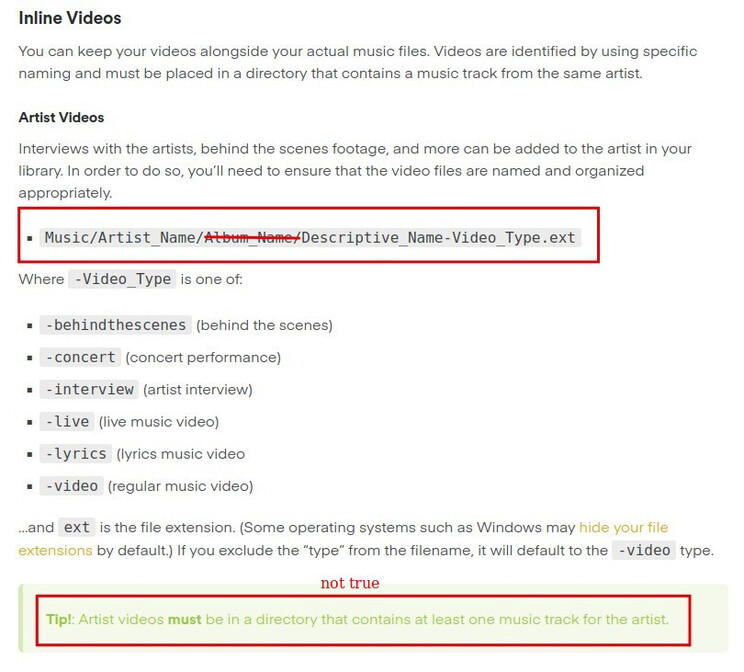
This Help page has an error regarding Artist videos:

https://support.plex.tv/articles/205568377-adding-local-artist-and-music-videos/

The help page says to place the video file in:
Music/Artist_Name/Album_Name/Descriptive_Name-Video_Type.ext

But Plex does not find the video when placed there. In order for it to actually work, the video file must be in the Artist_Name folder, not in the Album_Name folder:
Music/Artist_Name/Descriptive_Name-Video_Type.ext
I discovered this error a couple months ago, and I just helped someone else who was misdirected by it. I pinged a Ninja to put in a correction, but it hasn’t happened yet.

I posted different examples in each of those threads, demonstrating that Plex correctly finds featurettes / concerts when they are in the Artist folder.

I just wanted to note that the -video seems to work fine when inside the album subfolder, but as I had asked, the -concert had to go into the top level Artist folder in order for it to work

Note that the Du Hast-video.mkv is picked up
image

But in order for Rammstein - 1999 - Live Aus Berlin-concert.mkv to be picked up, it had to go to the Artist top level folder, and not inside the 1999 - Live aus Berlin/ folder

There seems to be some inconsistency in how Artist videos are picked up.

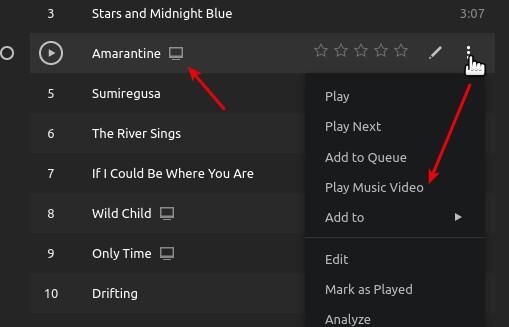
Yes, the track-specific videos should stay alongside the matching music file.

That’s how they show up here:
image

I wish Plex devs could just make it work if the concert video file is inside the album folder instead of just updating documentation to reflect the current limitations
