Out of curiosity, does this also fix where h264 optimized (original quality) can result in a larger HEVC encoded file?
I’ll check it out myself, but I just noticed this a couple days ago
EDIT
Well confirmed it still happens, h264 file 6GB in size @ 9716 bitrate, HEVC optimized versions “original quality” is 12GB in size @ 19301. I don’t think this is the intention and haven’t really noticed anyone mentioning this with the Optimized versions feature
I was under the impression that the actual intent was that the target HEVC bitrate was going to be somewhere between 50-65% of the original h264 (assuming there wasn’t some other setting overriding it to be lower).
I’m not sure if an actual number was ever settled upon, though.
And also, maybe I’m wrong, and that was just discussion on what the new 720p/1080p/4K default bitrates would be.
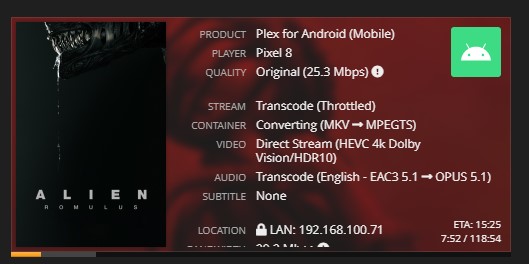
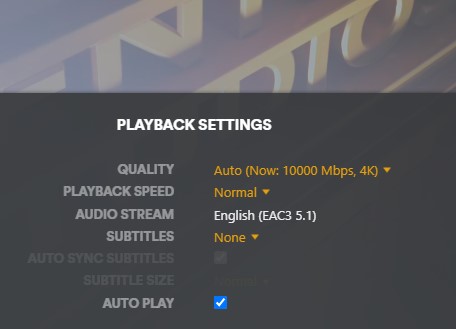
Getting glitched video when playing DoVi profile 8 on my Pixel 8 (Android) when “Automatically Adjust Quality” is on. When off the video plays properly as HDR10
I Am not trying to transcode and have always had disabled but now since I’ve done this update. I no longer can’t see Codec Tag, Is this how it’s gonna be from on? I would really like for that to be seen so i know what files can get a upgrade or not. if in the wrong place can you direct me to right place. Thanks
EDIT: I’m seeing these same issues on the latest Stable release. So I don’t think it’s necessarily a HEVC Test bug.
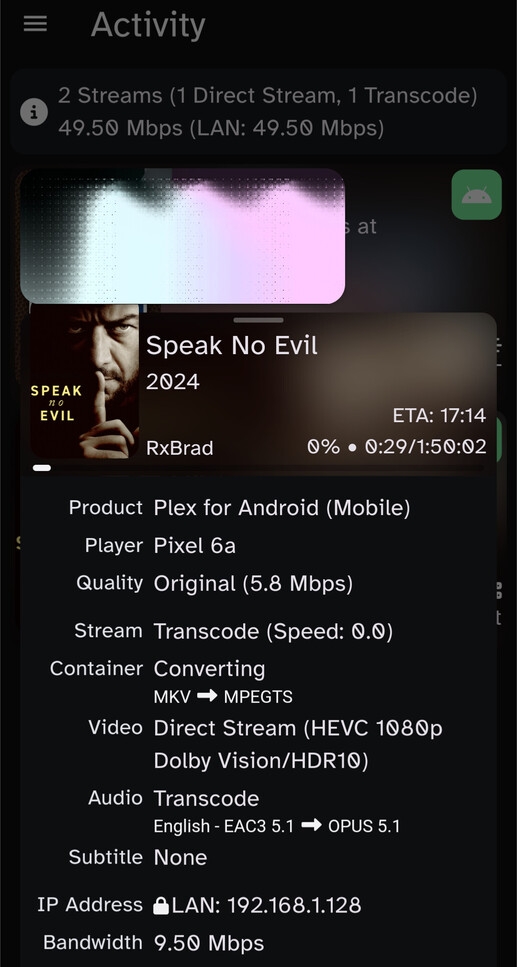
I’m also seeing scrambled DoVi Profile 8 playback – specifically on the Android app (on my Pixel 6a phone). Of note – this is using “Play Original Quality”. Picture-in-Picture screenshot with Tautulli below:
Not sure if this is specifically an issue with v1.41.2.9122 but after updating to this version PMS appears to crash when other people attempt to access my server. Will try reverting to a normal release version.
I have an Xbox running OS version 10.0.26100.2851, which is an alpha version of the OS not available to the general public. My issue may not be present in the public version of the Xbox OS but might be present in future releases. Additionally, this may be an Xbox issue rather than a plex issue, as such I have reported this to Microsoft as well using the Xbox problem reporting app with tracing enabled.
Attempting to play HEVC transcoded video from PMS version 1.41.2.9122 in the Xbox client immediately causes video playback to freeze, while audio playback continues. The client also eventually becomes unresponsive and must be force closed from the guide.
Playback of video already encoded with HEVC at its original bitrate is unaffected, only playback of transcoded video causes this issue.
Edit to add: I have two servers, one with an Arc a380 and one with an Nvidia Tesla T4. This behavior only affects the server with the a380. Instead, when using the Xbox client, the T4 often fails to even start a stream under the same circumstances.
Thanks for this report but not sure what we can help with here.
You’re using an Alpha build and having some problems. Got that.
Future, might be, on non-public software ? We can’t touch that. Not actionable.
Nvidia working - Good.
Arc A380 not working - ARC GPUs are not officially supported (drivers & libraries are not included with PMS). ARC GPU support is, at present time, your responsibility (very much like current AMD support)
I’m getting network buffering issues on Tizen and Apple tv devices using the HEVC forum build with certain files. The same files play fine when transcoded to h264 at the same bitrate. I’m using an Intel a380 for the encoding
@Kgtree thats definatly no what i would expect from a dedicated gpu. Is there anything special about those files? Would you be willing to provide logs?
Ark and amd gpus are more like second class citizens on linux. If you configure them to use the vaapi interface then they should work, however you dont get access to all the speed/bells and whistles. I’m fairly certain ark gpus work better on windows, and im not 100% certain about amd gpus there. I have plans to add full support for ark and amd gpus but they are two of around 20 projects needed to modernize the transcoder. You all should buy more plex passes so i can get some help implementing them all
The Nvidia server isn’t good, though you might not have seen my last edit. It frequently fails to start a stream and simply displays “Something Went Wrong” on the screen.
I don’t rely on the Xbox client, but I tested it because I wanted to be sure and try every client available to me. I made sure to let you know I was on an alpha build so you wouldn’t waste time trying to fix something you may not be able to.
I reported it because I thought you’d like to know, even if it wasn’t something under your control. Now that I know you don’t care, I won’t trouble you further.