HEVC Encoding Forum Preview

Oh okay.

Thanks would be awesome.

Edit: On that note @chris_decker08, might be worth mentioning that a hevc live tv source currently will try to direct stream on “old player” but only audio will play, I believe this may be because it’s using hls mpegts. Could it be remixed to hls fmp4 in this case?

Can you clarify this? Does the ability to use the system’s HW transcoding for the DVR get enabled with this update and the addition of H265 or has this existed already?

Reading the linked article, I don’t see anything confirming this. Same text I’ve read before essentially boiling down to needing the HDHR Extend which has its own internal H264 encoder or needing a beefy CPU on the system running Plex (implying software encoding only).

Would absolutely LOVE to skip an extra outboard encoding step in Tdarr for my DVR recordings, especially with the addition of H265 in Plex.

Thanks!

I know absolutely nothing about coding so I’m going to pretend you didn’t say that.

@chris_decker08 interestingly - even with the enhanced or experimental player - I can’t get live tv to transcode to hevc unless I modify the tvOS and iOS xml profiles to target transcode to “hls/mpegts/hevc”

Edit: another note, tried to stream live tv via my ps5 - it attempted to transcode the live stream to hevc which does not appear compatible (though transcoding to h264 is required for ps5)
Assuming a lot of the backend client profiles are yet to be updated?

1 Like

Is this even supposed to work with the old player?
Just jumping on this as you keep mentioning you’re not using the newish/current player and it’s playback behavior seems limited when it comes to negotiation a hevc stream.

Edit: „supposed to work“ as in it‘s still considered by Plex when developing new stuff… not that it wouldn’t be nice

Sorry my most recent post was in regards to the new player/s aswell as the old player. Will edit to make it more clear.

I can’t seem to get this working on my RTX 3060 using Ubuntu 24.04.1 and 555 drivers.

I can’t seem to get this working on my RTX 3060 using Ubuntu 24.04.1 and 555 drivers.

What are you stuck on? Have you enabled the settings and it’s still transcoding to h264?

Not 100% sure, actually…

For full context, I’ve done this through the above Docker pathway, but can confirm it worked correctly and I’m running version 1.41.1.9012.

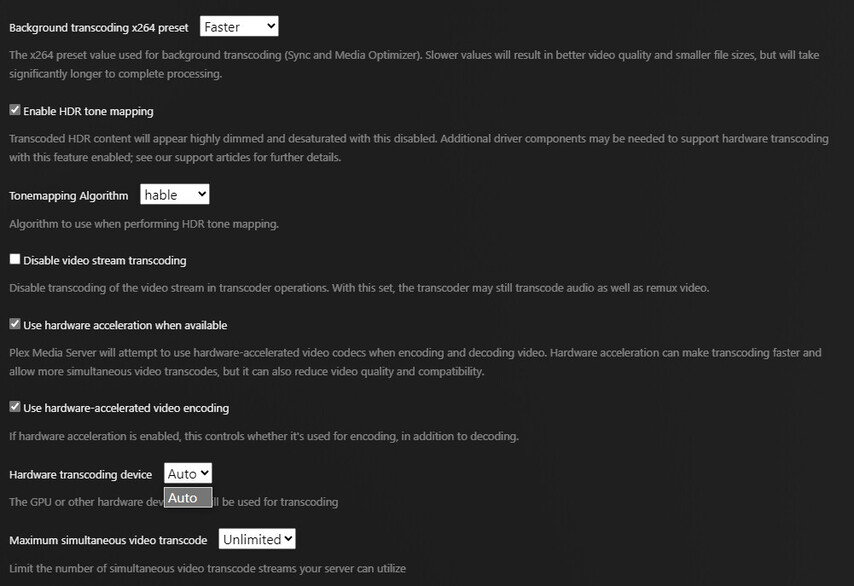
The new settings aren’t appearing in the section identified…

The container can see my GPUs:

+-----------------------------------------------------------------------------------------+
| NVIDIA-SMI 550.90.07              Driver Version: 550.90.07      CUDA Version: 12.4     |
|-----------------------------------------+------------------------+----------------------+
| GPU  Name                 Persistence-M | Bus-Id          Disp.A | Volatile Uncorr. ECC |
| Fan  Temp   Perf          Pwr:Usage/Cap |           Memory-Usage | GPU-Util  Compute M. |
|                                         |                        |               MIG M. |
|=========================================+========================+======================|
|   0  NVIDIA GeForce RTX 3060        Off |   00000000:81:00.0 Off |                  N/A |
| 69%   49C    P8             22W /  170W |       4MiB /  12288MiB |      0%      Default |
|                                         |                        |                  N/A |
+-----------------------------------------+------------------------+----------------------+
|   1  NVIDIA GeForce RTX 3060        Off |   00000000:C1:00.0 Off |                  N/A |
|  0%   51C    P8             15W /  170W |       4MiB /  12288MiB |      0%      Default |
|                                         |                        |                  N/A |
+-----------------------------------------+------------------------+----------------------+

I am not sure your container is correctly seeing them as it’s not being picked up by Plex. How exactly are you passing them through to the container?

I’m using the recommended way of passing through the GPUs to the container, as well as using the NVIDIA runtime. Unless if I’m missing something?

services:
  plex:
    image: ghcr.io/linuxserver/plex:latest
    container_name: plex
    network_mode: host
    deploy:
      resources:
        reservations:
          devices:
            - driver: nvidia
              count: 1
              capabilities: [gpu]
    environment:
      PUID: 0
      PGID: 0
      VERSION: 'latest'
      NVIDIA_VISIBLE_DEVICES: 'all'
      NVIDIA_DRIVER_CAPABILITIES: 'compute,video,utility'
      CUSTOM_DEB_URL: "https://artifacts.plex.tv/plex-media-server-experimental/1.41.1.9012-0fb7f45fc/debian/plexmediaserver_1.41.1.9012-0fb7f45fc_amd64.deb"
    volumes:
      - '/docker/plex:/config'
      - '/docker/plex/custom_install:/custom-cont-init.d:ro'
      - '/mnt/media:/media'
    restart: unless-stopped
    runtime: nvidia
    healthcheck:
      test: wget --no-verbose --tries=1 --spider http://localhost:32400/web

Second this. I have VAAPI HEVC encoding working on locally on my built-in Raphael GPU. Would be more than happy to help test Plex out for this scenario.

You state:

HEVC encoding is supported on macOS, Linux, Windows, and the Shield when using HW encoding with Apple, Intel, or Nvidia devices (device support for 10 bit HEVC encoding is required).

Does that mean that there will be a new version of Plex Server coming out for the Shield soon to try this out.

If so is HDR tonemapping fixed for the Shield server.

1 Like

Do we have an ETA when this will get on plexinc docker image, I don’t use linuxserver for this.

Also if this is going to be a new thing, can we get an “experimental” tag on plexinc for stuff like this?

3 Likes

Just installed and initially tested transcoding something HEVC to a lower quality and works flawlessly with subs burn in at good speeds. I did experience a crash yesterday on a beta build but will monitor this moving forward.

Really impressed with the updates :slight_smile:

Thanks Chris (& team)

1 Like

I would like that as well. More people can test and provide valuable feedback.

@richarddc79 The next set of builds will have a shield apk you can install yourself. Also, what seems to be the matter with Tonemapping on the shield?

@Soleous I will talk to the build team and see if there is anything we can do, no guarantees though.

2 Likes

As far as I am aware enabling Tone Mapping on the Shield server stops HW transcoding from working, I admit it has been a while since I messed with this so it may have changed since.

@richarddc79 if its what i’m thinking of, that was fixed a little less than a year ago. That being said HEVC encoding bypasses the need for tone mapping.
3 Likes
