Server Version#: Version 1.41.4.9399
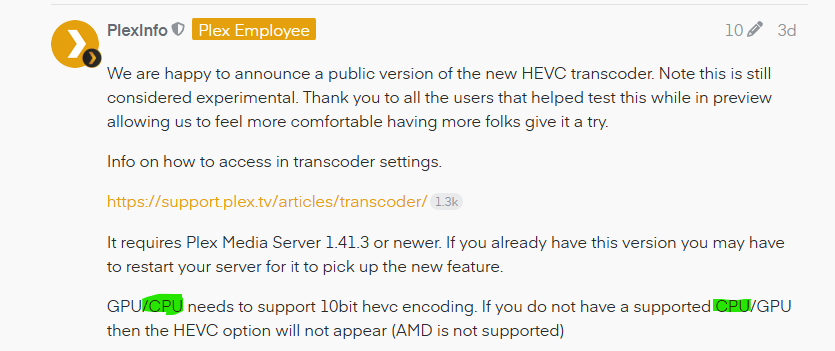
I am running Plex through WSL2 via Docker for Windows. My CPU is an AMD Threadripper 2950x and GPU is a NVIDIA RTX 2080 TI. My compose file is below. nvidia-smi works and lists the 2080 TI in both WSL and the Docker container, and when hardware acceleration is enabled, I can verify it is actually using hw decoding and encoding via Tautulli. However, my GPU is never listed under the Hardware Transcoding Device…it only shows auto. Similarly, the HEVC options are not showing up. I cannot figure out how to fix this because it might be a specific nuance with how Docker for Windows makes the GPU available into the container, but it seems to work when it comes to the actual transcoding? I assume both my CPU and GPU should be able to do HEVC encoding.
Also, is this feature only available via HW Transcoding? Per the release notes, it implies it can work with a supported CPU, and I assume my 2950x is more than powerful enough to do it as well.
  plex:
    image: plexinc/pms-docker:plexpass
    container_name: plex
    environment:
      - PLEX_UID=${PUID}
      - PLEX_GID=${PGID}
      - UMASK=${UMASK}
      - TZ=${TZ}
      - NVIDIA_VISIBLE_DEVICES=all
      - NVIDIA_DRIVER_CAPABILITIES=all
    volumes:
      - ${CONFDIR}/plex:/config
      - previews:/config/Library/Application Support/Plex Media Server/Media
      - ${CACHEDIR}/plex/transcodes:/transcode
      - ${CACHEDIR}/plex/cache:/config/Library/Application Support/Plex Media Server/Cache
      - ${CACHEDIR}/plex/codecs:/config/Library/Application Support/Plex Media Server/Codecs
      - ${CACHEDIR}/plex/plugins:/config/Library/Application Support/Plex Media Server/Plug-in Support/Caches
      - ${LOGDIR}/plex/logs:/config/Library/Application Support/Plex Media Server/Logs
      - ${LOGDIR}/plex/crashes:/config/Library/Application Support/Plex Media Server/Crash Reports
      - ${LOGDIR}/plex/diagnostics:/config/Library/Application Support/Plex Media Server/Diagnostics
      - drivepool:/mnt/media:ro
    ports:
      - 32400:32400
      - 33400:33400
    deploy:
      resources:
        reservations:
          devices:
            - driver: nvidia
              count: 1
              capabilities: [gpu]
    hostname: ${HOSTNAME}
    logging: *default-logging
    labels: *default-labels
    restart: unless-stopped