Any update on getting a secure login for a 10 foot shared interface?
Having to enter my pin in front of friends and family is just daft - theres no point having a pin, as rather than being a security feature it’s a vulnerability
Any update on getting a secure login for a 10 foot shared interface?
Having to enter my pin in front of friends and family is just daft - theres no point having a pin, as rather than being a security feature it’s a vulnerability
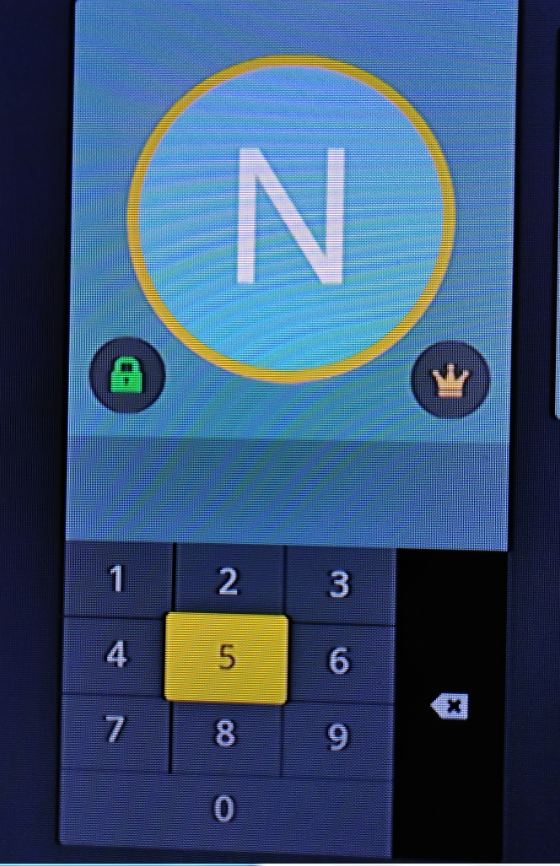
I constantly have to ask my kids to either leave the room or close their eyes when putting in my pin. The reason is because you can clearly see the pin being put in on the screen. Is there a way to change the layout to either not show the pin entered or look something like Amazon’s pin entry?

I am using Fire TV’s plex app, btw
This would be nice to have on Apple TV too.
Hi,
It would be great if there was a way to hide the pin entry more, as currently using my player (FireTV) its quite easy to see the onscreen highlighted cursor pausing over the numbers during pin entry.
Dan
(just noticed id already posted this earlier but couldn’t see how to delete a post forums.plex.tv/discussion/244869/feature-request-hidden-pin-entry)
Same for Apple TV
HI. I see several people posting about being able to discretely enter their PIN so that everyone in the room cannot see it. I figured i’d put in an enhancement request also.
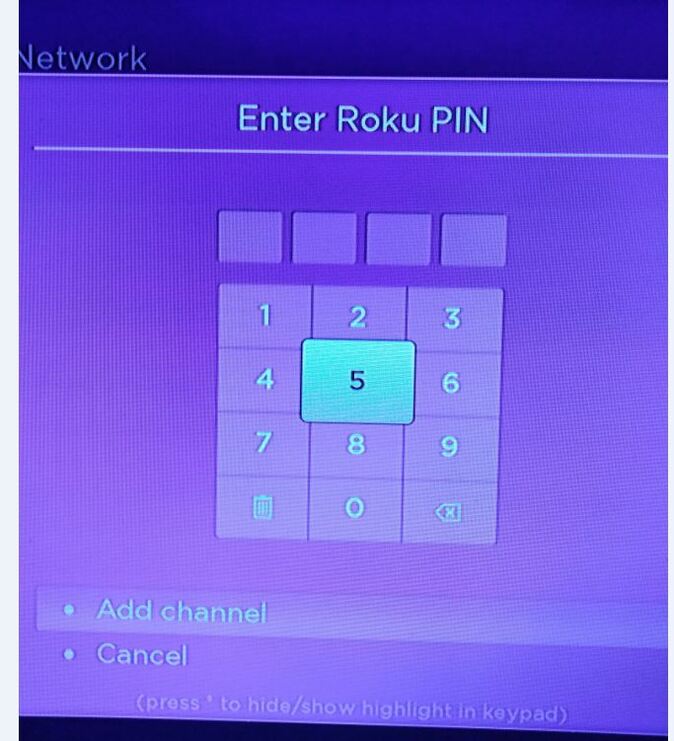
When using a device like the ROKU with the Plex app and a Harmony remote… when you log into a managed profile with a PIN, one cannot do a direct number entry on their remote. Instead you need to select the numbers on the screen (which everyone can see) and then log in.
If my PIN is 1234… everyone in the room can see that i go to 1 first, then 2, then 3 and finally 4.
I wish this was more like Directv where i can press 1234 on my remote and it fills in the 4 numbers on the screen with asterisks. That way, NO ONE can see the code.
Again, I use a ROKU to access Plex on our living room TV. I use a Harmony 700 remote to control everything including the ROKU. I’ve used many other remotes over the years, and that’s never been a factor. Plex has always made me go to the number to select it.
Thanks.
Hey there, Plex is amazing, just have a quick feature suggestion that I don’t think has come up but it’s really silly if there isn’t already a workaround.
If you have managed users secured with a PIN, and you’re using the Apple TV Plex app, the pin is easily visible to anyone watching the screen. This is reasonably acceptable if you’re using a remote that doesn’t support it, but when I’m using my phone as remote, I can type the numbers and they should be appropriately hidden on the screen, but they are not, and they should be.
I guess I’m insinuating the solution here but the problem is that every time the Apple TV Plex app locks for any reason, I have to put in a PIN and this is strange and annoying with kids that really want to look, or that I have to scroll to the number instead of just typing it in. Seems like this can be a more streamlined interface.
Thanks for reading!
Same can be said about Plex for Roku.
But your issue is far worse, not masking the numbers on the screen. Not cool!
Though, I would like to see the numpad selection disappear when the user moves the cursor around. Leave it in the middle and if the user hits the directional pad, the highlighted color goes away.
I agree with all the previous comments and I am also advocating for Plex pin security to be better aligned with convenience and privacy. These are all things we hold dear and more than that, it has become engrained in our everyday lives. Pay with your phone for a cup of coffee using face recognition. Pay for gas and snacks with your phone using a thumbprint. Authenticate your check in to an appointment with your smart watch. Access your ticket to an event with your phone.
I would not want any of these things done in person with the possible intervention of my privacy. That is exactly what a PIN (PERSONAL Identification Number) code is meant to do!
The Plex PIN authentication method greatly increases the risk of my personal information getting into the wrong hands. I want to be able to authenticate my personal information in person without the intervention of another. That is the very definition of “personal”.
A pin entry handoff to another device (phone, watch, remote…) that offers the convenience of authenticating with thumb print or face recognition on some of those devices all the while making for a very fast response time. This is arguably the current standard for the masses.
Are there any updates on whether this is being actively worked on? This is my first post, so I have no idea if Plex even responds directly to these posts from their customers. Do they?
Came here looking for answers regarding the same issue - a clearly visible PIN on screen? Absolutely daft. I really was hoping to be able to just use the channel input buttons to enter the PIN, rather than asking children to look away.
Do Plex developers actually see requests on the forums? (edit: clearly not, given the age of these posts)
Push ^^^
Bugfix all we need.
Thanks.
What is interesting is that recently I accessed Plex on my iPad and it allowed me to authenticate my PIN with my thumbprint. If this functionality is already present on my iPad then surely it is not that great a stretch to make it available on my main television screen (I use an Apple TV). I wish someone from Plex would just respond to this thread and say whether they have read this, if it is being worked on or if we should just stop because it is never going to happen.
A pin entry handoff to another device (phone, watch, remote…) can authenticate with thumb print or face recognition for devices with no keypad on their remote. Plex already has touch ID authentication for PIN on iPads. There is always going to be cases where a second device is not available to a user but cellphones are ubiquitous in today’s world and it would arguably meet the needs of almost all. Plus, it is so much better than having someone see your pin being entered on the screen.
The way Microsoft does it on the XBOX One on sign in is fantastic. The D-pad and buttons map to 1-9 on the screen and you can press them without anyone seeing what you’re choosing. Then I log in to Plex and you can see the selection on the number pad 
This needs improvement for sure.
Of course. It would have to be app/device specific. From the perspective as a user of Plex on the XBOX One I’m just noting that the way Microsoft does it works very well. In this case there are 10 buttons.
I reckon Playstation you could do something similar.
Not sure how it would work for the Roku for example.
You don’t need that. Once 4 numbers chosen (based upon a 4 number current PIN scenario for plex) it would either pass or fail.
While it has a slightly different motivation and utility, one of the highest ranked requests to date from Plex users is for 2FA which would need a second device.
I do not believe any commenters are stating a second device would be a requirement, rather a feature to be utilitzed by those who choose to…this is a “General Feature Suggestions” forum.
I’m afraid I came here from the Smart TV post (because they’d all been merged for voting purposes). My TV remote has number keys, but I can appreciate that other device remotes may not.
I’d be interested in the numbers to back this up before asking the question. I’d be willing to suggest that the vast number of users are using a client device that has numbers on their remote, but that doesn’t make it so 
Just so my joke doesn’t sound too flippant - even if the pin was limited to a combination of some number of 1 of 4 digits and people could use the directional arrows (on Roku, for example) then that would be better.
Quite possibly - I’m really not sure in this age of almost ubiquitous smart tvs. Do those remotes allow directional input? If so (and sorry about my edits above) I still feel there’s a valid solution there.