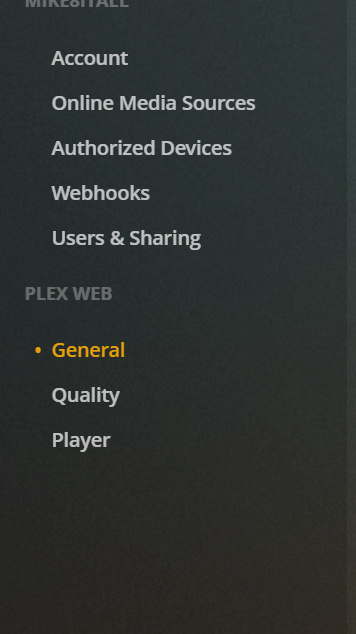
I’ve tried a couple different images, including the plex official image, and linux.io image, BUT running the install and accessing via chrome just looks like a PLAYER, not a SERVER???
I can’t seem to find any videos, or instructions anywhere on installing for container station on qnap.
I don’t want to use the qnap app for plex because of security issues.
Any clues would be appreciated.
If you installed the server and access it via a browser the UI might look a bit like the Plex desktop client but it is indeed a full fledged Plex server. When you access it for the first time, Plex will run you through the setup wizard where you can name your server and create a first set of libraries.
Afterwards you can always create more.
Not sure what you’re worried about.
Adding more abstraction layers will most often only complicate things – it’s not necessarily about security (unless you’re worried Plex might start to infiltrate your NAS)
QNAP has a flaw they won’t fix. I’ve been seeing people complain about how you can use the plex account to access all users files on the server.
I know the normal plex first time start procedure, but this setup doesn’t perform normally. I can only access existing servers and play from them.
I can’t set up a new server. Here’s my entire list of settings I can access after setup.
Plex in a QNAP Container Station container is a disaster.
Their UI is poor at best.
Their attempt at abstraction is nothing more than unneeded complication.
Use the native app and you’ll be a lot happier.
With the new addition of the PlexData share, it’s even easier to get to the data than ever.