I have the plex windows app. I have no idea which version, it doesn’t say.
When playing a music album, it only plays one song, then you have to manually click next-track to go to the next track. Is there any way to automatically play an entire album?
You can click on the ‘Play’ button when entering the Album you want to play. Or create a Playlist to play a collection.
Only issue is, playback is currently broken, the App will play the first item (music, video etc.), then crashes to Desktop.
So, the option is there, just doesn’t work.

Mine doesn’t crash, but it only plays one track then stops.
yeah, you lucky…it crashes with me with whatever i play, even movies, tv etc. Plays the first item, then crashes to desktop. Been waiting for a fix for quite a while now. Wish there was an alternative to Plex that worked, but really regretting spending money on my Plex Pass.
Are the authors aware of this bug? Playing an album seems to be the most obvious basic function imaginable, yet you can’t do that? This is absurd.
Absurd is the word, app is going nowhere, even getting worse over time since anniversary update.
Now completly broken for me can’t even play music at all since i switched to plex cloud.
Maybe they will stop fixing a sinking ship and start from scratch, actually charging money for this is a scam…
Just discovered this was broken myself… On Android, IOS and on the PC
I’m observing this behavior on Mac with Plex Web Client version 4.8.4, Server version Version 1.18.2.2058.
How are you initiating playback?
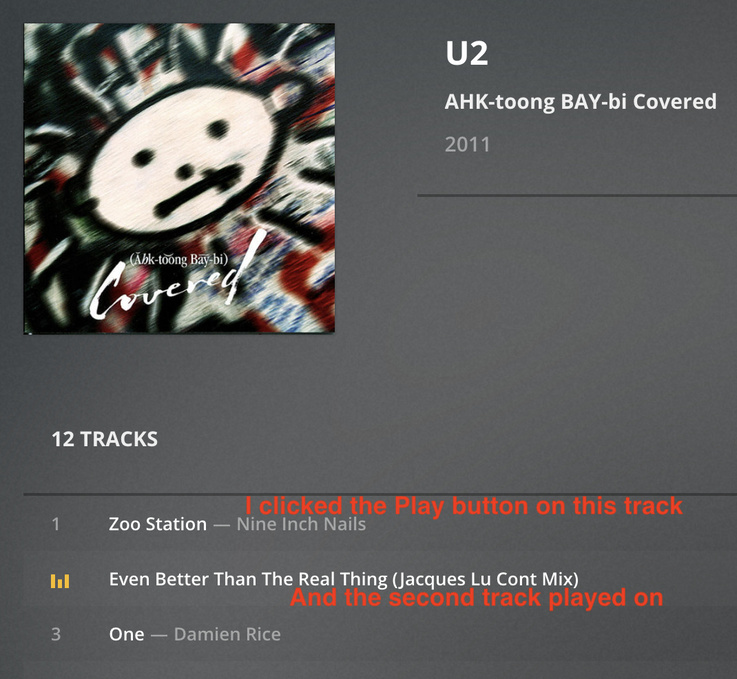
When I click on the first track in the album listing, it continues on to the second track. This is via the webclient on my iMac, same server version:
The Windows Store App may have deprecated to the point it no longer functions.
Use PMP or the New Plex Player:
Plex Media Player:
New Plex Player:
https://www.plex.tv/media-server-downloads/#plex-app
Doesn’t apply despite the thread title ;^)
Silly me - reading that was, unfortunately, misleading…lol
1 Like
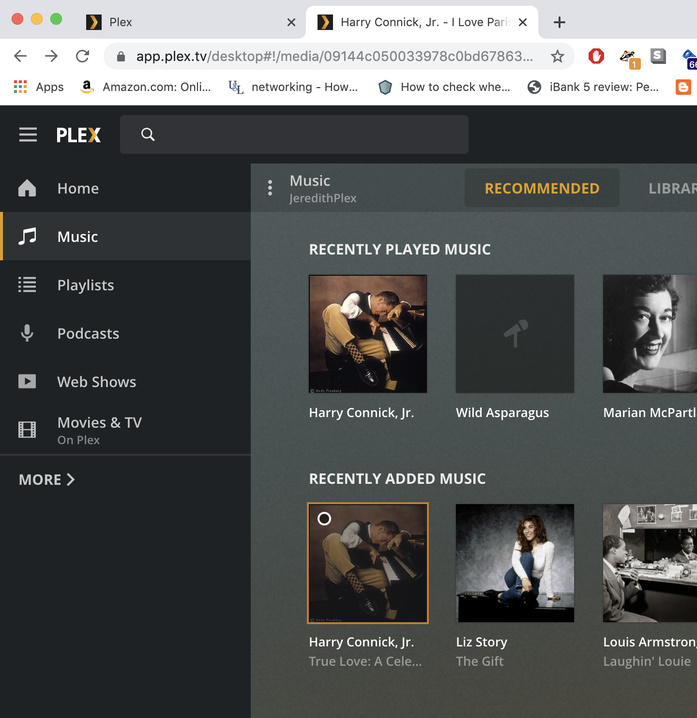
Hi, Darcilicious, thanks for the reply. To initiate the playing of the album, I click the rigtht-facing triangle on an album under, for example, “RECENTLY ADDED MUSIC”.
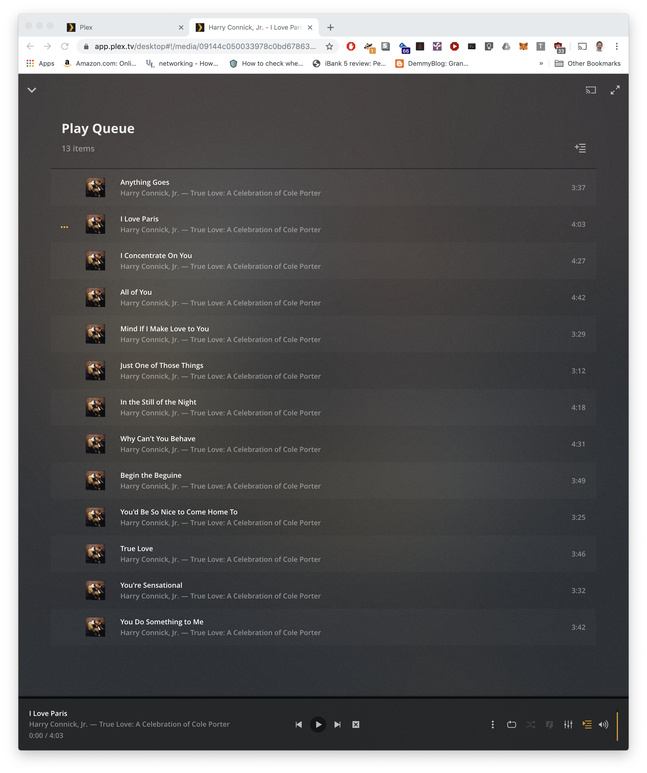
The first track plays. Then, playing stops. The info on the next track is displayed at the bottom. If I click on the play order symbol (between the equalizer and volume symbols), it displays 3 dots to the left of the next item to be played.
I can’t replicate this behavior here. It looks like you’re using Chrome? Have you tried starting in “safe mode” / without extensions enabled? Perhaps one of them is interfering.
Darcilicious, that was it!! I have an extension that disables autoplay and disabling that extension made it so that the player went to the next song. Thank you again!
1 Like
This topic was automatically closed 90 days after the last reply. New replies are no longer allowed.
