Server Version#:
1.31.2.6783
So I ripped The Bullwinkle Show from the DVDs which each episode has five segments; 130 segments or 26 episodes per season. Both the databases that Plex rely on have the seasons broken down by segments, calling each an episode. Is there a renaming tool that will rename, in bulk, each episode I have ripped with the five segments? Example: right now, my episodes are misnamed like S01E01 when it needs to be S01E01-05 and so on. Appreciate anyone who’s this savvy with Plex renaming.
I like using Rename My TV Series. Not bad once you get used to it. To get the proper naming format for Plex I went into renaming rules and changed the following.
Filename format: %N - S%S2E%E2[-E%E2] - %T
Move to folder: %N (%Y)\Season %S2\
Search for your show and select it on the left. Add your show files on the right.
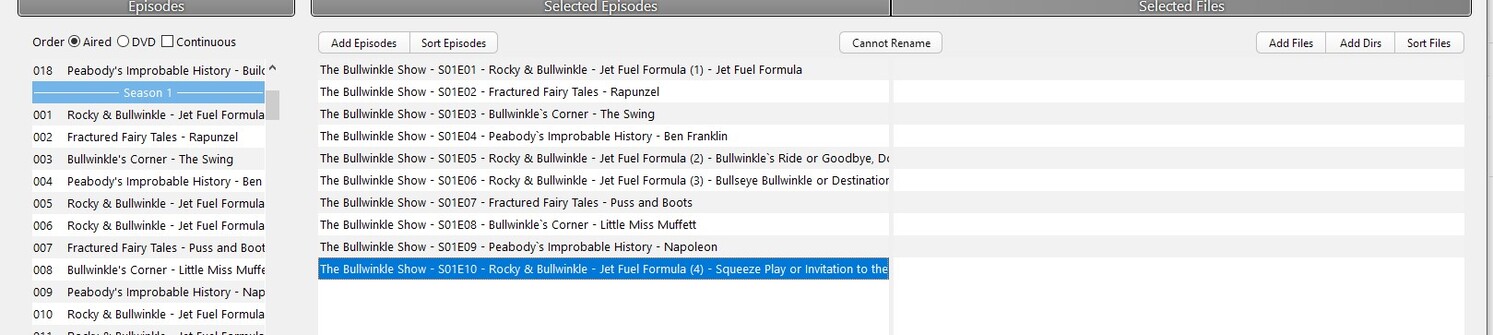
To merge the episodes hold down shift while selecting 5 and without letting go of shift right-click and select merge 5 episodes.

Click on each line and edit it how you want. Take out the middle episode numbers and probably the episode titles since they don’t make sense with multiple episodes merged.

If you have them in the right order something like ReNamer « Products « den4b.com can make it easy
Just use the serialize rule with step 5
Appreciate the timely response. Will give the Renamer Utility a try. Thank you again.
