I am trying to create a smart play list to play Star trek Discovery and the after show The Ready room. The problem is the smart play list will put The ready room before Star Trek Discovery for the episodes on same release dates. How do I change that? as You want to Watch the episode of Discovery before you watch the after show for that episode . . . .
That does not really help as the episode tittles don’t say much for the ready room . . .

It seems I will have to manually change the available date (which translate to the release date it seams)
as the thread pointed out about 3 Chicago shows Plex needs to give that ability to change the order for same release dates.
You could just change the sort title in the general tab. Looks like you could add the SxxExx to the front of the sort name. It would affect the collection without changing the sort in the TV library. Might need to tweak this idea, but it appears to work in my playlists

First I appreciate the responses . .
I just feel there should be an easier way to adjust a same day release date . . . I would love to wait the sort order so that the shows I want to watch first, appears first this. This is for my Prime Time smart playlist . . .
For my Star trek List I changed the original available date of the Ready room to the day later as I want to get watching.
If any one comes up with a better way please let me know!
I thought I had a handle on this same day release date sorting . . . . My new issue is that I am applying what ottokerner linked me to above but it is not working now for a new smart list I just created for the The walking dead, fear the walking dead, and talking dead.
I am of course trying to get it to sort the walking dead episode before the talking dead episode on the same release data but it is not changing the order.

Is there a new bug? Am I not seeing something?
Your screen shot is missing the crucial bit: the sorting order
here are the screenshots for the episode data . . . .


so far the only way the sort order changes is if I change the release date by aiding one day.
I have changes the sort tittle by using the numbers in the front or end of the tittle . . . .
This is not what I meant.
This screenshot is missing some areas on top where the sorting order for this playlist is defined
Please use table/list mode and enable the column for “episode date”.
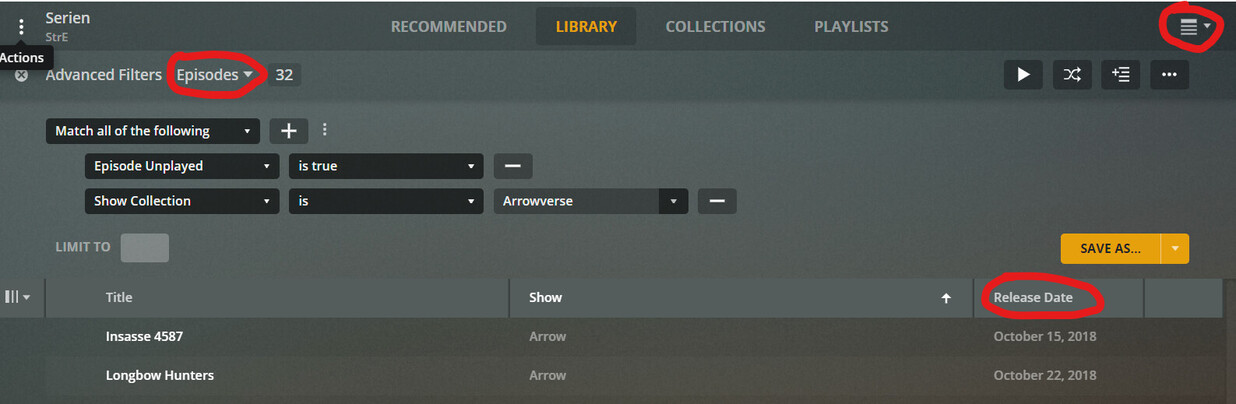
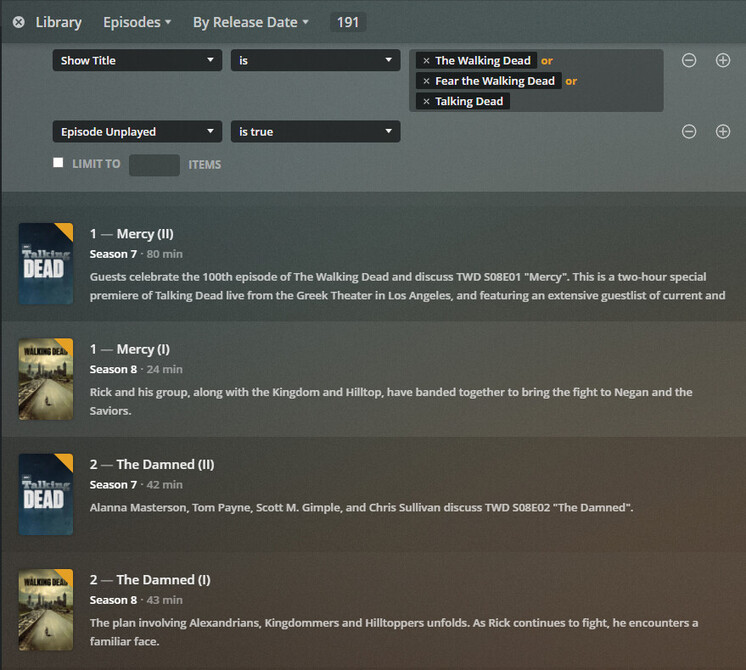
This looks like a quite old web app. Use https://app.plex.tv
The sorting order is from newest to oldest, not the other way around.
And you still have cut off stuff from above and right.
You are still using Summary view, instead of List view.
I must point out that whether I am using the plex.tv or the direct IP the view is the same.
Based on what you have screenshotted here is what mine looks like. as you can see, fear the walking dead and the following talking dead episode works but then the walking dead episode mercy the others come after the talking dead even with my change in the sort title.

Try using arabic numerals, instead of roman in the sort titles.
As stated previously I have tried that as well.
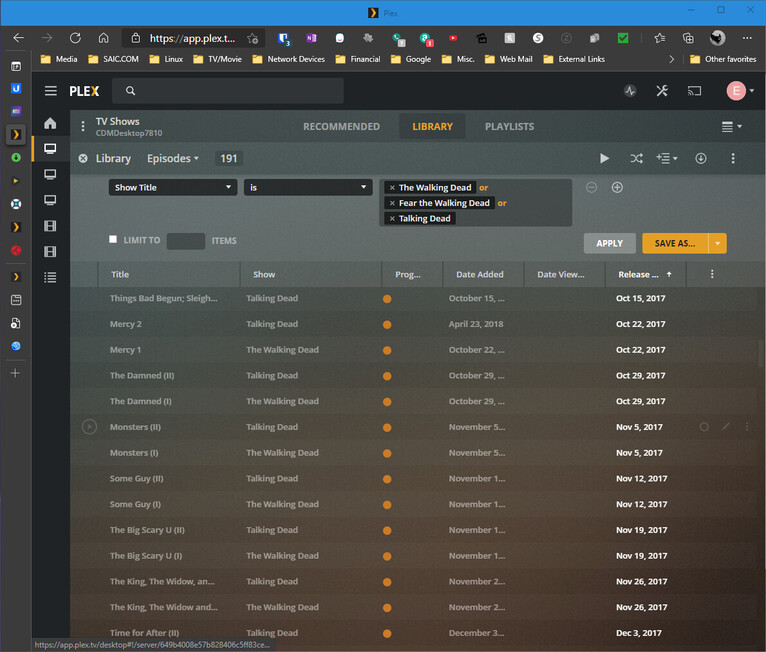
corrected the mistake in the tittle but the sort tittle was correct.
Then you’ll have to change the release date of the episode instead.
Thank you OttoKerner, I was coming to that conclusion. Has any one come up with away to edit the data in a more direct way? Like a SQL database editor . . . . Looking for something to make it easier to edit all the records for talking dead.
You can call up the edit dialog from this list view. This is the most “direct” way.
Accessing the SQLite DB directly is more hassle, since the change cannot be done easily with a single SQL command.
(well, maybe it can, but I don’t have the SQL skills to formulate such a query)
This topic was automatically closed 90 days after the last reply. New replies are no longer allowed.
