Assigned the letter to the drive per instructions above. Same issue unfortunately.
What issue was that again, at this time?
Thank you!! If you read carefully and follow the steps works fine. Changed default directory to a dedicated internal ssd with no problems. No errors, you just open plex and everything is ok like nothing happened.
I updated the path “backup directory” on “scheduled tasks” as well to: F:\Plex\Plex Media Server\Plug-in Support\Databases
Is the last part necessary if I want to restore in the future?
No.
This will use the new location automatically.
Amazing. I don’t know why people have to resort to the forums to fix this. It should be part of the official documentation. Thank you!
2 Likes
I’m trying to move my PMS from my C: drive to my D: drive, and I followed all of the steps, however, on reboot, I get a large ominous ERROR message with no other warning or information. What could possibly be my problem?
The procedure doesn’t move PMS. It only moves the Plex data folder.
Impossible to say without more details.
Verify that the drive letter and folder you have put into the registry are valid, and point to an actual existing drive and folder.
A Windows error or Plex error?
Can you post a screenshot?
I hate Plex sometimes, and this is one of those times.
Tried original instructions, did not work. Tried junction instructions. Did not work. Tried restoring database to see if that helped, that didn’t work either. No matter what I tried, including rollbacks to previous states, I got the same as Movieguy12 - Yellow triangle warning, no content.
Sitting here now waiting for all my libraries to rebuild and looking at buying a bigger drive for the OS instead.
Try this site to help.
I have recently had some issues because of my NAS server where I keep all my videos. Anyways my PLEX got all messed up and figured out the process.
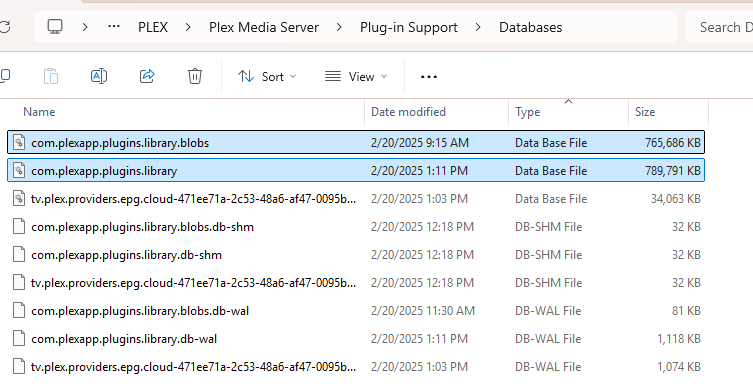
After creating a new server on another computer I have used these folders to build a new server. My Plan is to copy the DB files in at least weekly to keep my activity backed up and ready just in case.

If anyone wants to do this with mac/linux, you can locate where the advanced hidden settings are using this official plex guide:
https://support.plex.tv/articles/201105343-advanced-hidden-server-settings/
2 posts were split to a new topic: Move downloads folder for desktop app on Windows
