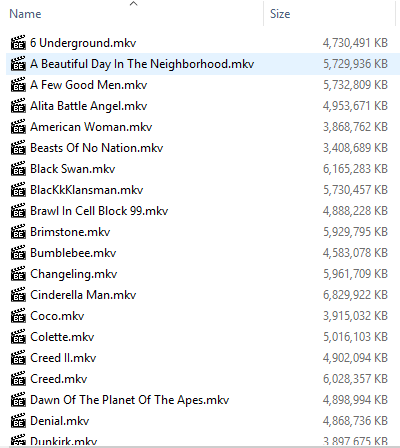
Have searched the forum but drawn a blank. I’ve just indexed hundreds of movies and fixed the mismatches, files in various files all found fine. But now I’ve come to adding documentaries and TV series and hit a problem with folders “and files” in the same folder. Am I doing something wrong?
Screenshot below is self explanatory, why aren’t the two files found? TIA.
Looks like a mix of series docs and movie docs, which can’t be in the same type of library. The movie ones also need a (year) in the filenaming. Even if those are TV documentaries, they are named wrong. Follow these guides:
A clean, well orginized filesystem is the key to a healthy Plex lifestyle.
Nope, have never done that, just indexed about 800 movies and apart from a few mis-matches everything was fine, always has been. Movies are all named “Name Of Movie.mkv”, was never a problem in previous Plex setup either. Thank you anyway, will move the two files elsewhere.
But still doesn’t resolve the massively oversized database and the thousands of unnecessary files stored. Apologies, but this has niggled me after starting to take note of it in my new Plex setup. Thread.
If they have to be named as those links suggest, I’ve just today indexed about 800 movies with none named as those links suggest and all but a handful indexed perfectly, likewise in a previous Plex setup?
You’ll see plenty of similar posts in these forums, and yes, somtimes - most of the time? - it can and will work. However the official way is in the guides, so when you encounter these problems refer to them for the proper “fix”.
I took your advice and after shuddering at the thought of the mass renaming, discovered the amazing FileBot!!! Obviously I messed around on practice folders first and didn’t apply the renames (you know how FileBot shows you in the preview pane), then I started Googling around and browsing FileBot forums for some its more advanced expressions, replacing illegal Windows characters Eg: a colon “:” with a " - " (in any filenames it suggests).
Name Of Film (Year) with any “:” replaced with “-” and uppercase first letter of each word.
I expect you’re familiar with all this stuff, but as someone having a first play with FileBot - wow! Similarly its abilities in renaming whole TV series in one go and all very neatly! So I’m now working through folders of movies renaming as per Plex guidelines “Name Of Film (Year)”, and all TV series will follow. It’s then a joy to watch Plex index everything correctly first time!
One minor thing, I have a few Remasters and Theatrical editions etc, so after making a note of those, and after renaming I added [Remaster] or whatever, Plex indexed every one fine. So, my thanks.
You can also have FileBot put all your movies into a unique folder - the benefits of same will soon become apparent. Here’s how I do mine and also include rez/codec:
{n} ({y}) [{vf} {vc}]/{n} ({y}) [{vf} {vc}]
A Movie Library/
…Galaxy Quest (1999) [1080p x265]/
…Galaxy Quest (1999) [1080p x265].xxx
(once movies are in a unique folder - they are excluded from a scan - unless something changes in the folder - and when you get 10 thousand movies… well… a 4 hour scan replaced by one that’s over in 10 seconds might be considered a good thing…lol)
I don’t know if this is the place to ask a FileBot expression question, but…
By chance could anyone sort me out with an expression for my TV series plz, I’ll probably be starting them tomorrow. I’m struggling. I’ve trawled the FileBot forums and see they insert dots into filenames but I can’t suss this one. I’d like the dot after “S0E01” and initial letter of each word capitalized. Eg:
S01E03. Title Of Show Whatever It Is.mkv
By default FileBot seems to offer:
S01E03 - Title Of Show Whatever It Is.mkv
TIA.
Edit:
That’s neat, I believe it’s possible to include audio codec too, DTS, AC3 whatever? Still experimenting.