Server Version#: 1.23.3.4.707.6000
Player Version#:
I’ve just started using Filebot to organise my files, but Plex is not indexing the episodes correctly. I’ve only renamed my Columbo files so far, but looking at Season 1 for example, Plex has indexed the episode “Dead Weight” as “Lady in Waiting”, “Dead Weight” as “Murder by the Book” and “Suitable for Framing” as “Death Lends A Hand”. These are how the files are actually named:
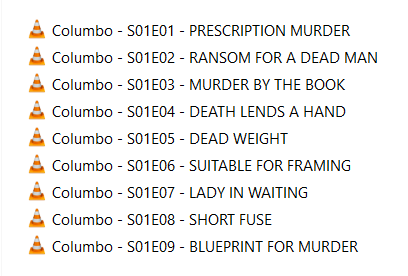
You are using the order as shown in TheTVDB. What you describe is the order from TheMovieDB. Plex can use either. Double check your library setting to see which you are using.

That will be the default for your entire library, you can also set specific shows to use a different ordering if you want. You will need to refresh your library/show if you change this setting.
Oh thanks. That’s fixed the problem. There’s such a lot to learn for a noob like me; especially as I’m only used to the simple like of Kodi for watching my videos at home. I’ll trying renaming a few more TV shows with Filebot and see how I get on.
Filebot also has an option on which source to use, so make sure you are consistent on what Filebot uses and what PMS uses.
I’ve run into a bit of a problem when renaming the episodes from one of my TV series (“Touched by an Angel”). Some of the episodes listed on the TVDB show the episodes in two parts, whereas my episodes show only one. Conversely, some of my episodes are in two parts, whereas the episodes on the TVDB show only one. This has resulted in either my having to add the additional shows somewhere else in the list or being left with some gaps in the numbering, depending on which list the double episode shows appear. Do you think that this will be likely to cause any problems when Plex comes to index the files?
The solution is either - Stacked Episode Naming - or Multi-Part Episode Naming - both described here in detail I believe:
https://support.plex.tv/articles/naming-and-organizing-your-tv-show-files/
Quote:
Multiple Episodes in a Single File
If a single file covers more than one episode, name it as follows:
- /TV Shows/ShowName/Season 02/ShowName – s02e17-e18 – Optional_Info.ext
Where you specify the appropriate season, episode numbers (the first and last episode covered in the file), and file extension.
Note : Multi-episode files will show up individually in Plex apps when viewing your library, but playing any of the represented episodes will play the full file. If you want episodes to behave truly independently, you’re best off using a tool to split the file into individual episodes.
To get a better overall experience, you may wish to use a tool to split the video so that each episode has its own individual file. There are multiple ways you can do this and a quick search in your favorite search engine should give you some options on how to “split” a file. An unofficial guide with one free tool has even been posted in our forums.
Related Page : Forums: Splitting multi-episode files with MKVtoolnix GUI
Episodes Split Across Multiple Files
Episodes that are split into several files (e.g. pt1, pt2), can be played back as a single file if named correctly. Name the files as follows:
- /TV Shows/ShowName/Season 02/ShowName – s02e17 – Split_Name.ext
Where Split_Name is one of the following:
- cdX
- discX
- diskX
- dvdX
- partX
- ptX
…and you replace X with the appropriate number (cd1, cd2, etc.).
Notes :
- Not all Plex apps support playback of stacked media
- All parts must be of the same file format (e.g. all MP4 or all MKV)
- All parts should have identical audio and subtitle streams in the same order
- Only stacks up to 8 parts are supported
Also - FileBot may just leap in and do the job before you know what happened- or need a bit of help. It depends on how badly your files are named…lol
Hi. I’ve tried to follow the procedure you kindly provided above, but something is still not right. For example, here is how I have named a 2-part episode, but only the first episode is appearing in the video index in Plex…


I’ve just noticed however that I had forgotten to remove the (1) & (2) from the original titles, so I’m going to try doing that and see what happens.
Its seems to be working OK now, as far as I’ve checked. Thanks for all your help guys - it’s much appreciated.
Yup, when you have multi-part files, they need to be named the same (except for the pt info), otherwise they can get added as 2 copies of the same episode instead of combining them.
… and a ‘pt1/pt2’ name only shows the one episode, but a ‘Span’ of two episodes in one file will show both.
Looks like it’s working.
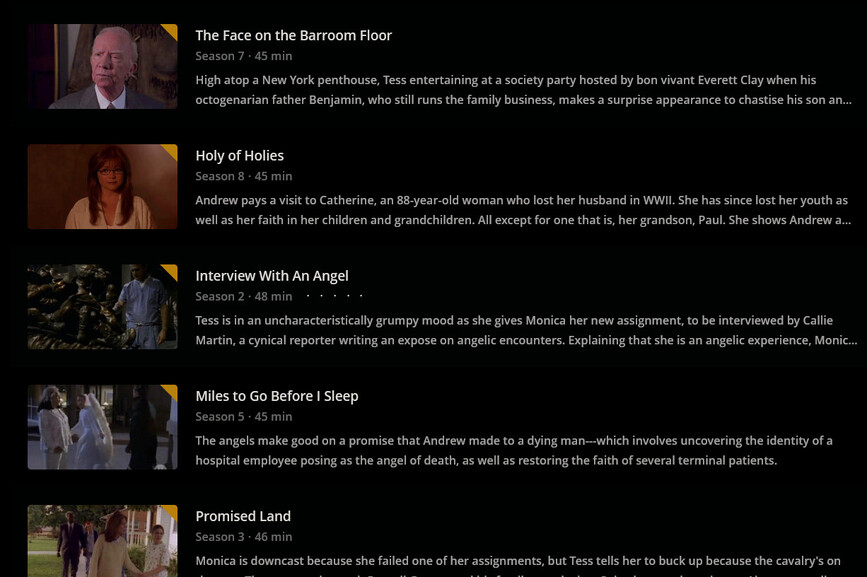
Dunno… I have no need for Folder View.
I have Plex.
Plex really sucks as a File Explorer.
I have a File Explorer for that.
