Morning all … still in the process of setting my folders up to to my first Plex library scan but thought I’d ask about this.
Roon ( music cataloging and playback SW) stressing highly that you should install it’s SW on an SSD on your NAS rather than an HDD. And indeed I’ve installed an SSD to do this.
But I’m now wondering if there are benefits to installing Plex on a SSD … one that does not store data?
I do have the option at this point to install some M2 SSD if it is beneficial to have Plex installed separately like the Roon product.
Interested in your recommendations, opinions and if the time, explanations as to benefits or not.
Thanks for explaining Chuck. So if it were an option, it sounds like it’s one worth taking … especially at this early stage where the NAS is new, unpolluted etc?
The NAS is a TS-453D currently with 8GB memory but I’m aware you can upgrade to 32GB … with unproven performance results but technically possible. It has a 10Gbe NW card but at this moment no other components on our NW are 10Gbe equipped.
So I can actually install (fresh) to a new SSD if it’s considered worthwhile to do. Keen to create the best Plex environment I can at this ‘early doors’ stage.
I had my TS-1282 for a while before we had the ability to move apps around in QTS.
Even with my SATA-3 based SSDs, the performance was great.
(not plex-related ----- when my DBRepair tool started optimizing the DB, things were blazing along. SSD+optimized == NICE! )
Do I feel it’s worth it? Yes
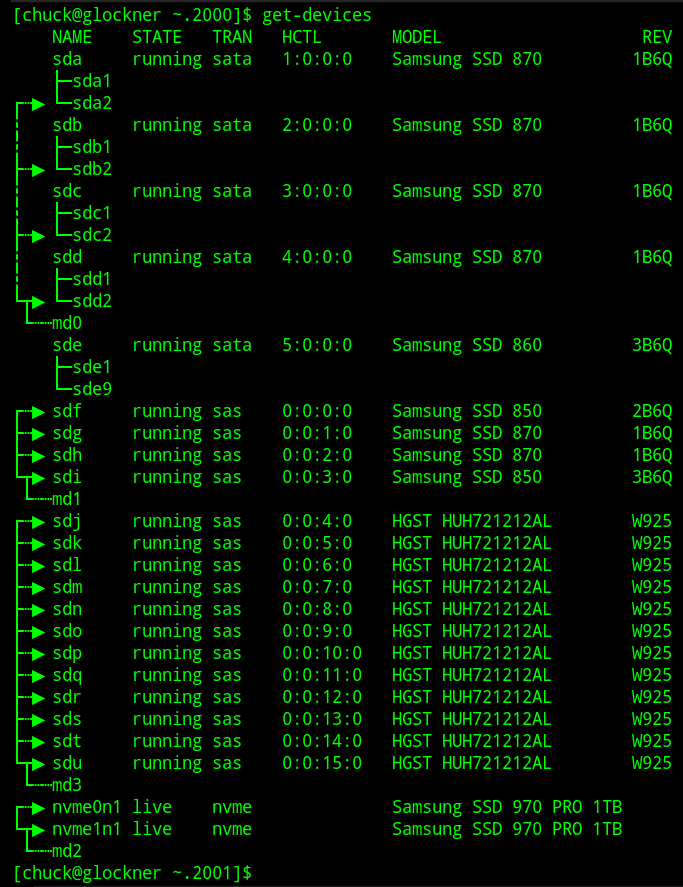
Samsung 970 Pro 1TB is still my Go-To SSD (1.2 PB write endurance and ZERO firmware issues)
Moving Plex from HDD → SSD takes a few minutes (QTS does it for you)
Install the SSD
Create a volume on it (ext4 formatted is best)
App Center → Plex → Migrate To
DONE
(QTS makes the move transparent. PMS doesn’t care where it’s installed. It only cares where the media files are)
Go ahead, order what you need, clear time time – Weekend afternoon project LOL
(I do recommend a SSD cooler. QNAP offers them from their store. they work well for motherboard SSDs). There are 3 chips on the Samsung (controller + 2 flash modules). One on each & done.
That’s great, thanks Chuck and I dropped on a couple at a very nice price on ebay (new).
Anything I can do to crow bar performance in from day one … and get config right from day one, I’m really keen on.
It will be fitted later week and then I’ll set to work on the folder structure and harvesting all our media data in there. I reckon by mid next week I’ll have it done … or be back for more support
That’s really helpful Chuck. I’ve had this NAS a couple of years but not had chance to do anything with it until the last month … the learning is exponential and I have to confess to being a little nervous of the data management steps. I fear the loss of data but have now managed get a decent external back up.
So now it’s time to manage the environment and actually put this think to use for products like Plex, Roon and a few other bits. So to get this level of support is really reassuring stuff.
The journey continues … will let you know how I get on. Many thanks again
Nice one. In fact I already installed 1 x 1TB WD SSD from the QNAP compatibility list and again got it at a good price off ebay. A bit annoyingly, it turns out that this particular M2 is not well regarded by users who have had performance issues (in their gaming rigs) and that FW’s from WD have been slow and hard to apply. But I think it’s ok for the NAS.
This one was bought to install Roon to. Roon is very insistent that you install the core system on a SSD and separate from the data. Is the reason to get that one. But it prompted the thinking that Plex might benefit from the same thinking. So is good to hear your opinions and system build.
I found 4 brand new M2’s of the same spec on ebay even cheaper, so one is on it’s way for the 2nd M2 slot and Plex.
In my experience Plex performance is excellent when it is installed on SSD and sluggish when installed on spinner HDDs. The media itself does not matter, there is no real benefit from having it on SSDs.
As it goes, my experience with SSD’s confirms the Samsung’s you mention are first class. In my case on laptops not NAS’s but all the same they have been excellent at breathing solid life into older laptops that would otherwise have been pensioned off.
WD Red HDD’s in NAS’s I’ve had nothing but good experiences with but have absolutely read pages of negative performance press on WD’s own forums regarding their M2 SSD’s. And yes specifically with FW’s.
I have them now so will stick with for the foreseeable. They were a decent price so less of a loss but that said, what I might do is use them on my 2nd 453D I just bought to re-house drives from a failing TS410 … the embedded FW and SW has corrupted in the chassis main board and despite first class support from QNAP, we can’t fix it without a huge amount of time and effort. And as QNAP say, it’s way past end of life. Have to say their support has been ‘beyond the call’ given that fact.
So what I think I will do is move the WD M2’s to this one (bit overkill as it’s only a back up unit) and then use Samsung’s on the main working unit.
Can I ask what specific model you are using on your NAS Chuck? Might as well go with a known good model number.
Perfect, thanks for the steer Havohej, is what I was hoping to hear. This is indeed what I will do, app and DB on a decent SSD … probably a Samsung now from what I’m hearing, and the media on the WD’s.
 LOL
LOL