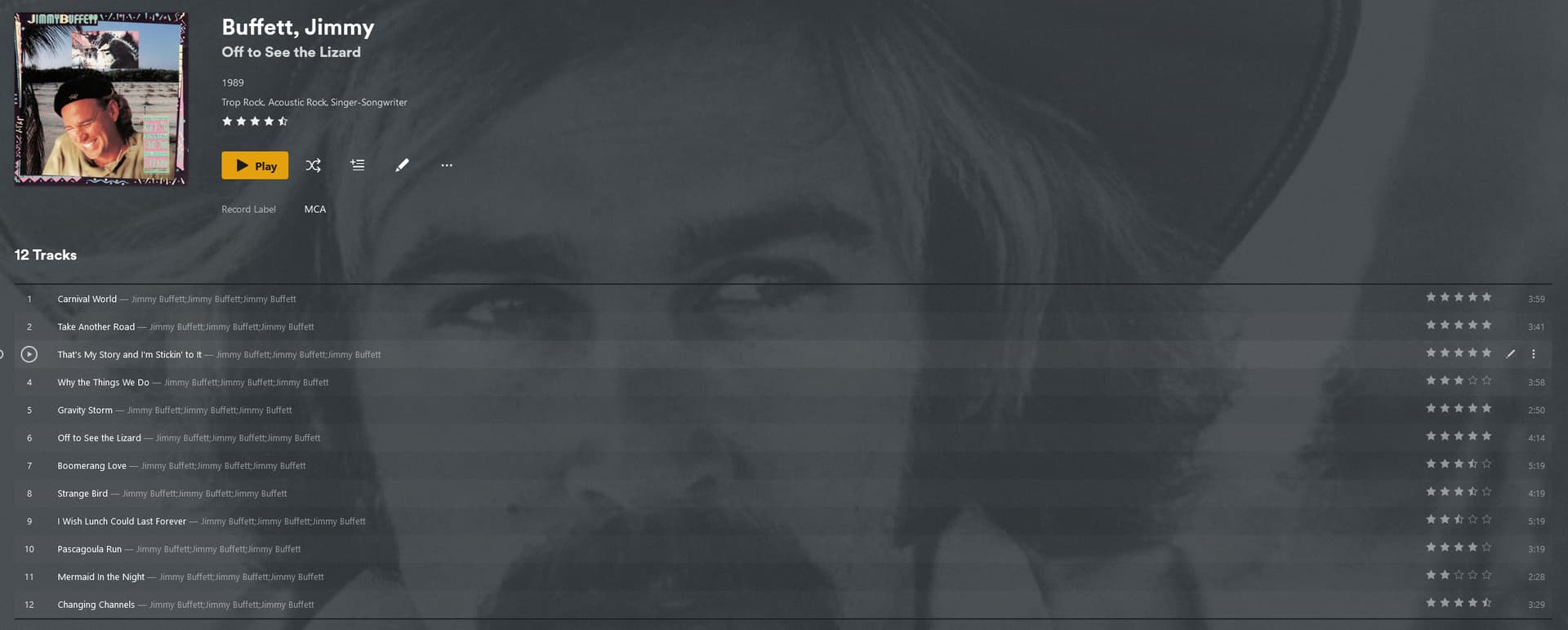
I’ve had to move my files around a few times and each time all of the user specific (I guess that’d count as local) metadata gets lost. I sort my library a little more specifically than just pulling from MusicBrainz and Discogs which often is extremely inconsistent (or even incorrect). I have a lot of live music in my library that I edit each of the track titles to the specific dates of the show.
It would be nice to not have to go through redoing everything all over again. I can’t find that there is a way to save these to your account. Wondering if there is some way out there to do so?
If not, it would be a nice option to have.
Once you tidy up the metadata of a specific movie, show or music to your liking… be able to lock it in somehow. Save it to your account. As your own MusicBrainz type of database. Then if you have to redo metadata in the future, you can select “match” and your own entry would pop up in the match prompt. Pulling up all your saved genres, collections, record label, song title edits, etc specific to that release.
If you do this, you should not do it in Plex. Because Plex only writes your edits into its own local database.
Instead, use a meta tag editor and thus, write your metadata into the music files themselves.
Yes, as far as music goes I rip music through dBpoweramp CD ripper and edit everything so that when I rip it, it is already attached to the file. The only thing I do through Plex is add more genres, make the release date accurate if possible, and add to collections.
I just recently moved files and everything in Plex is all messed up so I have to go through and unmatch everything…and even then it isn’t reverting back to everything I had. Not to mention having to add to collections again, genres, etc…
Is there another program you would suggest to use to ensure the metadata is properly attached to the files?
You can and should do all of that in the file’s meta tags. Only Plex collections cannot be stored in meta tags.
Simply put: avoid that. Make sure that your media file are always in the same storage location.
If you have to change hard drives, disable Plex server during the change, so it doesn’t pick up changes. Then swap the drive letters or mount points (depending on which operating system your server uses) of old and new drive.
If you want to consolidate all media in one drive, no matter how many physical drives you have, consider using a drive pooling solution.
If you have to swap the whole server hardware, try to put all media into the same identical configuration as it was before, i.e. each hard drive retains its drive letter/mount point that it had on the old machine. Keeping notes on each drive what it was labeled like helps immensely.
Then restore a backup of the Plex data folder and the configuration https://support.plex.tv/articles/201539237-backing-up-plex-media-server-data/
If you use Windows, I recommend mp3tag for pretty all your tagging needs.
Thanks for the reply and the info @OttoKerner. Much appreciated. Good solution for the matter at hand instead of having the ability to just lock in your matches to your own metadata, which would be easier, I’d imagine. But didn’t think of disabling it during file moves. Keep that in mind should I have to make changes in the future.
I had mp3 tag on my old computer and would use that sometimes but I was usually able to edit everything I needed to in either dBpoweramp or Foobar.
Sometimes even if I put a specific date in the metadata, Plex will for some reason, default to year-01-01, so that I’ll have to change. No biggie so long as the year is right, I guess. And as far as genres go, as I understand it… if you were to put “genre, genre, genre” if there are 3 genre’s you’d like to add - it will list that as one genre as opposed to selecting them as 3 separate. So when I am initially adding my metadata to the file, I always just use what I consider the most primary one. Then I’ll have to go in and add any others in Plex. Not too much of a big deal either, so long as the most primary one is listed… But just saying in reply that I haven’t had the ability to add multiple genre’s to the metadata and it show up correctly in Plex that way.
If you use the right tag and put in a proper date in the format YYYY-MM-DD then Plex will use this.
No commas. Use either semicolons or a NULL byte as separator. (depending on which particular ID3 tag revision you are using). In VORBIS comments you can also resort to adding several GENRE tags, each with a different genre as content.
There is a difference between YEAR and DATE when we’re talking about VORBIS comments (used for instance in Flac):
for some reason it just keeps repeating itself. The particular releases did not have this error in the original metadata. I’ve actually noticed this happen with a few other artists and has happened in the past. I would correct it and maybe it appears again or maybe it doesn’t. Seems very random.
Any idea here? Again… I just want to use my own metadata and that usually works when I scan my music library and a new album appears. All of my own metadata is there (save the items we discussed up above). This repeating of the artist field is kind of odd. I know how to fix it, but I have hope that can find a way so it doesn’t keep happening. Since once I fix it… as I said - it will happen randomly again. And it becomes a bit tedious to have to go in and fix dozens, or even hundreds, of albums each time.
Any help greatly appreciated. Not sure if this should be under a separate thread, but I figured I’d post it here since it seems like its at least adjacent to my original question.
That is very old. Consider updating. If that is not possible, you need to make sure that your music files only use meta tags which conform to the standard ID3v2.3
Thanks for the info. I plan on trying to set up something new, which should allow me to update to the latest version. Hopefully won’t run in to any such problems.
One other questions though… on the subject of tags and metadata and such… Should I completely unmatch each album I add and then make sure all of my own tags are correct (and adjust manually accordingly) or just leave the albums matched and then adjust the sections I want manually?