if there is magic ill give plex devs direct access to my server to poke around. for now ill see what Dave says about logs
TrueHD or subs will force transcoding of the 4K video to 4K; the former if you don’t have TrueHD decoding (and you don’t) and the latter always. One’s server thus chokes, intermittently. So when I discovered that I bought a TrueHD-capable playback scheme and I have insured that none of my 4K MKVs contain PGSs. To insure smooth playback right off the bat you may wanna remux those TrueHD MKVs so the AC3 tracks will be default instead of the TrueHD track, or delete the TrueHD tracks. Depending on your setup DTS-MA will play fine because it contains a DTS core that your setup is likely natively to decode.
TL;DR TrueHD is f*cking u up (and it did me too)
during playback…got to 4:12 today and the app didnt crash. so there’s that, but it still ended up stopping

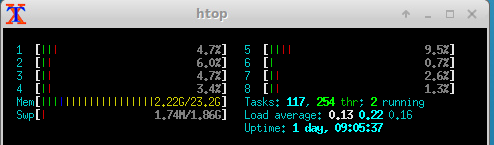
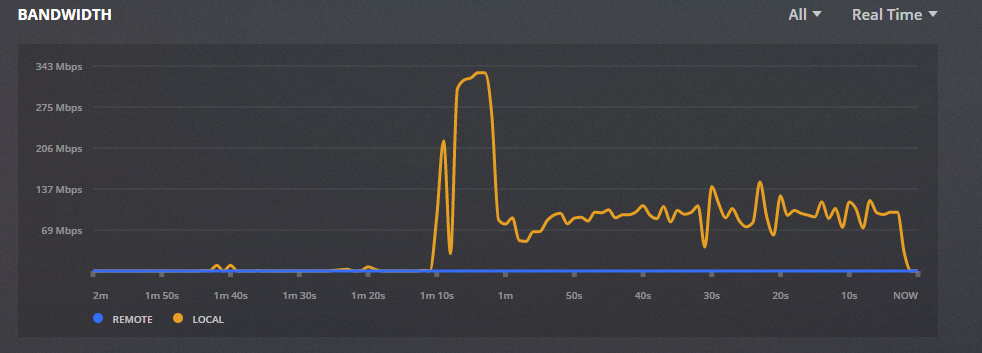
^^^ working up its audio transcode buffer, then basically idle
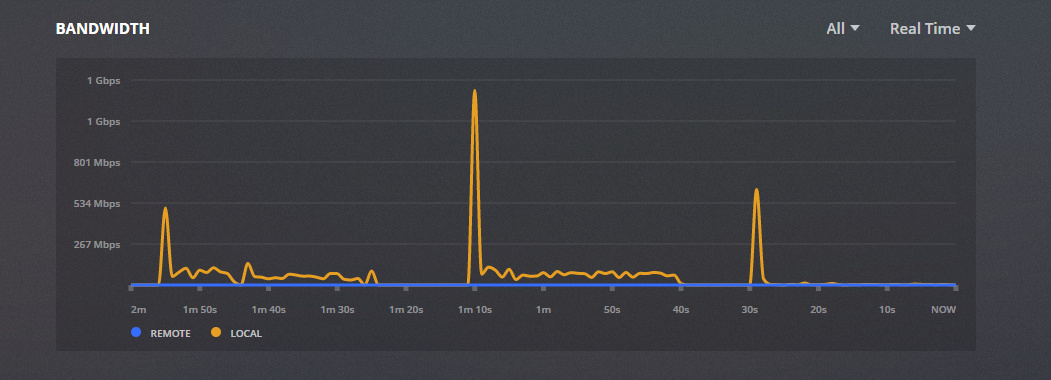
network plenty fast enough, and you can see when its not streaming out.
logs. I did play it twice and thought it was just buffering the first. so you may see that.
can you show us or try one 4KHDR non-TrueHD playback scenario, see if that works?
You do have this sort of thing:
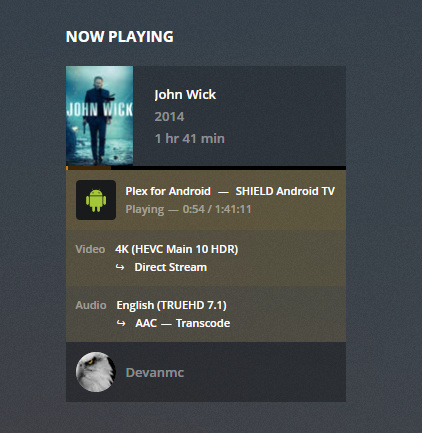
CanDirectStreamVideo: true CanDirectStreamAudio: false CanDirectPlaySubtitle: false CanTranscodeSubtitle: false Transcode Reason: TrueHD audio is not supported by the device
Plus it appears your server is transcoding to 1080p H264 non-HDR (which you should notice as crap color, you may not notice the down-rez) for John Wick.
You do have this sort of thing throughout too: Recording source codec (truehd) support: false
Are you playing your shield on a 4K HDR TV? Model?
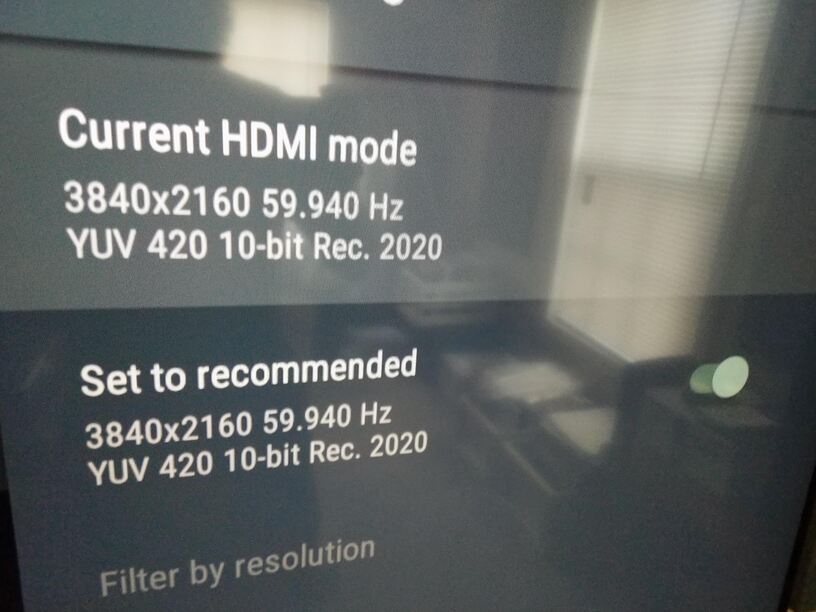
Works fine, but ill get some screen shots of playback when I get home.
TV is samsungUN65NU8000FXZA
for full 4khdr direct play you must have your shield plugged into a 4k hdr atmos receiver.
So it cant be connected directly to the tv… which the shield recognizes as 4k HDR(i can get exact system settings when home)… what kind of backwards pageantry is that with the sheild TV?
it is not the shield fault, its your TV that is not compatible with truehd/atmos
@locoliberty here is the thing;
pretty much every smart/4k tv up until some of those just now coming out 2019 models have this thing called ARC.
Audio Return Channel.
ARC does NOT support HD audio like lossless/HD truehd or dtsx-hd.
Because of the magic of HDMI, devices communicate with each other and tell each other ‘hey I can’t play truehd so don’t send me any!’
so when your shield and tv talk to each other, the plex client tells the plex server, ‘hey I can’t play truehd please convert to something I can play!’
and thus the server transcodes the audio to whatever your tv can play.
So, if you plug your shield into a receiver that is compatible with truehd/atmos/dtxhd then you will get direct play with no transcoding.
Some of those 2019 tvs are coming out with EARC, which does support HD audio passthrough. (from the tv to soundbar or receiver that is also must have EARC)
Doesnt matter anyways, I dont and wont be getting a surround sound reciever. My sound system is built for 2ch hi-fi. So transcode it will be…
or you can either manually select a compatible audio stream within the plex UI (ie try pick an ac3/dts 5.1 or stereo stream)
or you could manually remux your media files and remove the surround audio streams permanently.


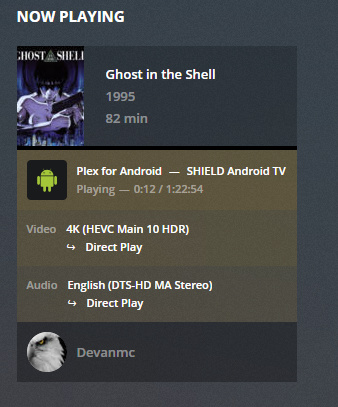
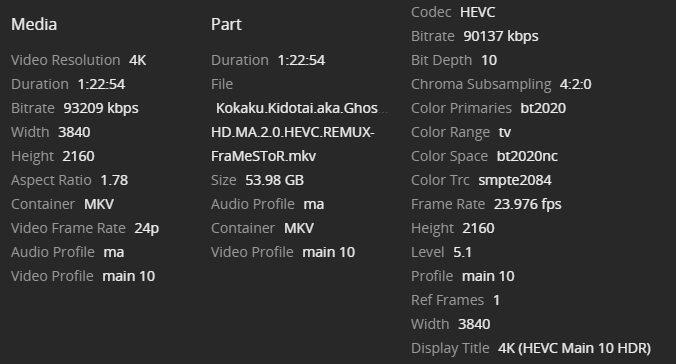
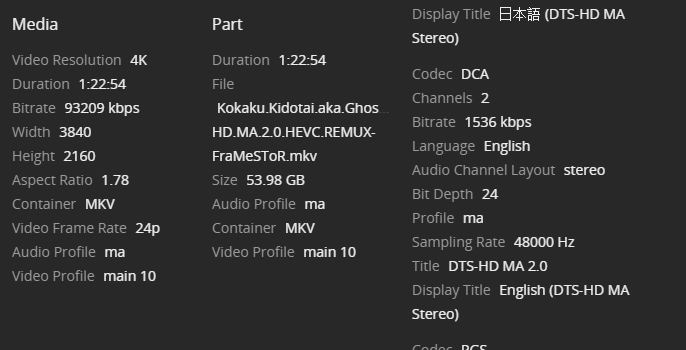
those work because your TV accepts those audio codecs.
your TV does not accept truehd.
that is why the server is transcoding the audio.
And…?
and I was just trying explain why some files direct play and some transcode.
your 2 example direct play without transcoding because your tv accepts the audio format of those files.
the file(s) where the audio transcodes (truehd and any other), is where your tv does not like those audio format.
it is within your power to either choose a different audio stream, or modify your media files to remove the incompatible audio and convert or switch to the audio streams that are compatible.
this is not a plex problem, its not a shield problem. or leave them as is and not worry about transcoding if your server can handle it.
I’m not worried about it transcoding. I’m worried that the file in question won’t play through. You’re all on your own with a new topic.
Keeping it 100: you will never have happiness w/ your setup playing TrueHD 4K files. Consolation is no one in the world can either (if they can’t direct play TrueHD). The key to smooth 4K playback with a 4K playback device and a 4K TV is to make sure the audio is also direct playing. (For other files, ie non-4K files like one of your examples was, this is irrelevant. 4K is a special case.)
So I’m not sure why, but I see this issue on a Sony A1E with 7.10.0.8875 and I don’t see it on another A1E thats running 7.9.0.8439. I’m wondering if they broke something in the player… Same situation 4K movie with TrueHD audio. Video is direct play and the audio is being transcoded to EAC3. Server is an intel NUC SkullCanyon running Windows 10 with plex server version 1.14.1.5488. I’m wondering how hard it would be to force load the old client on the TV… BTW while this playback is working on the 4k internal TV its also streaming a non 4k file to a remote user thats being both video and audio transcoded…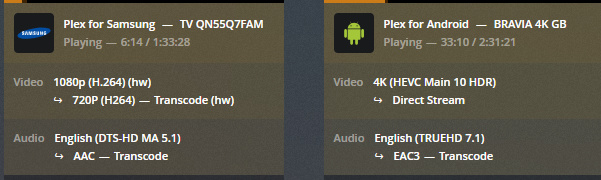
Still having issues with 4k and non tru-HD audio. both direct streaming. Is plex just bad at 4k and I should move to something else?
