Server Version#:
Player Version#: 1.39.2.3822
<If providing server logs please do NOT turn on verbose logging, only debug logging should be enabled>
What are the keyboard shortcuts for the HTPC Client? Is there a list? They are not always the same as for the previous clients. Like the debug screen is different. I’m looking for the 10 min jump ahead or jump back key. It’s not the Up or Down arrow any more.
Don’t know if there’s a list but the 10 min jump ahead button is “end >|”
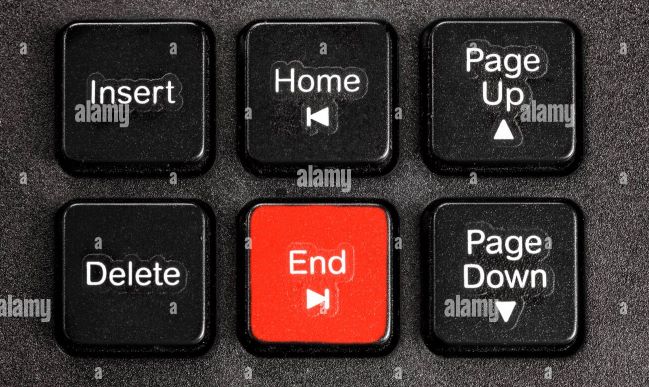
I assume skip back 10 min is the home button but I’m not sure. I don’t have that programmed on my remote
Thank you! I knew that at some point or found it somewhere on the Internet but can’t for the life of me find it again. Unfortunately my new small BT keyboard doesn’t have those keys. Oh well ~_~
Inspect the default input maps or adapt them to your particular remote control https://support.plex.tv/articles/plex-htpc-input-maps/
I use this
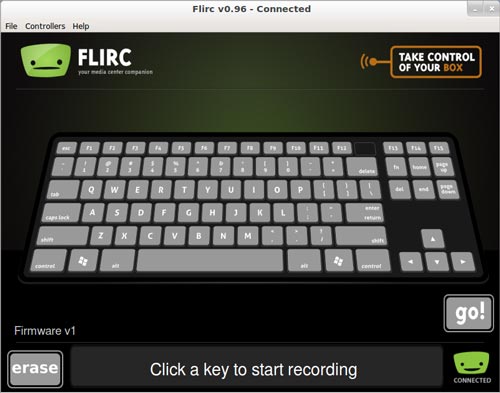
You just click what button you want to simulate and program any key you want on your remote.
The good thing is you can use any old IR remote you have laying in a drawer somewhere. The bad thing is you have a BT device already
I had a hard time finding a BT device that let me program all the buttons I wanted
These are some other shortcuts I found on Windows by mistake lol
I = info
S = subtitle toggle
F11 = zoom full screen/sm window toggle
F5 = refresh Plex
Plus + and Minus - = Plex volume (not system volume)
G + H = home button
W = toggle watched/unwatched
Z = cycle aspect ratio
Ctrl + Shift + D = debug
Also, if you put HTPC in the first spot in the taskbar (all the way to the left) you can open/minimize/maximize Plex by hitting the Windows key + 1
If it’s in the 3rd spot from the left → Windows key + 3….ect……
