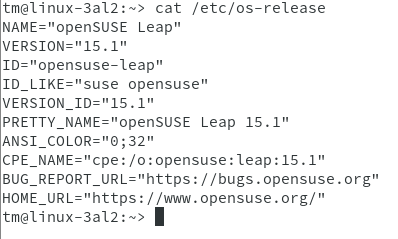
for the past 2,3 years, I’ve had to manually download updates to my workstation, ssh into server, copy the RPM to server, stop plexmediaserver service, then using zypper, up[date] plexmediaserver and finally re-start PMS…
That’s a lot of typing in terminal (the scp alone is a pain).
I can NOT find a REPO Address anywhere.
I would Very Much appreciate a .repo address I can add to my openSuse Server so I can eliminate the manual DL > copy to server portion of the frequent update process.
I’d like to ssh into PlexMediaServer; using an alias, ‘plexstop’; type ‘zypper up plexmediaserver’ (answer ‘y’); again using an alias ‘plexstart’ the plexmediaserver service; Done. : )
Thanks, but that is the ‘instructions’ link I supplied in my post. My problem is, there is NO REPO.
I can not find a repository address to add to zypper (yum) to be able to ‘enable auto update’…
Typically, the .repo file can be found in or above the Download Dir, but being that they are usually not navigable, there is no way to check for a .repo file.