Is it possible to lock posters?
Plex tends to prefer English posters. My priority is Danish posters, then original posters and then English posters.


Yes I have.
But the posters aren’t locked.
If foreistant a Japanese movie doesn’t have a Danish poster and I manually chose the original Japanese poster - then if I do a complete meta data update, I often find it replaced by an English poster.
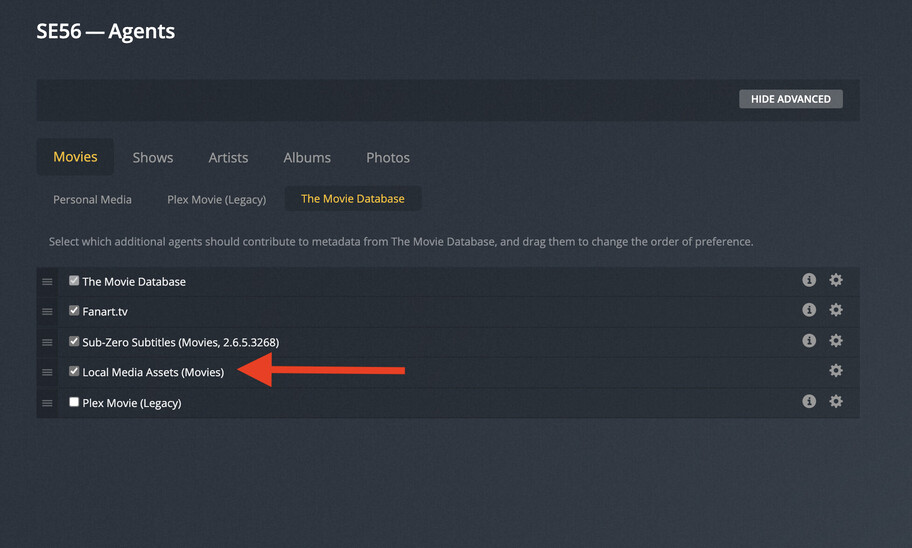
Best and only way in my opinion to fully control the posters is to use local assets. Takes a while to setup but once it’s done plex will then never change them unless you change it yourself.
Thanks.
As I thought it’s not possible 
Using local Posters - well I don’t know - 5000 movies
In that case you can use this software. It will download all the posters and you can choose to save them locally. That + what the guys suggested above will solve your problem. Good luck
It might have to do with you converting the library from one of the old agents to “Plex Movie”.
After doing so, you must “Refresh Metadata” of the whole library.
Since this is a completely different agent, it provides a different selection of posters than the old agent as well.
Your previous poster selections often won’t survive this conversion. Because they might not even be available with the new agent.
Or are ordered differently, or have a different filename/URL associated with them.
However: after the Metadata refresh and a manual selection of your preferred poster, this manual selection is considered “locked” – just as other manual metadata edits.
What a relief. That is the answer I was hoping for.
Thanks.
And thanks to everybody for participating.
