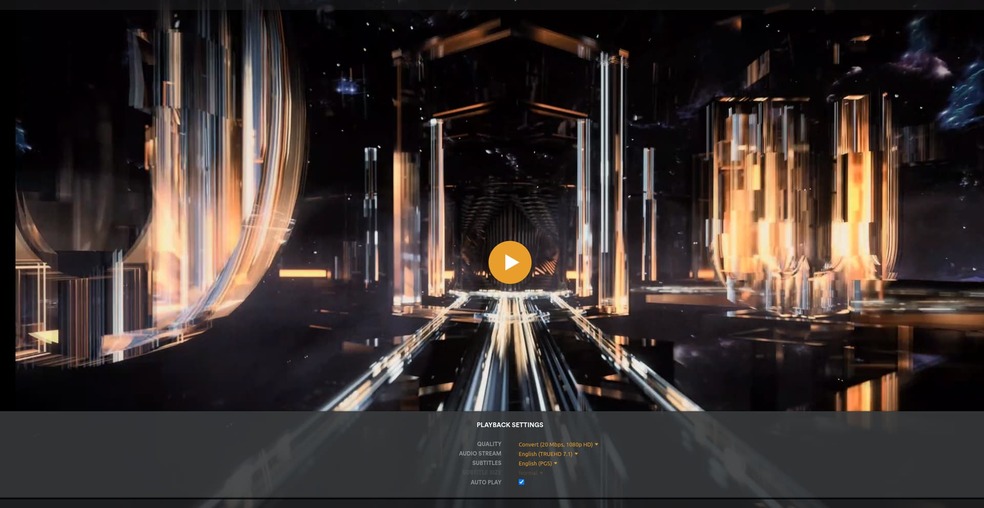
Server Version#: 1.32.4.7195
Player Version#: 4.108.0
<If providing server logs please do NOT turn on verbose logging, only debug logging should be enabled>
Playing content with subtitles (PGS is what I have been using) causes media to buffer often.
Server using an i7 7700K with Nvidia 2070 Super GPU Encoding.
Testing on 1Gbps connected LG Smart TV, Xbox Plex app and Web app (with browser hardware acc enabled)
However, on Windows device (same one as web app) the desktop Plex client works with no issues.
This issue occurs no matter the resolution selected on the client everything from 720p @ 2Mbps, 4k @ 20 Mbps and direct play.
In Tautulli, I can see that the media is being transcoded ahead of where the clients end up buffering.
Changing Audio from TrueHD 7.1 to AC3 5.1 reduces how often it buffers, sometimes down to never happening but does not necessarily stop it occuring.
I have attempted to change the transcode settings in the Plex Server options to no avail.
An i7-7700 can transcode 6 full HEVC HDR full BluRay rips and tone map them with ease (I have one).
If 2 Mbps won’t work then this screams of a network problem (Direct Play confirms it’s not a server problem — DirectPlay sends the file AS-IS without any modification).
Check for the obvious – 2.4 Ghz WiFi (BAD). You want 5 Ghz
Make sure WiFi is connecting at “N” speed. A, B, or G will often cause performance problems.
I have several titles that weren’t playing properly. They are almost all anime and they would load and buffer every few seconds. Normally I can high bitrate 2160p with zero issues.
Turns out it is the .ass subtitles in these anime as other people have pointed out. Plex forces it to convert which causes the constant buffering. The issue is ongoing and apart from this post and some people complaining months ago on reddit.
If I use an app like Infuse to stream my Plex content with the .ass subtitles, no issue.
I really hope this issue is fixed because it makes content unplayable.
I know Anime and ASS subtitles are a PITA because of how they are encoded.
(it’s all over the place and Engineering has had a heck of a time getting something which is “standard” to work with)
I hope Plex engineers are working on some fix because right now the only way to watch any of that content is through a third party app using my plex account. If they can manage perfectly smooth playback then it is definitely possible.
How would I get you the file they’re all pretty large
I have so many it would take forever to separate all the embedded subtitles from the video. I even tried getting a opensubtitle account to download an .srt version but for a lot of them I can’t what I am looking for
It appears to be that any file with those types of embedded subtitles have an issue
Hi, I have the same problem when playing subforced subtitles. Even in 480p it stucks on buffering. When I disabled subtitles, i can play the media in 4k…
Windows plex server with ryzen 3900xt 64gb… Any clue?
This topic is describing my issue perfectly. I’m on Unraid, using the thor2002 6.5beta kernel to get ARC support on my Intel A380. Not exactly standard I know. I seem to remember my nvidia card not having issues even when burning in subtitles, but the ARC card is having some problems here. I don’t want to waste your time digging to closely into my problem, I mostly want to know what the status of ARC support is currently.
Should I expect 4K HDR transcode to 1080p SDR with subtitles burned in to play smoothly? Currently Tautulli is showing me a speed of 0.8.
To be honest, I have kinda given up with this and found a pretty easy fix which is just to change the audio to something less that 7.1/atmos/TrueHD.
We were watching through Game of Thrones and had huge issues with it because we needed subtitles and the media was using TrueHD audio and found that changing every episode to 5.1 audio resolved the issue and we could watch with forced subtitles with no issue.