Server Version#: 1.25.5
Player Version#:
My Metadata folder has become unruly plexmediaserver/appdata/plex media server/metadata It is literally 10’s of thousands of little files which clogs up my backup and causes it to hang. Is there a way of cleaning this up? I’m assuming if i delete the contents I will lose all info on my media files and have to start from scratch? I admit to a lot of movies and music. My Hyperbackups have hung at 99% for hours and the log files generated point to files in that folder stating “Incomplete backup, The file is a symbolic link”
Which file is/files are a symbolic link?
Does the link file(s) point to a valid location?

Those are indeed your metadata.
How many files do you have indexed in Plex?
How are you doing your backup? rsync?
As stated, I have a lot of music and movies/TV Shows, not sure of how many, but a pretty good amount. No, I’m using Synology, Local Folder and USB. Even deleted that folder from a previous backup takes a long time for Windows to tally up all the files
I have a suggestion.
- Use HyperBackup to make the backup.
- It creates a main output file with a few extras.
- The result is a much faster backup than a Copy/Rsync.
- DSM itself manages all the permissions such that , if you ever needed to restore, the PlexMediaServer shared folder will be properly intact.
(MUCH has changed in DSM 7. Synology has ‘clamped down’ on apps. PMS no longer has any privileges on DSM 7 (their design changes)
I’m using Hyperbackup. And I haven’t been using rsync
I have a medium-sized server.
I have 75891 media files.
chuck@papyplex:/var/lib/plexmediaserver/Plex Media Server$ find /nas/media -type f -print | wc -l
75891
chuck@papyplex:/var/lib/plexmediaserver/Plex Media Server$
Of those, there are 21867 symlinks for cross referenced metadata which was migrated forward from the old agents. The new agents use flat text files.
chuck@papyplex:/var/lib/plexmediaserver/Plex Media Server$ find . -print | wc -l
331678
chuck@papyplex:/var/lib/plexmediaserver/Plex Media Server$ find ./Metadata -print | wc -l
154094
chuck@papyplex:/var/lib/plexmediaserver/Plex Media Server$ find . -type l -print | wc -l
21867
chuck@papyplex:/var/lib/plexmediaserver/Plex Media Server$
This is how Plex has always been. It does take time to make backups.
If you have thumbnails and chapter images, it will take longer and be much larger.
ok, but that doesn’t resolve my issue or answer my question
If Hyperbackup isn’t completing the backup , not to push, but that’s either a storage method or a Synology problem.
What is the actual backup destination device? USB drive?
If USB, is it USB 2 or USB 3 ?
Yes, on the Plex files. It’s USB 3,0. Everything else backsup and transfers but it chokes and throws errors on those files.
I will go retest that.
I checked it out thoroughly when I put the DSM 7 package together.
Part of makingPlexMediaServer shared folder visible was so that you can easily make backups.
I need to find out what’s changed.
No changes found.
Recommend:
- Create a shared folder to hold the backup
- Backup Plex to that shared folder.
- When complete, Copy those few files to the USB device.
Gains: Faster I/O both while backing up and when sending final backup to USB drive.

Here we go again with the “symbolic link” BS. My Hyperbackup has been stuck at 12% all day with no movement. If I remove the PlexMediaServer folder from the folders to backup it behaves and completes normally. I include that one and it hangs forever. I’d REALLY love to complete a full backup in a reasonable amount of time. It’s worked fine since shortly after my original post here and today, so something changed. I tried cleaning metadata bundles and optimizing the DB. Still sitting there.
Media Server version 1.26.0.5715-7000. It was updated recently, i don’t know if that’s the issue
How big is the shared folder ? (GB?)
Have you made any modifications to any of the files in the “PlexMediaServer” shared folder?
By “modifications”, I mean:
- Manually restored / moved files into - the shared folder contents using FileStation
-or- - Have any non-Plex plug-ins installed in the server which write in the metadata directory?
Asking because, as verification, I ran my local backup again with 1.26.1 installed.
It completed without incident.

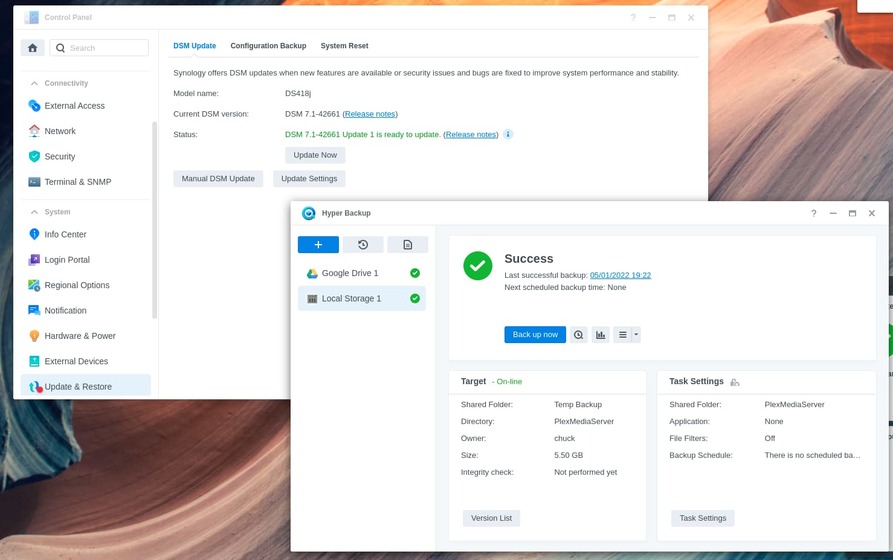
Backup integrity verified.

I downgraded to the previous release, 1.25 and low and behold it’s already gone past where it was hanging before. Simple deduction. Worked fine last week, did update, doesn’t work. Ding ding ding! Something in the latest update. Haven’t touched the PMS shared folder. My backup is approximately 3.4 TB, but it’s incremental, so it only backs up what’s changed. No non-plex plug-ins installed. In the log it looks like I’m getting the same warnings, so apparently that’s not related to the hanging
Downgrading Plex doesn’t instantly change your entire store of metadata (the symlinks). There is something else going on here.
Do you really have 4.5TB of metadata or have you also stored media in the PlexMediaServer shared folder?
If you have 4.5TB of metadata (PlexMediaServer), how many media items do you have / how big is your storage volume(s) ?
I would very much like to see the full error message text which you referenced above.
Would that be possible ? (I only need to see 1 or 2)
No, 3.2 TB of full data. The Metadata is probably around 12 gb or so. I created a whole new backup task with just the Metadata folder and it completed in a reasonable amount of time. I then deleted the original backed up metadata folder and ran the original job and though it took awhile, it eventually completed. A new one ran this morning, it took about 9 hours, but completed

