Server Version#: 1.22.3.4392
Player Version#: web browser
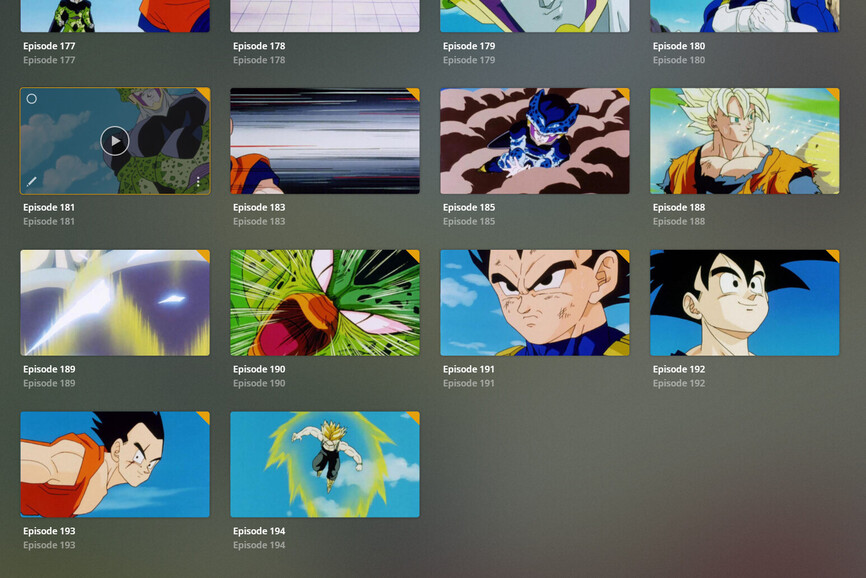
As you can see in the uploaded images the videos exist with the same naming conventions yet there are several missing from plex like 182, 184, 186, 187 though nothing else appears off and I can watch them on the server in the native player. I have tried scanning multiple times and adding this directory directly to my TV library with no success.
Have you checked the library for duplicate episodes? (in case they got mixed up)
I’m not sure if/how much the folder structure (or lack of it) is impacting Plex’s scanner… this could also be a factor.
There are no duplicate episodes and plex did a really good job of organizing the seasons. No episodes were put into the wrong season.
I actually just managed to get them to display by going to advanced library settings and changing the scanner to “Plex TV Series” From “Plex Series Scanner” (the default), but I have no idea what the difference is nor if it has negatively affected anything else.
You are not adhering to the required folder organization and file naming rules.
While Plex may work within such a situation (partially) sometimes, you cannot rely that it will do so indefinitely. The results can change at anytime.
remove the space character before the capital Exxx which has the episode number following
put all episodes into a folder structure TV Shows/Title/Season xx/
where the library has been pinted to the folder TV Shows.
No additional folder levels, nor any folder levels less.