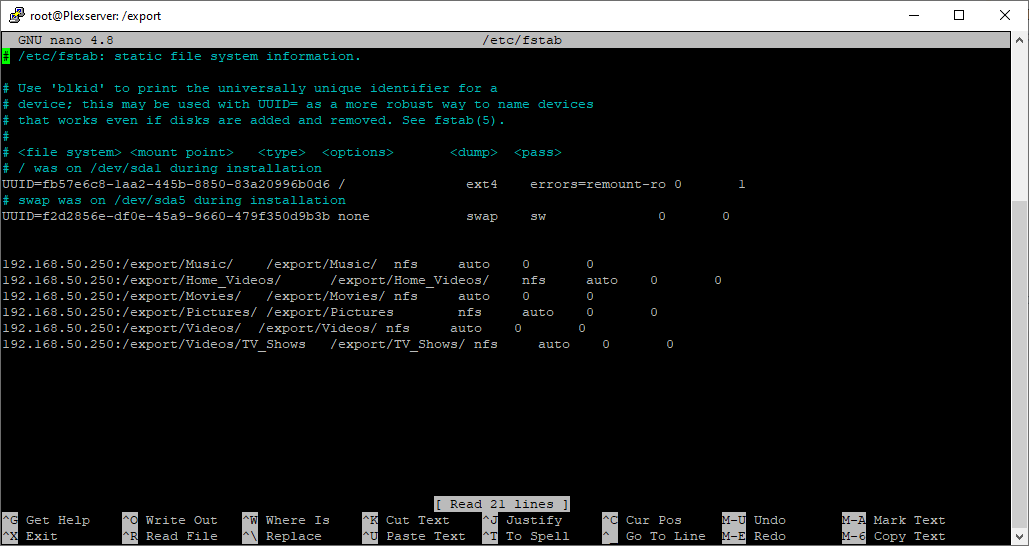
Basic description, I have been running plex on a dedicated ubuntu machine for a couple years, Last weekend upgraded from Ubuntu 18.XX to 20.XX and everything worked fine for a week (almost exactly 1 week to the hour, just in case that is something funky). I noticed my PMS was not available when I was out of the house so when I got home I went to the machine and it was running but my server was not available. The original Server was “not available” but a new one was. After multiple tries to figure out what happened with no luck I decided to connect to the new one and “rebuild” my server.
I am trying to create new libraries and connect to the previously available mounted drives. When I “add library” and “Browse for folder” my mounted folder is not listed. It is not greyed out or with period before, just simply not listed. I can see the folder and access everything within it through terminal as well as the GUI folder tab.
Any suggestions will be greatly appreciated.
My Directory (that I want to access) is named /export