My M1 Mac isn’t doing well handle a lot of streams when friends and family port in to it as my server. So I just finished a new PC build, and I’m about ready to install my OS but not sure what’s my best bet between Windows 10 Pro (very familiar), 11 Pro (have not used), or a Linux Distro (limited knowledge - school based) however with the caveat that I’m working on my Masters in IT.
I generally have anywhere from 3 to 8 streams at once, mix of transcoding and native play. Here’s my build specs:
Intel i7 11700, ASRock Taichi Z590, EVGA Nividia GeForce 3050 GPU, 1TB Samsung 980 SSD for OS, 2 Seagate Ironwolf Pro 6TB HDD’s, LG WH16ns60 UHD drive for .mkv rips, BeQuiet! Dark Rock TF2 cpu fan, bequiet! and Noctua case fans, all wrapped up in a Moneual HTPC case.
The only other thing it will be used for is Roon for a large amount of Hi-Res flac and alac music files.
So with all that in mind, what would be the best OS for the server, if that much matters, with the set up for multiple streams at once.
There’s an alpha version of an M1-native PMS. Maybe give it a shot before going a whole different route?
That said, I find Windows 10 Pro to work perfectly fine for my uses. Plex’s very stable on it, and it can run virtual machines natively for other uses if needed. Windows Server 2019 is also a good suggestion (but not cheap unless…) as it gives you a bit more control over updates and doesn’t install the normal junk apps that Windows 10/11 do.
If you need 4K HDR transcoding and tonemapping, then consider Linux.
Plex has minimal support for tonemapping in Windows.
Also, you can pull the GPU and go with integrated graphics, no matter the OS. The 3050 is limited to three simultaneous transcodes unless you use modified drivers. The QuickSync graphics on the 11700 will best that.
There will be a learning curve with Linux, but seems like you’re picking it up anyway for school.
Also, you’ll have the new system with which to learn/test/experiment. Once you’re comfortable, you can move Plex from the Mac to the new system.
Thanks for the info, I had not given much thought to the HDR mapping issue as I use Plex as my server but an Apple TV 4K using Infuse 7 as the client/player. I guess I better figure that out for those who need transcoding.
I bought the 3050 to be able to do hardware decoding and to take the stress off the cpu. So you’re saying I’d be better off with the Intel UHD 750 over a dedicated GPU? Could you expand a little bit as I thought the GPU was a better move. I don’t game at all, I just wanted the best UHD picture possible and considered using MadVR which can’t run on the iGPU.
Thanks for the link, I installed it this morning. However with 3 streams today my M1 was running at 80%+ and my ram is consistently above 80% so I’m thinking the move with be worthwhile. Though the new Mac Studio with the max chip sure caught my eye lol.
I use a Mac Mini M1 with 8GB Ram. Mine gets hammered because all my family won’t pay for Netflix, roughly about 16 users per night, doing around 14 transcodes and 2 direct streams. The Mini handles it without issue. All running over 1Gig network from 3 WD NAS’.
The reason I mention this is, it should be handling it fine and the i7 won’t handle it any better. I would check your current setup as it should run without issue, and could save you some dollar.
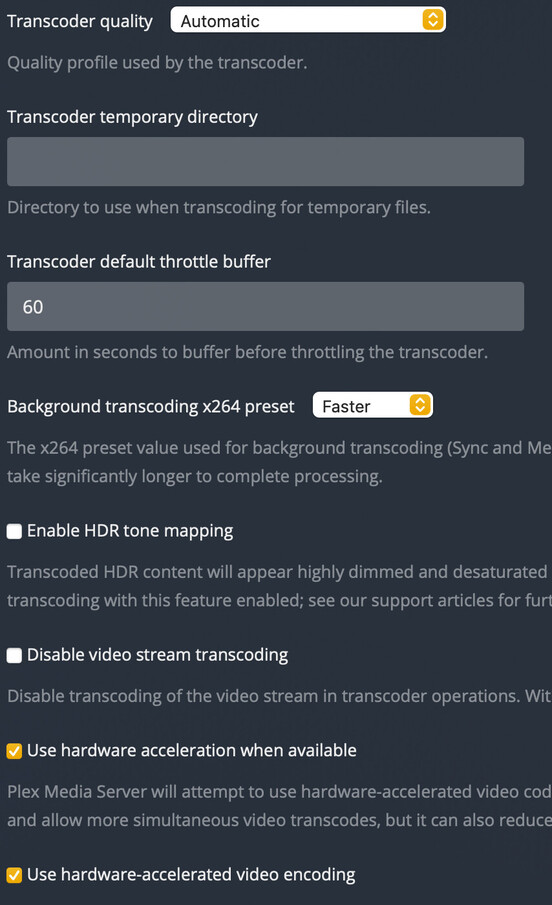
Thanks for the info, now you have me wondering what settings I may have potentially set up incorrectly. Are you using hardware transcoding or leaving that unchecked? Anything else I should be looking for?
PS thanks for any assistance you can give to a new user.