Hi,
I have a movie media library that has been metadata updated by iFlicks. The movies are part of my Apple Library. The posters in that library are perfect, albeit in landscape, which is fine for Apple TV Libraries.
When I import these movies into Plex, the metadata is fine, but Plex takes the embedded landscape image and zooms in to make it portrait, which does not look nice.
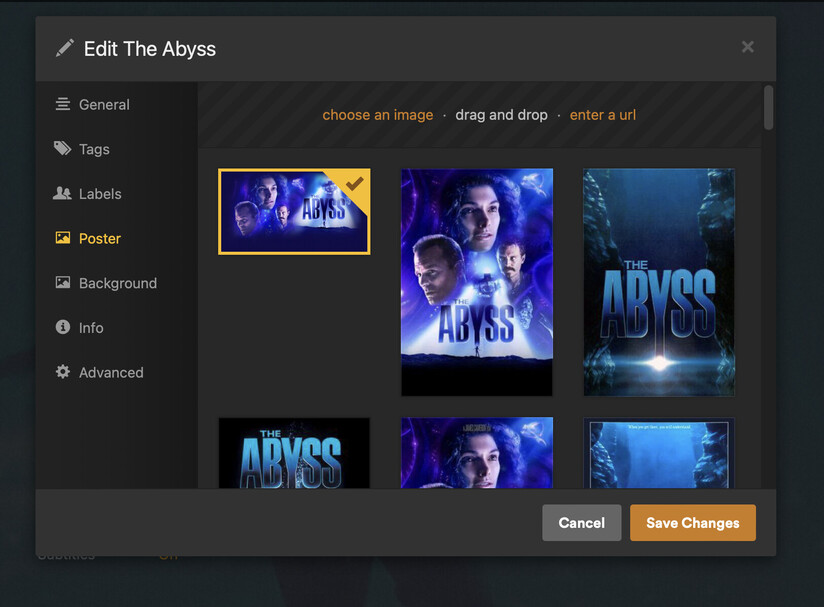
If I edit an individual movie, select the poster option, I get the landscape image as the first option (and is ticked), and I get a selection of other posters, in Portrait, that look fantastic on Plex.
I can manually chose the second poster, but I do not want to do that for each movie.
Can I force Plex to, in bulk, pick the second poster as its preferred image to display in the library.
Example photo attached.