New desktop app on windows can't exit full screen

Server Version#: 3.108.2
Player Version#: 1.0.0.792-d4adb056

Simple, I click the exit full screen button and it does nothing, either it disappears or it just swaps back and fourth between the exit full screen icon (and tooltip) and enter back to full screen icon (and tooltip) but my controls do not return to minimize like I would expect even when just browsing the library. I had to ctrl + alt + delete to close it as I could not minimize it.

Nope, exact same result. You can see it for 1 second, that it’s trying to make the change, but it then returns right back to full screen.

Only way i’ve found is to play an item, exit full screen from the play screen. Then you can. You also can’t exit the app with a mouse when its full screen. So far it seems like its just the web app in an electron wrapper (or something like that).
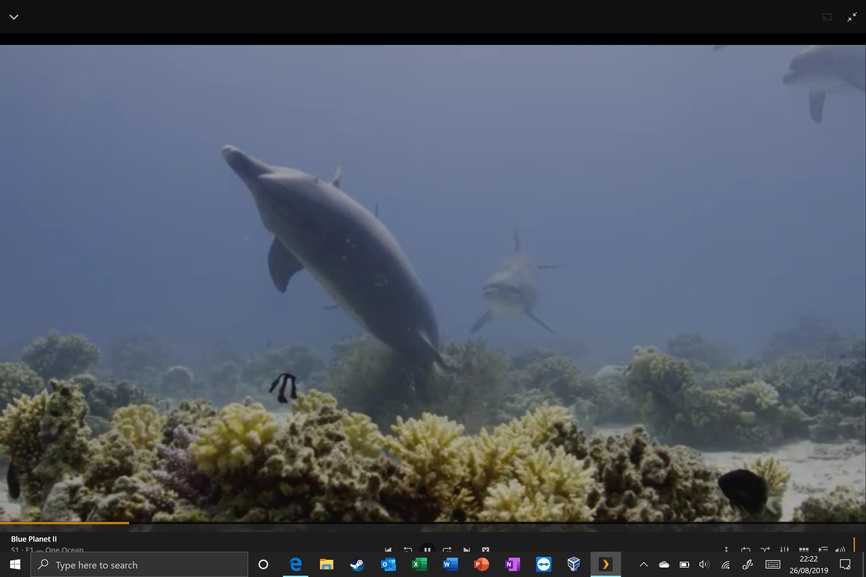

Just gave this a whirl, that didn’t work … but luckily, I can still use the web app, I can do what is needed there!

Happening to me also so it is not just you. Windows 10

You can double-click the video as it plays to exit fullscreen.
The same is true to enter full screen.

This also the same thing as every other method to enter/exit.

There’s some bogus fullscreen handling that I need to iron out. I’ve got work scheduled to investigate/fix this in the next couple updates.

3 Likes

I have a similar issue where full screen in a video won’t remove the windows taskbar on the Win 10 player (1.1.0.831-e1ae73b1) on an MS Surface Pro 6.

Web works well but need offline downloads for travelling.

1 Like

This topic was automatically closed 90 days after the last reply. New replies are no longer allowed.