You do know how easy it is to change ASS to UTF-8 don’t you?
Literally - seconds.
I can change a whole bunch of ASS subs to UTF-8 in 2 years. How much more time are you going to dedicate to The Big Wait? In the last 2 years and the years it’s gonna take to resolve this at Plex HQ - you could learn to speak Japanese Fluently in that time.
How many decades have we been waiting to have Actor Search work across two relatively standard Library Types - TV SHOWS AND MOVIES?
Sure - let’s keep nagging Plex about issues they should have fixed 10 years ago, but if there’s a work-around - use it.
ASS has to be the world’s most annoying subtitle format - that won’t Direct Play on 99% of the devices that encounter my Plexiverse - I have no idea about yours, but they sure won’t Direct Play on that thing you’re using now.
Personally, I fix them, in seconds, before they ever hit the library. It’s no more cumbersome than naming and structuring and a heck of a lot easier to fix than image based subs - that is certain.
OCRing is simply awful.
I do it when they come in, they get taken apart anyway (I have violent allergic reactions to music symbols without lyrics - I can hear the music).
For me, the PITA ASS delivers is worth any time spent fixing them. Given the choice - I’d rather fix the ASS than endure an OCR session.
Another situation is the LG WebOS TV. ASS is supported (although I think formatting is stripped), but Plex doesn’t offer the option to passthrough the ASS subtitles because it thinks they aren’t supported, I’d suggest the option of “Prefer subtitle downgrades before transcoding” (ie stripped formatting).
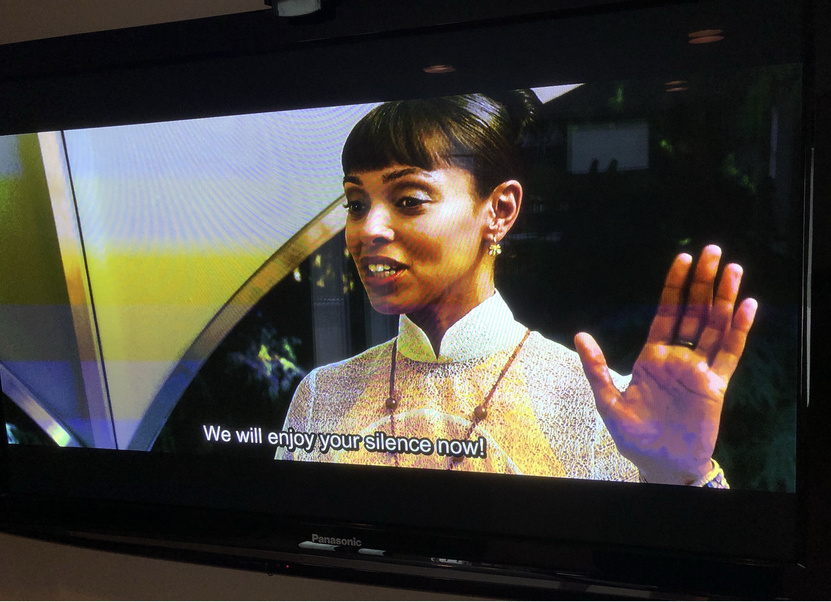
I have a Shield TV Pro 2019 edition. When I first played my HEVC encoded movie in an MKV container with ASS forced subtitle it looked great. I was so excited. No more burning in forced subtitles into my movies like I did with my old XBox 360 process. We then I noticed it was transcoding. Crap. So switched to SRT files. Well it no longer transcoded but moved my subtitles to an obnoxious part of the screen.
If it’s multi-line one line is above the black area the other below or some slightlly overlapping the border so annoying.
So I found this article and turned Burn Subtitles to Only Image Formats. Not sure what that does as not like it’s really burning them in but was transcoding the video. Now it’s not transcoding but still looks and sits low like this, almost like it’s still using the SRT which it can’t be as it shows the forced in playing is the ASS file.
I tried moving the text up in Plex settings on the client but looks like it only supports bottom, middle of screen or top of screen. My ASS file had the subtitles as part of it’s settings moved up and as mentioned when transcoding looked fine but now it’s bust.
Note if I set subtitles back to Automatic it looks as expected but again is transcoding:
I don’t know if you noticed but with version 8.0.0 of the android app there’s this update.
Player: direct play subtitles even when transcoding audio or video.
It appears to have helped with reducing CPU utilization when displaying subtitles on transcoded streams. I hope this makes its way to the Roku platform as well.
My use case is I need to deliver video with hw transcoding. And if subs are burn into the video, there’s no hw transcoding and the video doesn’t play at all in lg web os.
A simple option to prevent subs burn is what I need.
I feel the same pain. Please Plex team! Give us a server option where we can disable burn in subtitles! You need a UFO PC to transcode 4K with subtitles. Two streams are not possible at all with a 3700X and RTX 2080 in a current Ubuntu.
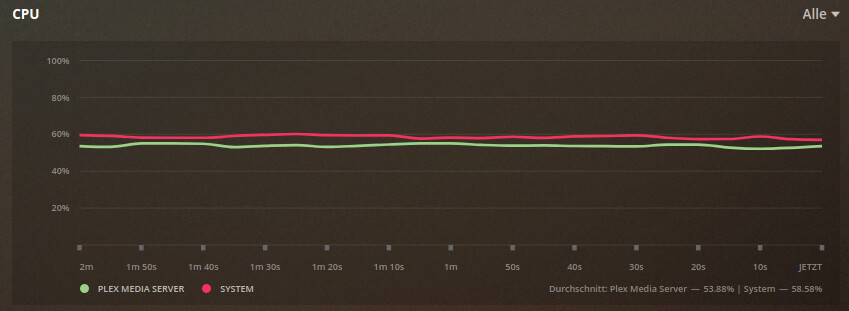
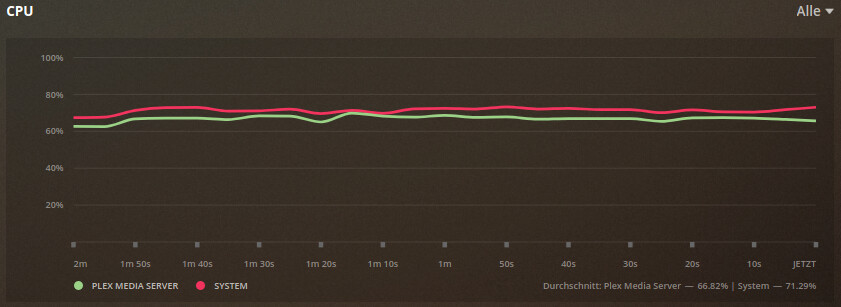
Since my request is supposedly too similar, it was unfortunately closed. So the whole thing again here for the sake of completeness. Even with a 3700X and an RTX 2080, two streams are not possible. Although the hardware is not yet fully utilized, the streams stutter here and there.
2x 4K with PGS burn in - HDR to SDR @ 1080p with CPU and GPU
So dear Plex team. Please give us a possibility to deactivate “burn in” in the server!
Or find some way to transcode subtitles in hardware!
@ChuckPa Contrary to your recommendation, I decided on an i3 10100 (I can still upgrade). An i7 8700k would not help me when I look at the results of my test. And even if I buy an i7, the load on consumption and cooling for it are in little proportion.
4K material is becoming more and more popular and unfortunately there are still popular clients like the Playstation that don’t support subtitles. So please dedicate yourselves to this topic!
I can’t imagine that would mean a lot of work to add an option for this. So again, please give us an option to deactivate burn in IN SERVER! THX @sixones@elan@anon18523487 …
@ChuckPa I can understand and understand your recommendation. All good
But I won’t be able to solve the problem with the subtitles with more CPU power. As you can see, I need a 3700X and a 2080 to run only ONE stream. That’s crazy. Instead of Plex, I would advise against it completely. Two streams are not feasible at all. It seems like there is a limitation in the transcoder because the hardware is not fully loaded and it stutters. That’s why no i7 “helps”. Furthermore, the picture is slightly overdriven when it is transcoded with the CPU. The GPU picture is better.
So I can only solve the problem by forbidding subtitles (burn in) to the client or not making them available. Or only clients with full subtitle support may be used. Then the i3 is enough for “everything”. But when I’m on vacation or on a business trip, I can’t always choose my clients.
Thanks again to @mgutt for your reports here, in the Unraid and on the computer base forums with his i3 8100.
QSV or an Nvidia GPU does in hardware what the AMD cannot.
HEVC was designed to be processed in hardware. It’s NOT intended for software.
HEVC can be processed in software if you throw enough hardware at it (about 4000 Passmarks per 10Mbps of video). This is independent of audio or subtitles.
If a Ryzen 7 3700x is required for ONE HEVC stream, how come I can process 6-8 steams of HEVC on an i7-7700 ?
The point to be made here: Plex is not yet AMD-friendly.
It’s not just HEVC. It’s 2160p Dolby Vision HDR, Full Bitrate, DTS-HD 7.1 and PGS subtitles (forced). So you can transcode 6 to 8 streams of such a material in 1080p including HDR to SDR and PGS “burn in” with the 7700?
Maybe I suffer from a single core overload which is not visible through htop?! Because the main process which constantly jumps between the cores has a load of 124%. If this is the reason, an i3-9350K / E-2274G / E-2278G should solve this for me as it has more single thread performance?!
I got the same experience as you. Got my new i3 10300 and then playing a 4k remux hevc 10bit hdr with PGS subtitles, the movie stutter, but I can’t see that it’s the cpu that’s maxed out.
My clients are a Vero 4K, CCwGTV and the app on my LG CX.
The strange thing was that I switch from to burn in only images to auto as I read in this thread, and to my CCwGTV I could direct play everything with auto.