I think I understand what you’re getting at here (no direct link back to the collection), but it is possible to navigate back from a movie in a collection to the containing collection. In the web client, you only need click the the browser’s back button. in both the Plex desktop app and Plex Media Player there are back arrows at the top-left which will accomplish the same thing.
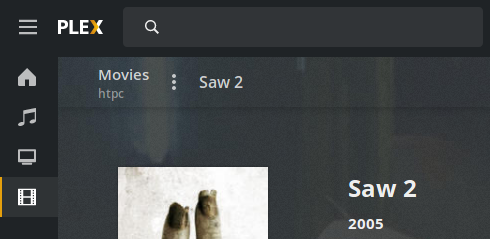
Yeah, I know there’s a back button, but it’s not the same thing as breadcrumbs. For example, it won’t help if you’re navigating from the “recently added movies” section to “Saw 2”, and after that you decide to view the whole “Saw” collection.
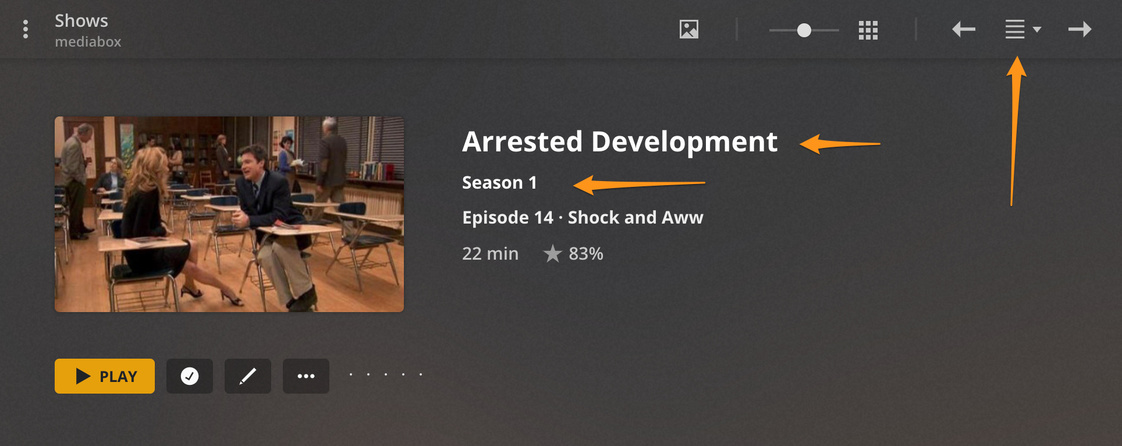
Both of these are clickable to get back to the season or show as a whole. On the top right you can click that icon to get the drop down to select any episode in the same season. I’m not sure what you’re saying the bread crumbs that were there did differently but I am happy to pass along the feedback on the new preplays.
Breadcrumbs serve not only navigational purpose, but also demonstrative. It helps to understand current location and context of the page almost instantly - because tree-like representation of hierarchical data is easier to understand, than just list of scattered links and buttons.
Moreover, it’s faster to navigate - links are located next to each other, so you can proceed to any section without seeking the link on the page.
So, I think it’s better to have breadcrumbs in addition to current navigational links and buttons.