I have been following all the documentation I can find, and it all points to going to the more info of a library item, and then clicking the link to view xml. I do not have that option showing? How can I view the XML so I can find my token?
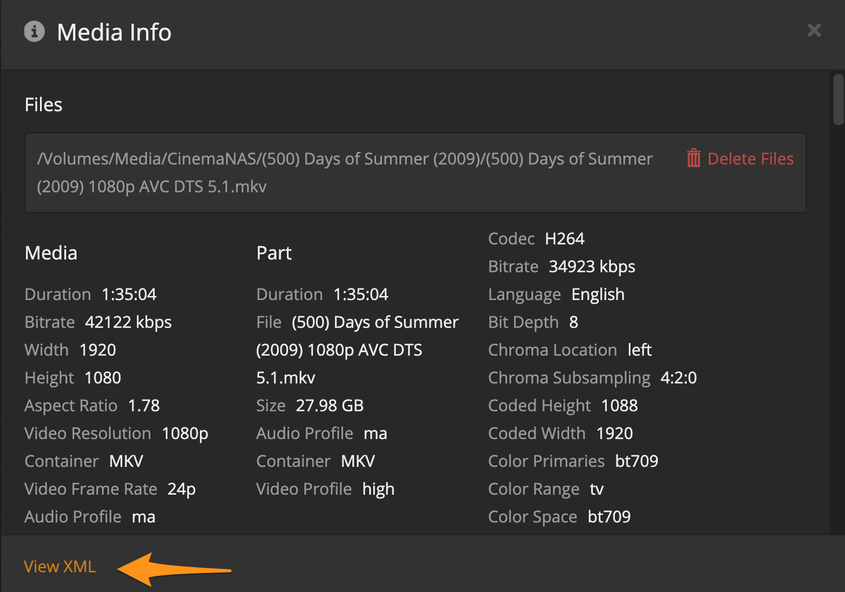
Yes I know that, that is the point of my question. I do not have a view xml option on any file I go to. I am signed in as the Admin account.
I changed devices and when the screen was maximized the option was showing. If the window was not maximized there was no way to view the option.
what exactly does this mean? i can’t get that link to show up no matter what i do…
I don’t know what type of device you are using but suggest using a browser on a computer.
First you click on the dots on the bottom right of any movie poster or episode thumb and choose Get Info from that menu . That opens the media info window that opens has info about the file and the view XML link on the bottom left of it.

